

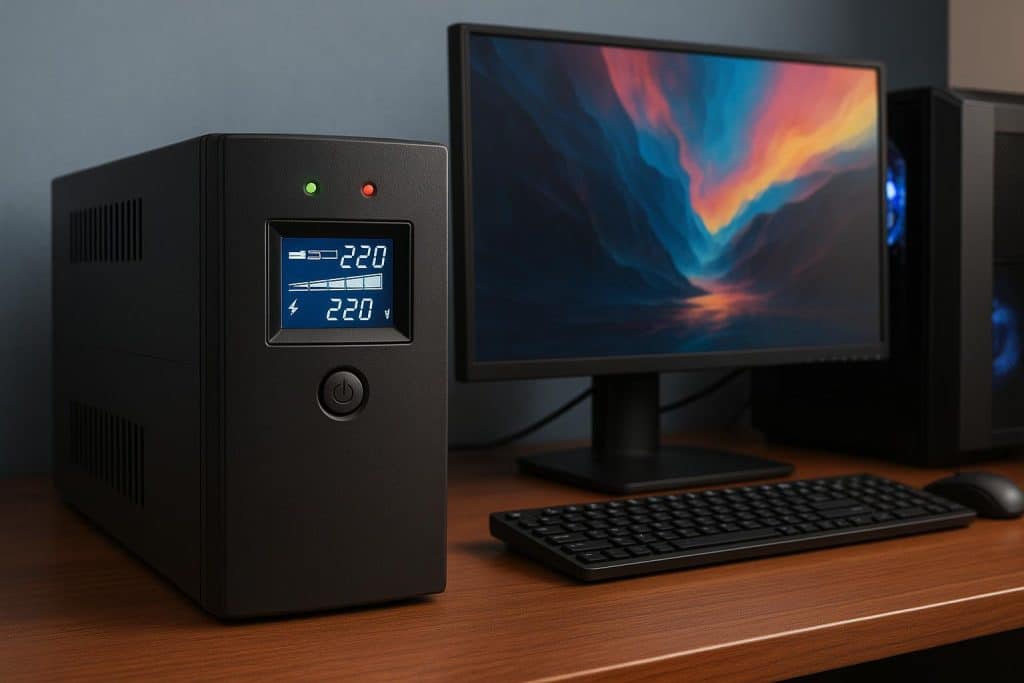
Power interruptions do more than shut down a screen. They can corrupt files, damage components, and disrupt work or play at the worst possible time. A reliable Uninterruptible Power Supply (UPS) protects your system from outages, surges, and voltage dips, providing you with time to save and shut down safely.
Choosing the right unit requires more than guessing at wattage. It means matching protection to your actual load, usage, and environment. For many users, the best UPS for PC gaming and creative workloads delivers clean power, enough runtime, and the right outlets for essential peripherals.
Understand What a UPS Does for a PC
A UPS acts as a power buffer between the utility supply and your equipment. It conditions voltage, filters noise, and provides stored energy during outages. Think of it as an essential electrical instrument that stabilizes power for sensitive devices, such as your PC, display, external drives, and network gear. The right system can prevent data loss, extend equipment life, and reduce downtime.
How to Choose the Best UPS for PC: Power, Topology, Runtime, and Features
Picking the right backup power is easier with a clear checklist. The goal is simple: protect data, hardware, and productivity with the most suitable UPS for PC.
- Calculate Real Power Needs
Start by listing essential devices, such as your tower, monitor, external drives, modem, and router. Record their watts or volt-amps, and then add 20–30% headroom to account for startup surges.
If your PSU is 80 PLUS, use its power factor to convert VA to watts. Proper sizing ensures that your UPS for PC won’t overload, even during demanding workloads.
- Choose the Right Topology
Standby (Offline) UPS provides basic backup for simple desktops and brief outages. Line-interactive UPS, with AVR, smooths sags and surges, making it ideal for home or SMB use with a PC. For mission-critical systems, Online Double-conversion UPS delivers the cleanest power, ensuring the highest level of protection.
- Match Runtime to Your use Case
Proper runtime ensures your UPS serves as a reliable safety net. Most systems require 5–10 minutes for a safe shutdown, while creators and streamers may need 10–20 minutes to finish tasks. Refer to vendor runtime charts or calculators to accurately size your UPS batteries.
- Prioritize Clean Power and Protection
AVR or online regulation manages sags and surges. True sine-wave output ensures compatibility with active PFC power supplies. Surge and noise filtering, along with data-line protection for Ethernet and coax, help reduce coil whine, random restarts, and storage risks.
- Select Outlets and Connectivity
Ensure enough battery-backed outlets for essentials, with surge-only outlets for printers. Use USB/serial for logging, runtime display, and safe shutdown. Managing multiple PCs? Consider network cards or cloud monitoring for better control.
- Mind Form Factor, Noise, and Environment
Use a tower for desks and a rack for AV or network cabinets. Check fan noise, ensure proper ventilation, and avoid heat sources. External battery packs add weight, so verify the shelf or rack capacity before installation.
- Plan Battery Replacement and Service
Expect 3–5 years of battery life, depending on temperature and usage. Choose a UPS for your PC with user-replaceable batteries and clear indicators. Maintain a replacement schedule and perform firmware updates, self-tests, and load checks to ensure optimal system performance.
- Protect the Network and Storage too
Place the modem, router, and switch on battery-backed outlets. Share safe-shutdown signaling with NAS or RAID enclosures for added protection.
- Balance Budget, Brand, and Warranty
For most, a line-interactive UPS for PC with sine-wave output, AVR, and 5–10 minutes of runtime is ideal. Compare unit warranties and connected-equipment coverage. Select brands that offer reliable software, support, and accessories for optimal long-term performance.
When you size accurately, select the right topology, and maintain batteries on schedule, your UPS for PC turns power problems into brief, manageable events rather than costly interruptions.
Partner With the Right Expert
Work with a reputable electrical brand to incorporate proven UPS for PC solutions, reliable batteries, and support you can trust. Expert guidance helps you select the correct topology, deploy safe shutdown software, and plan for maintenance.
The result is cleaner power, fewer interruptions, and longer device life. Ready to harden your setup? Consult with a trusted provider and develop a protection plan tailored to your PC and workflow.