

Introduction: What is Virtual Reality?
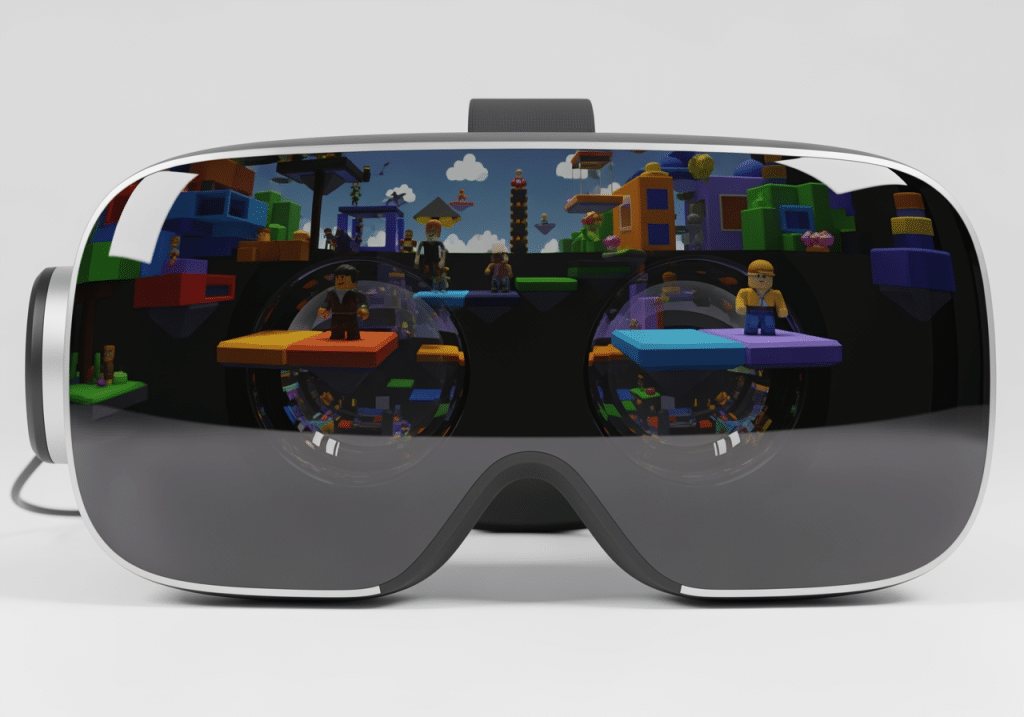
Imagine stepping inside your favorite games, not just playing them on a screen. Virtual Reality (VR) makes this possible, offering immersive experiences that transport you to digital worlds. It’s no longer just a futuristic idea; modern VR headsets are more accessible and powerful than ever before. Many popular platforms, like Roblox, are now fully embracing VR, letting millions explore their creations in exciting new ways.
But where do you begin this journey? Choosing the right VR headset and understanding how to set it up can seem complicated. That’s where we come in. We have created this guide to simplify the process for you.
We will walk you through the essential steps to start your VR adventure. We will help you understand different types of VR hardware, explain key features to look for, and show you how to get everything running smoothly. Our goal is to give you the confidence to dive into the amazing world of VR gaming and experiences, including popular choices like Roblox.
Virtual Reality (VR) is a simulated experience that can be similar to or completely different from the real world. It immerses users in digital environments, often through specialized head-mounted displays. These headsets provide a stereoscopic view, creating a sense of depth and presence that makes you feel like you are truly there. Beyond just visuals, VR systems often incorporate sensory simulations, including sound, haptics (touch feedback), and sometimes even scent, to improve the feeling of immersion.
The applications of VR extend far beyond gaming. While it offers unparalleled experiences in virtual worlds, VR is also used in fields like education, healthcare (for therapy and training), architecture, and even social interaction, allowing people to connect in shared virtual spaces. For platforms like Roblox, VR transforms the experience from viewing a game on a screen to actively participating within its vibrant, user-generated worlds. This shift enables a deeper connection with the content and other players, making every interaction more engaging and memorable.
To better understand the spectrum of immersive technologies, it’s helpful to differentiate between Virtual Reality (VR), Augmented Reality (AR), and Mixed Reality (XR). While often grouped, they offer distinct levels of immersion and interaction with digital content.
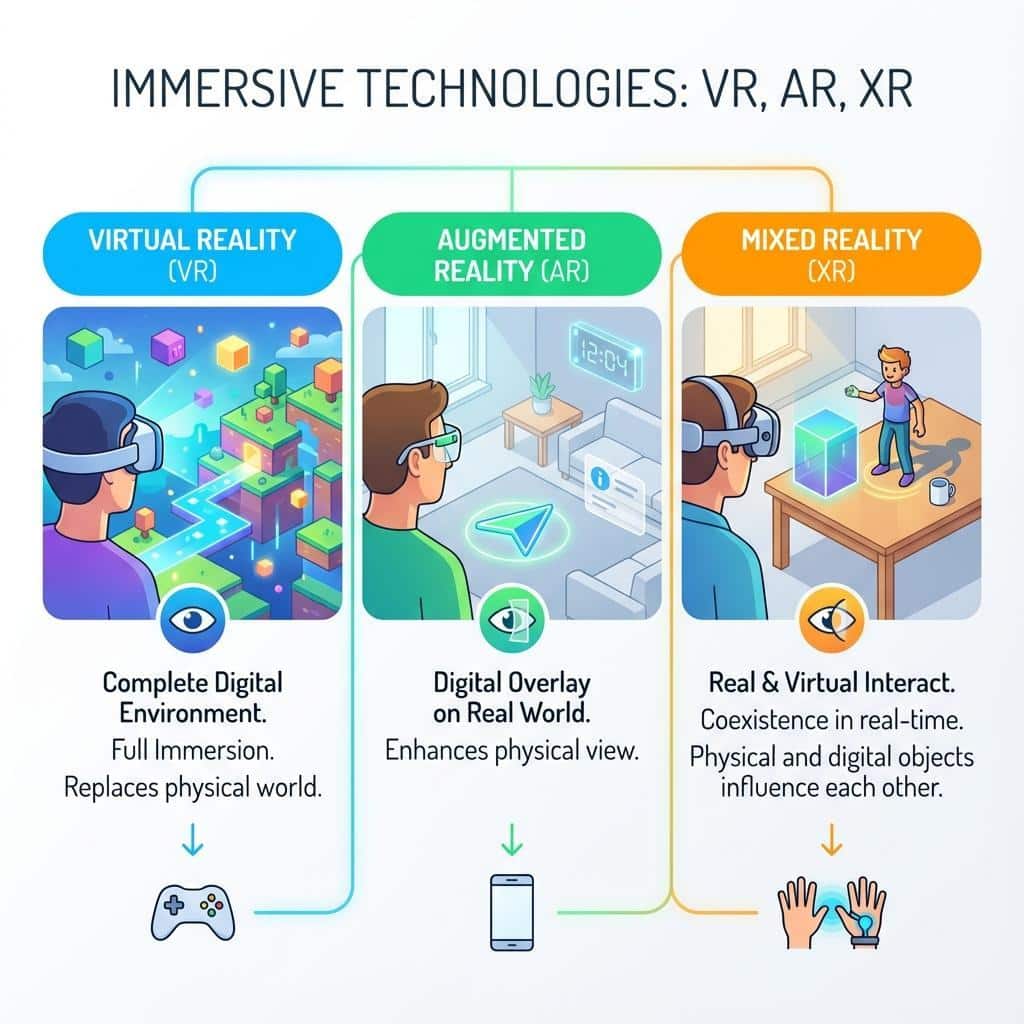
- Virtual Reality (VR): Completely replaces your view of the real world with a simulated one. You are fully immersed in a digital environment.
- Augmented Reality (AR): Overlays digital information onto your view of the real world. The real world remains visible, with digital elements enhancing it. Think of smartphone apps that let you “see” virtual furniture in your living room.
- Mixed Reality (XR): Blends real and virtual worlds, allowing digital and physical objects to coexist and interact in real-time. This is often achieved through headsets with transparent lenses or high-quality passthrough cameras, like the Meta Quest 3, enabling digital elements to appear as if they are physically present in your space.
Understanding these distinctions helps clarify the capabilities and potential of various immersive technologies, especially as they continue to evolve and converge.
Choosing Your First VR Headset
Starting on your VR journey begins with selecting the right headset. This decision often hinges on a balance between desired experience, budget, and convenience. The market offers a diverse range of options, from self-contained units that offer unparalleled freedom to powerful systems that leverage the processing might of a gaming PC. For platforms like Roblox, which can be enjoyed in various VR setups, understanding these differences is crucial.
When considering a VR headset, think about how you plan to use it. Will it be primarily for casual gaming and social experiences, or are you aiming for high-fidelity, graphically intensive simulations? Your answer will guide you toward either a standalone or PC-tethered system, each with its own set of advantages. Furthermore, specific technical features like display resolution, refresh rate, and overall comfort will significantly impact your immersive experience. Let’s dig into these factors to help you make an informed choice.
Standalone vs. PC-Tethered: Which is Right for You?
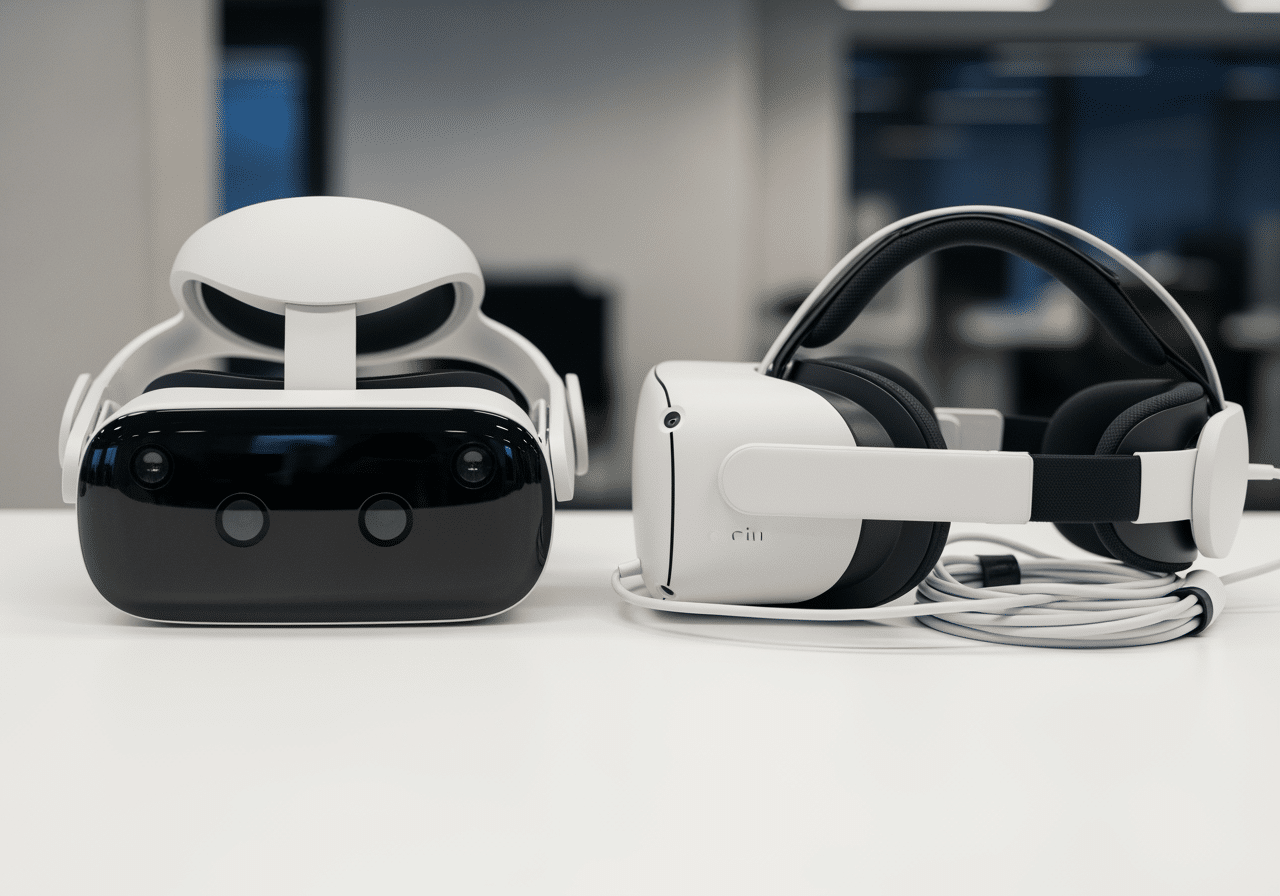
The fundamental choice for any new VR user boils down to two main categories: standalone or PC-tethered headsets. A third, hybrid category, offers the best of both worlds.
Standalone VR Headsets: These are all-in-one systems that contain all the necessary hardware (processor, display, battery) within the headset itself.
- Pros:Wireless Freedom: No cables tying you to a computer, allowing for unrestricted movement. This is a huge advantage for dynamic Roblox experiences or social VR worlds where you want to move freely.
- Portability: Easy to take anywhere, making it convenient for sharing VR with friends or family.
- Simplicity: Generally easier to set up and use, with no need for a powerful gaming PC.
- Cost-Effective Entry: Often represents a lower initial investment compared to a full PC VR setup. The Meta Quest 3S, for instance, offers a completely wireless experience and access to a great library of games at a very accessible price point.
- Cons:Limited Processing Power: While improving rapidly, the graphics and complexity of experiences are typically less advanced than those on PC VR due to the mobile-grade processors.
- Battery Life: Runs on internal battery, limiting session length.
PC-Tethered VR Headsets: These headsets connect directly to a gaming PC via a cable and rely on the PC’s processing power to render virtual worlds.
- Pros: High-Fidelity Graphics: Can deliver stunning visuals, complex physics, and highly detailed environments, limited only by your PC’s specifications. This is ideal for Roblox experiences that push graphical boundaries.
- Extensive Game Libraries: Access to a vast library of PC VR titles through platforms like SteamVR.
- No Battery Concerns: Powered by the PC, so no need to worry about headset battery life during long sessions.
- Cons:Cables: The tethering cable can restrict movement and be a tripping hazard, breaking immersion.
- Requires a Powerful PC: A significant additional investment in a high-end gaming computer is often necessary.
- Less Portable: Not designed for easy transport.
Hybrid Systems (e.g., Meta Quest Line): Some standalone headsets, notably the Meta Quest 2, Quest 3S, and Quest 3, offer the best of both worlds. They can operate independently as standalone devices and connect to a PC via a USB cable (Oculus Link) or wirelessly (Air Link/Virtual Desktop) to play PC VR titles.
- Pros:Versatility: Enjoy wireless freedom for casual games and standalone Roblox experiences, or connect to a PC for higher-fidelity PC VR games and more graphically demanding Roblox VR creations.
- Cost-Efficiency: A single headset serves multiple purposes, potentially saving money compared to buying separate standalone and PC VR systems. The Meta Quest 3 is an excellent choice for simply using VR however you’d like, offering a blend of standalone and PC-tethered capabilities.
- Cons: While capable, the visual quality when tethered to a PC might not perfectly match dedicated PC VR headsets due to video compression.
For Roblox, which has native VR support on Meta Quest and PC VR platforms (SteamVR, Oculus PC), a hybrid headset like the Meta Quest 3 or Quest 3S offers immense flexibility. You can jump into Roblox VR experiences directly on the headset or connect to your PC for potentially improved performance and access to a wider range of VR-enabled Roblox games.
Key Features for a Quality Virtual Reality Experience
Once you’ve decided between standalone and PC-tethered, understanding the technical specifications of a VR headset will help you gauge the quality of the immersive experience it offers.
- Resolution (Pixels per Eye): This is perhaps the most critical factor determining visual clarity. Higher resolution means sharper images, less “screen-door effect” (where you can see the individual pixels), and more detail in virtual environments. For Roblox, which often features blocky aesthetics but can also have intricate user-created worlds, a higher resolution like the HTC Vive Pro 2’s 2,448 by 2,448 pixels per eye provides a significantly crisper view. The Meta Quest 3 also offers a substantial upgrade in resolution over its predecessors, enhancing the visual fidelity of Roblox worlds.
- Refresh Rate (Hz): Measured in Hertz, the refresh rate indicates how many times per second the display updates the image. A higher refresh rate (e.g., 90Hz, 120Hz) translates to smoother motion and reduces the likelihood of motion sickness. For Roblox games or simply navigating virtual spaces, a higher refresh rate makes the experience feel more fluid and natural.
- Field of View (FOV): This refers to the extent of the observable world seen at any given moment. A wider FOV (measured in degrees) provides a more encompassing and immersive experience, as it fills more of your peripheral vision. While most headsets offer a decent FOV, some high-end models aim for a wider perspective to reduce the “binocular” effect.
- 6 Degrees of Freedom (6DoF) Tracking: This is standard for modern VR headsets and allows you to move freely in three-dimensional space (forward/backward, up/down, left/right) and rotate your head in any direction (pitch, yaw, roll). This is essential for a truly interactive and immersive Roblox VR experience, enabling you to walk around and look at objects naturally.
- Controller Ergonomics and Tracking: Comfortable controllers that accurately track your hand movements are vital. Good controllers should feel natural to hold and provide precise input, allowing you to interact with Roblox worlds intuitively. Meta Quest controllers are widely praised for their design and tracking accuracy.
- Built-in Audio: Integrated headphones or speakers provide spatial audio, enhancing immersion by making sounds appear to come from specific directions within the virtual space. While many headsets offer decent built-in audio, some users prefer to use their own high-quality headphones for superior sound.
Considering these features in conjunction with your budget and intended use will help you pinpoint the best VR headset for your Roblox adventures and beyond.
Setting Up Your Virtual Reality System
Once you’ve chosen your VR headset, the next step is to set up your system to ensure a smooth and enjoyable experience. This involves ensuring your PC meets the necessary specifications (if you’re going the PC VR route), installing the appropriate software, and preparing your physical play area for safe and immersive gameplay. Proper setup is key to opening up the full potential of VR, especially for dynamic experiences like those found in Roblox.
PC Requirements for High-Performance VR
For those opting for a PC-tethered or hybrid VR setup to play Roblox or other demanding VR titles, your computer’s specifications are paramount. The PC acts as the brain, rendering the complex virtual worlds and sending them to your headset. Skimping on PC hardware can lead to low frame rates, stuttering, and an overall poor VR experience, which can also induce motion sickness.
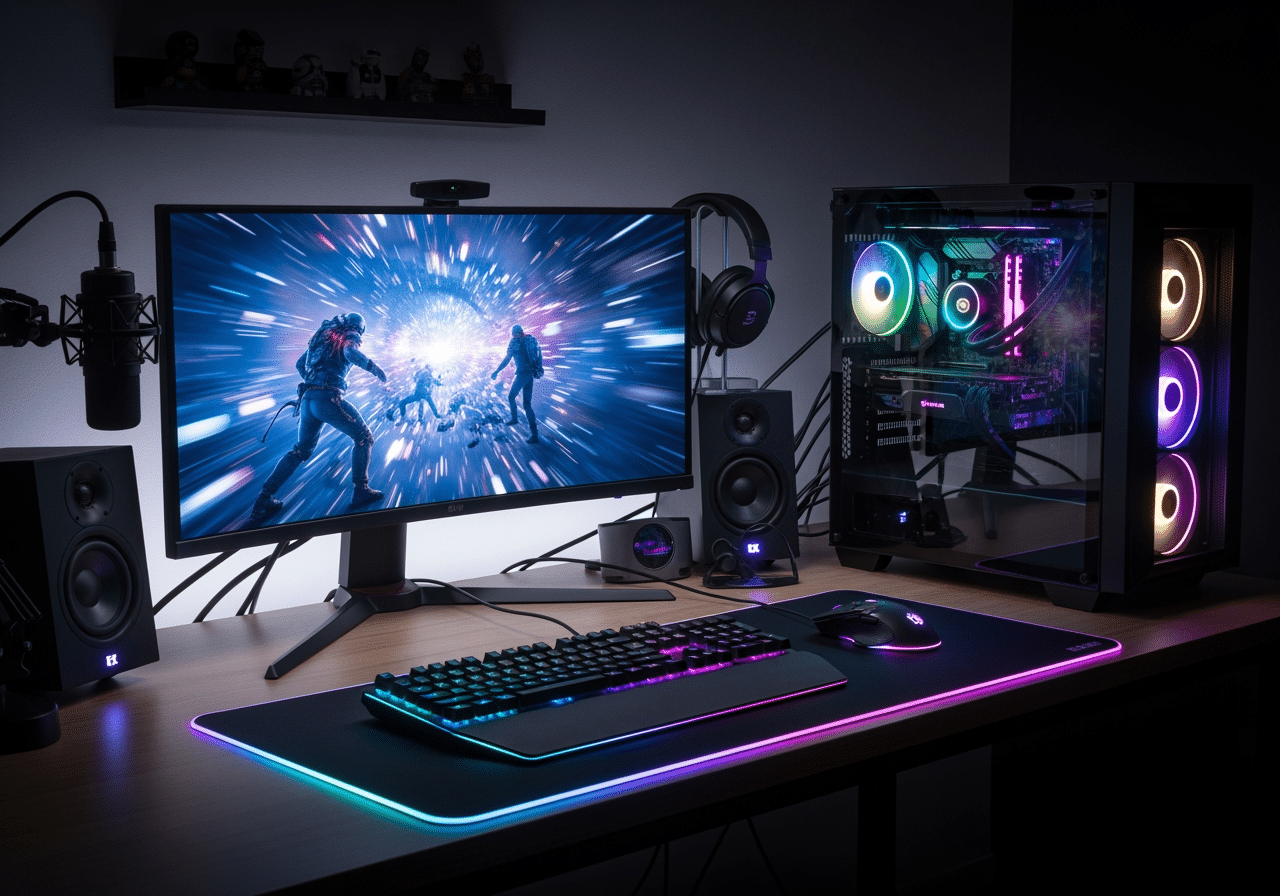
- Graphics Card (GPU): This is the single most important component for VR. A powerful GPU is responsible for rendering the two high-resolution images (one for each eye) at a high frame rate. For Oculus drivers, a minimum of an NVIDIA GTX1060 graphics card or equivalent is often cited as a baseline. However, for truly smooth and high-fidelity Roblox VR, especially in complex user-created games, we recommend a more modern GPU like an NVIDIA RTX 3060 or AMD Radeon RX 6600 XT at a minimum, with higher-end cards providing a significantly better experience.
- Processor (CPU): While the GPU handles the heavy lifting of graphics, a capable CPU is needed to manage game logic, physics, and other background processes. An Intel Core i5-9600K or AMD Ryzen 5 3600 or better is generally recommended for a good VR experience.
- System Memory (RAM): 16GB of RAM is the standard recommendation for most VR applications and modern gaming. While 8GB might technically work for some simpler Roblox experiences, 16GB ensures smoother multitasking and better overall performance.
- USB Port Standards: For headsets that connect via USB (like Oculus Link for Meta Quest devices), having a high-speed USB 3.0 or newer port is crucial for stable data transfer and minimal latency.
- System Readiness Check Tools: Many VR platforms, such as SteamVR and Oculus, offer free tools that can scan your PC’s hardware and tell you if it meets the minimum or recommended specifications for VR. Running these checks before investing in a headset or upgrading your PC can save you a lot of hassle.
Even if Roblox itself isn’t the most graphically demanding game on a flat screen, rendering it twice for VR at high resolutions and refresh rates requires substantial computing power.
Software and Environment Setup
Once your hardware is ready, the next step is to prepare the software and your physical play environment.
- Digital Game Stores & Platforms: Meta Quest Platform: For Meta Quest headsets, you’ll use the Meta Quest app on your smartphone to set up the headset and browse the Meta Store. Roblox is now officially available on the Meta Quest Store, making it easy to download and play directly on your standalone headset.
- SteamVR: For PC-tethered headsets (like HTC Vive, Valve Index) or hybrid headsets connected to a PC, SteamVR is the primary platform. It manages your VR hardware and provides access to a vast library of PC VR games, including many Roblox experiences.
- Oculus PC App: If you’re using a Meta Quest headset tethered to your PC, you’ll need the Oculus PC app installed. This software facilitates the connection (Oculus Link) and allows you to play PC VR games from the Oculus PC store or through SteamVR.
- OpenXR Standard: Roblox, like many modern VR applications, uses the OpenXR standard. This is an open, royalty-free API that provides developers with a unified way to access VR and AR hardware. This means that once your headset is properly configured with its respective platform (Meta Quest, SteamVR), Roblox can leverage OpenXR for broader compatibility.
- Guardian/Chaperone Systems: These are virtual boundaries you set up in your physical play space that appear in VR if you get too close to them. They are essential safety features that prevent you from bumping into walls, furniture, or other obstacles while immersed. Always take the time to set these up accurately.
- Defining a Play Space: Depending on the VR experience and your available room, you can choose different play styles:
- Room-scale: Allows you to physically walk around within a defined area, offering the most immersive experience for games that require movement. Many Roblox VR experiences benefit greatly from room-scale.
- Standing: You remain in one spot but can turn and use your arms freely.
- Seated: Ideal for cockpit games, simulations, or experiences where physical movement isn’t required.
- Roblox VR Specifics: To enable VR in Roblox, you’ll need to ensure your headset is connected and recognized by your PC (if applicable). Within the Roblox experience, steer to the in-game settings (Menu > Settings > VR) and toggle the VR option to “On.” You might need to restart the Roblox client for the changes to take effect. For Meta Quest devices, ensure your headset software is up to date (e.g., v55 or newer for Roblox compatibility).
Properly setting up your VR system, both software and physical space, ensures a safe, comfortable, and truly immersive journey into the virtual worlds of Roblox and beyond.
Diving In: Finding the Best VR Games and Experiences
With your VR headset set up and ready to go, the exciting part begins: exploring the vast universe of virtual reality games and experiences. VR offers unique ways to interact with digital worlds, from heart-pounding action to serene social spaces and creative tools. For Roblox users, this means stepping inside their favorite “experiences” and interacting with them in a completely new dimension.
Popular VR Game Genres for Beginners
VR excels at genres that leverage immersion and spatial interaction. Here are some popular categories that beginners often enjoy:
- Rhythm Games: Titles like Beat Saber are incredibly popular in VR. They combine music, movement, and satisfying gameplay, making them intuitive and highly engaging. Roblox also features rhythm-based experiences that translate well to VR, offering a playful guide to a virtual music extravaganza.
- Puzzle Solving: VR’s ability to let you physically interact with objects makes puzzle games incredibly satisfying. Manipulating virtual mechanisms and exploring environments in first-person adds a new layer of challenge and fun.
- Action-Adventure: From exploring ancient ruins to battling fantastical creatures, action-adventure games in VR offer unparalleled immersion. Look for games with comfortable locomotion options (like teleportation) to ease into the experience. Many Roblox action games or adventure maps can be incredibly thrilling in VR.
- Social VR Worlds: Platforms like VRChat and, indeed, Roblox itself, thrive in VR. These spaces allow you to meet and interact with others in virtual environments, fostering a strong sense of community and presence. The Meta Quest 3 is an excellent headset for exploring the VR side of VRChat and immersing yourself in its diverse virtual worlds and communities.
- Creative Sandboxes: VR provides intuitive tools for creation, allowing you to sculpt, paint, and build in 3D space with your hands. Roblox, at its core, is a creative sandbox, and experiencing user-generated content in VR can spark new ideas for building your own immersive worlds.
- Fitness and Sports Simulation: VR offers a fun way to get active. Whether it’s boxing, dancing, or virtual sports, these games can provide a genuine workout while keeping you entertained.
For specific recommendations within Roblox, many user-created “experiences” have robust VR support. We recommend exploring titles known for their immersive environments or interactive gameplay to truly appreciate Roblox in VR.
Where to Find Great Content for your Virtual Reality Headset
Finding new and exciting VR content is part of the fun. Here’s where you can look:
- Official Platform Stores: Meta Quest Store: For Meta Quest users, this is your primary hub for standalone VR games and apps. Roblox is now officially available here, making it a direct download for Quest 2, Quest 3S, and Quest 3 owners.
- Steam Store (SteamVR): For PC VR users, Steam offers the largest library of VR titles. If you’re connecting your Meta Quest to a PC, or using a dedicated PC VR headset like the HTC Vive or Valve Index, SteamVR will be your gateway to countless experiences.
- Independent Developer Portals (e.g., App Lab): Meta’s App Lab allows developers to publish experimental or early-access VR content that might not yet be ready for the main Quest Store. Roblox was initially released on App Lab as an open beta before its full Quest Store launch. Keep an eye on these platforms for innovative new content.
- Early Access Programs: Many promising VR titles start in early access, allowing players to contribute feedback during development.
- Community Sites and Forums: The VR community is vibrant and passionate. Websites, forums, and social media groups dedicated to VR are excellent places to find recommendations, reviews, and discussions about the latest games and experiences. For Detailed Virtual Reality reviews and game recommendations, community sites are an invaluable resource, often providing insights that cater to specific interests, including Roblox VR.
Exploring these avenues will ensure you always have fresh and engaging content to enjoy on your VR headset, changing your gaming and social interactions into truly immersive adventures.
Frequently Asked Questions about VR
As you venture into virtual reality, you’re bound to have questions. Here, we address some of the most common inquiries to help you steer your VR journey with confidence.
Can I wear glasses with a VR headset?
This is a very common concern for many potential VR users. The good news is that most modern VR headsets are designed to accommodate prescription glasses, though the experience can vary:
- Glasses Spacers: Many headsets, particularly those from Meta, include a glasses spacer or have adjustable lens distance settings. These create more room between your face and the headset lenses, preventing your glasses from scratching the headset’s optics or pressing uncomfortably against your face. Meta headsets, for example, often come with a glasses spacer for frames up to 142mm x 50mm (width x height).
- Prescription Lens Inserts: For the most comfortable and clear experience, we highly recommend investing in custom prescription lens inserts. These lenses snap directly into your VR headset, replacing the need to wear your glasses. They are available from various third-party manufacturers and typically cost between £40 and £80. This eliminates discomfort, prevents scratches, and often provides a wider field of view.
- Headset Fit Adjustments: Experiment with the headset straps and fit mechanisms. Adjusting the top strap and side straps can often create enough space for your glasses to fit without undue pressure.
- Measuring Frame Size: If you have particularly large or unusually shaped glasses, it’s wise to check the headset manufacturer’s guidelines or user reviews regarding glasses compatibility.
While it’s generally possible to wear glasses, prescription inserts offer a superior and more comfortable experience for prolonged VR sessions.
How much space do I need for VR?
The amount of physical space required depends heavily on the type of VR experience you plan to engage in:
- Seated Experiences: For games like flight simulators, racing games, or passive media consumption, you only need enough space to sit comfortably and freely move your head and possibly your hands. A standard desk chair or couch area is usually sufficient.
- Standing Room-Only: Many VR games allow you to stand in one spot and interact using your hands and head turns. For this, a clear area of approximately 3×3 feet (1×1 meter) is often enough. This is suitable for many social VR apps and some Roblox experiences.
- Room-Scale Requirements: This offers the most immersive experience, allowing you to physically walk around within a designated area. For room-scale, most platforms recommend a minimum clear space of around 6.5 x 6.5 feet (2 x 2 meters). This is ideal for dynamic action games or exploring large Roblox worlds where physical movement improves immersion.
- Minimum Space Recommendations: Always follow the setup instructions provided by your headset manufacturer. They will guide you through defining your “Guardian” or “Chaperone” boundaries, which are crucial for safety.
- Safety First: Regardless of the play style, always ensure your play area is free of obstacles, trip hazards, and fragile items. Keep pets and other people out of the designated zone to prevent accidents.
How can I prevent motion sickness in VR?
Motion sickness (or “cybersickness”) is a common concern for VR newcomers, but it’s often manageable with a few strategies:
- Teleportation Movement: Many VR games offer “teleportation” as a locomotion option. Instead of smooth walking, you point to a spot and instantly warp there. This greatly reduces the disconnect between your inner ear (which senses no movement) and your eyes (which see movement), thus minimizing sickness.
- Comfort Settings: Developers often include comfort options like “snap turning” (turning in discrete increments rather than a smooth rotation) or a “vignette” (darkening the edges of your vision during movement). Use these settings, especially when starting out.
- High Refresh Rates: Headsets with higher refresh rates (e.g., 90Hz, 120Hz) provide smoother visuals, which can significantly reduce eye strain and motion sickness. The Meta Quest 3 and Quest 3S, for example, support up to 120Hz.
- Taking Frequent Breaks: Don’t push through discomfort. If you start to feel queasy, take the headset off immediately and rest. Short, frequent breaks are better than one long session that leaves you feeling unwell. Meta recommends taking breaks every 30 minutes when first starting out. For younger users, 15-20 minute playtimes followed by a short break are suggested.
- Starting with Stationary Games: Begin your VR journey with experiences that don’t involve much movement, such as puzzle games, social apps where you stand still, or seated simulations. Gradually introduce games with more locomotion as you build your “VR legs.”
- Ginger: Some users find that consuming ginger (ginger ale, ginger candy) before or during VR sessions can help alleviate nausea.
- Good Ventilation: A cool, well-ventilated room can also contribute to comfort.
Your brain typically adapts to VR over time, and most people find their susceptibility to motion sickness decreases with regular use. Patience and starting slow are key.
Conclusion: Your Journey into VR Awaits
The world of Virtual Reality is no longer a niche concept; it’s a rapidly evolving frontier offering unprecedented levels of immersion and interaction. With platforms like Roblox fully embracing VR, the opportunities for exploration, creativity, and social connection in digital spaces are more accessible than ever before.
Throughout this guide, we’ve walked you through the essential considerations for starting on your VR adventure. We’ve highlighted the differences between standalone and PC-tethered headsets, emphasizing the versatility of hybrid options like the Meta Quest line that allow you to enjoy Roblox whether you’re wireless or connected to a powerful PC. We’ve also dug into the key technical features that define a quality VR experience, from resolution and refresh rate to comfortable controllers and responsive tracking. Furthermore, we’ve covered the practicalities of setting up your system, understanding PC requirements, and preparing your play environment safely.
The choices you make regarding your first VR headset and setup will shape your initial experiences. Whether you prioritize wireless freedom and ease of use with a Meta Quest 3S or seek the ultimate visual fidelity of a PC-tethered system, there’s a VR solution waiting for you. Don’t let initial complexities deter you; the rewards of stepping into fully immersive digital worlds are immense.
The future of immersive technology promises even more seamless integration of virtual and real worlds, more intuitive interactions, and an ever-expanding universe of content. Your journey into VR is just beginning, and we encourage you to dive in, explore, create, and connect. The next generation of digital experiences is here, and it’s waiting for you to jump in.