

If you’ve ever swapped a voiceover late, you already know the part that hurts isn’t the audio.
It’s the mouth.
A line gets tightened. A sponsor wants safer wording. You realize your pacing is better with a cleaner take. The edit is basically done—B-roll is placed, timing is locked, you’re already thinking about the thumbnail—until you hit a close-up and the lips stop feeling like they belong to the words. Viewers won’t explain what’s wrong. They’ll just feel it: dubbed, off, fake.
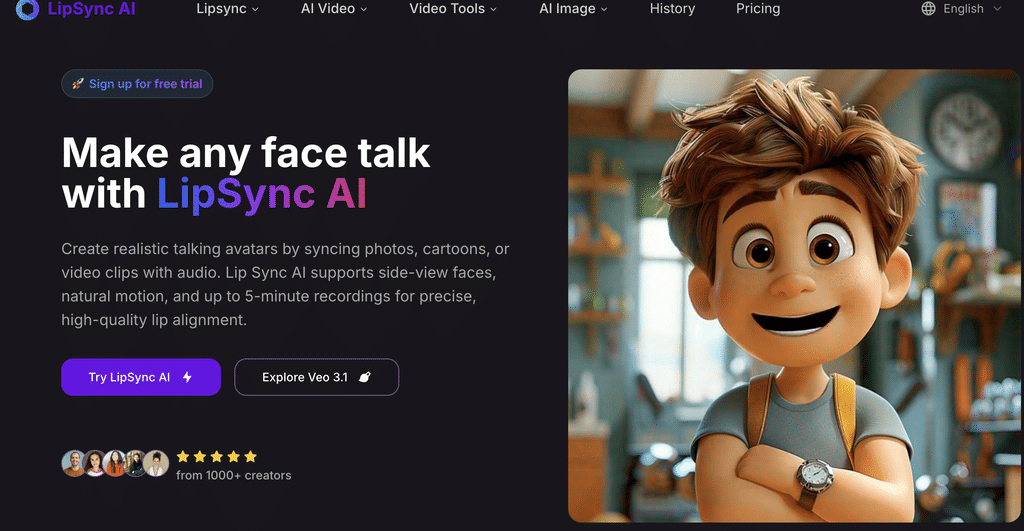
That’s where the a simple lip-sync solution comes in—Lipsync AI is a web-based tool that synchronizes mouth movement to speech. You can feed it a still image and audio to make a character talk, or take your existing video and drop in a new voice track to redub it. Either way, what you want at the end is simple: a ready-to-cut clip you can drop straight back into your timeline—no reshoot, no cover shot.
This isn’t a cool effect problem anymore. It’s a shipping problem—because creators don’t publish one video now. They publish versions.
What makes it useful in practice isn’t a flashy demo—it’s consistency. It’s built to hold sync through longer takes where drift usually shows up, stay usable on real footage with brief occlusions like hair or a hand, and give you a fast pass/fail gate with the five-second test before you spend on a full line.
Lip-sync failures are boringly consistent. They don’t usually show up at the start. They show up after a pause, after a fast run of syllables, after the speaker shifts slightly—when you stop watching for it. The failure has a look: the syllable lands, then the mouth arrives a beat later, like the audio is leading the face.
That’s why long takes are a real stress test. You can get through ten seconds on almost anything. Holding a minute (or more) without the mouth slowly drifting behind the words is the harder part. Lipsync AI’s Long Mode exists for that: longer-form generation up to five minutes, with the tradeoff that it takes longer to process. Short segments can finish in minutes; a full five-minute run can land around the half-hour mark. If the shot is a hero close-up, that wait is cheaper than reopening a whole round of rework. And if you’ve ever seen the mouth start arriving after the syllables around minute two, this is the setting aimed at that drift.
The second stress point is the footage you actually have. Not every creator has a perfect frontal talking head with studio lighting and a mouth that stays unobstructed. Hair crosses the lips. A hand comes up for a beat. The speaker turns slightly mid-sentence. Those quick, annoying interruptions are where an otherwise usable take gets ruined. Lipsync AI won’t beat a fully blocked mouth, but it’s designed for those brief moments—hair, a hand, a slight turn—where you don’t want to throw away the shot.
It also keeps the decision-making simple. Basic is for the obvious case: a clear frontal face where you just want the job done. Advanced is what you reach for when it’s the hero shot and you can’t swap it. You don’t need knobs. You need a call. Tight close-up? Advanced. Medium shot with room to hide? Basic is usually fine.
Here’s the only test that matters: five seconds, on your worst line. The mistake is always testing the easy line and thinking you’re safe. Pick the single ugliest close-up moment in your edit—the line with fast speech, tight framing, and crisp consonants—and gate the tool on that.
Try this line because it forces closures and plosives without sounding like a tongue twister: “Big plans, quick pivot—maybe. But please, keep it simple: ship the update by Monday.” Use a crop where you can clearly read the mouth shape. When it fails, it’s obvious: the mouth lands late on the syllables, like the face is chasing the audio. If the B/P closures arrive late, you’ll see it instantly. If the mouth “floats” after the M in “maybe,” don’t waste time running longer renders.
Then be honest about the boundary conditions—because that’s how you avoid burning time. If you’re feeding it a mouth it can’t really see, you’re not fixing lip-sync—you’re gambling. Heavy side angles, big motion blur, and rapid speaker changes are where any tool gets unreliable. If your clip lives there, plan your cutaways early and save yourself the frustration.
Once it clears the gate, the use cases stop being theoretical.
Friday night. Sponsor line. Tightest close-up. It’s always the same shot: the sponsor wording lives on the hero moment you can’t replace. You can’t cut away without breaking the rhythm, and you can’t reshoot without blowing the schedule. So you test the revised sentence for five seconds. If it holds, you render the full replacement line and drop it back into the timeline like it was always there.
Same face, different language, same shot. Viewers forgive accents, but they don’t forgive lips that drift. If you’re producing a second-language cut or multiple marketing variants, redubbing is where believable becomes the difference between watchable and immediately suspicious.
One character. Many scripts. If your speaker is a mascot, a cartoon, an avatar, or a consistent channel character, a still-image workflow lets you keep that identity stable while changing the script, without filming new footage every time. It’s a fast way to turn one strong asset into many publishable speaking clips.
If you’re sanity-checking cost, treat it the same way you treat footage: don’t commit until it passes the gate. Start with five seconds, prove the hardest line holds, and only then run the full take. The pricing details are spelled out on the product pages, but the workflow stays simple—gate first, then commit—because that’s what keeps a “quick fix” from turning into a second round of revisions.
Don’t start with a demo reel. Start with the ugliest close-up in your project. Run five seconds. If it passes, render the whole line. If it doesn’t, plan the cutaway now—before you burn time and credits.