

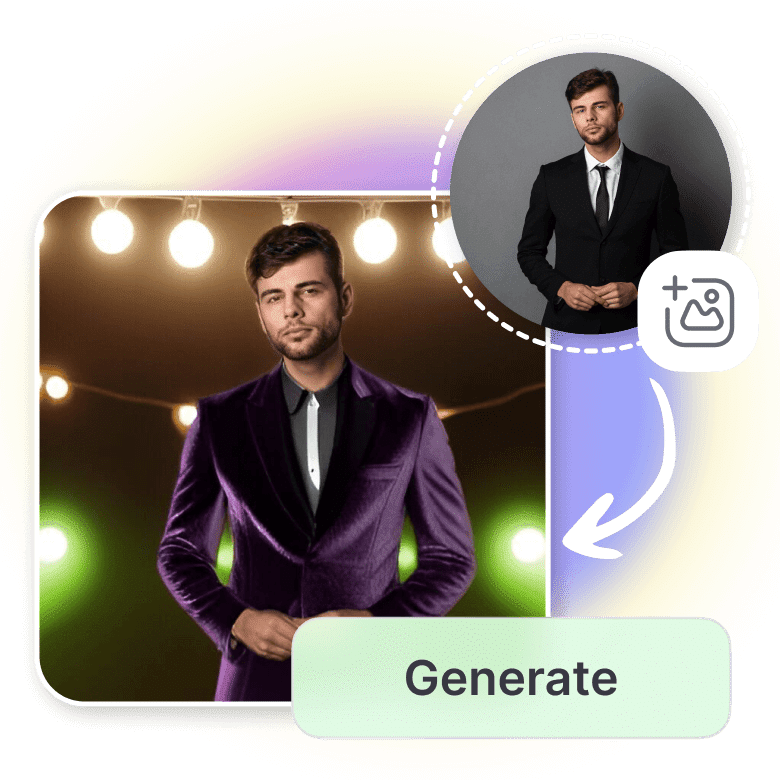
Remote work has fundamentally changed how we present ourselves professionally. Without face-to-face meetings, your digital presence carries the entire weight of first impressions. Your headshot appears across LinkedIn, Slack, Zoom, email signatures, and countless other platforms where colleagues, clients, and recruiters form their initial opinion of you. Yet traditional photography requires studio visits, scheduling coordination, and significant expenses—barriers that remote professionals can’t always overcome. AI headshot generator technology solves this challenge, allowing you to create industry-appropriate professional photos from home that match your career requirements and personal brand.
Why Industry-Specific Headshots Matter
Different professions have distinct visual expectations that communicate competence and trustworthiness. A corporate executive’s headshot typically features formal business attire, neutral backgrounds, and conservative styling that projects authority and reliability. Creative professionals in design, marketing, or media often opt for more relaxed looks with personality-driven backgrounds that showcase their innovative thinking.
Legal and financial professionals require headshots that convey trust and professionalism—dark suits, solid backgrounds, and serious expressions dominate these sectors. Healthcare workers benefit from approachable imagery with softer expressions and clinical or neutral settings. Tech industry professionals occupy middle ground, often choosing business casual attire that balances professionalism with the sector’s more relaxed culture. Understanding these unwritten rules ensures your headshot supports rather than undermines your professional credibility within your field.
Selecting Optimal Photo Inputs
The quality of your AI-generated headshot depends entirely on your input photos. Upload 3-5 recent images taken within the last six months that reflect your current appearance—hairstyle, facial hair, and general look should be consistent. Choose photos with even lighting, ideally natural daylight from a window, avoiding harsh shadows or orange-tinted indoor lighting that distorts skin tones.
Frame yourself from mid-chest up with your face fully visible and clearly in focus. Avoid sunglasses, hats, or anything obscuring facial features. Plain backgrounds work best—stand against a solid wall rather than busy, cluttered spaces. Include slight variations in angle: one straight-on shot, one with your body angled 15-20 degrees while your face turns toward the camera, and one with a subtle different expression. This variety gives the AI more data to generate realistic, natural-looking results across multiple output options.
Matching Attire and Background to Your Field
Corporate and executive roles demand formal business attire—navy or charcoal suits with crisp white or light blue shirts project competence and authority. Pair these with neutral studio backgrounds in gray, charcoal, or soft blue tones. Sales and consulting professionals benefit from similar formal styling but can incorporate slightly warmer backgrounds or subtle textures that make them appear approachable while maintaining professionalism.
Creative industries allow more flexibility. Designers, artists, and marketing professionals can choose business casual attire—blazers without ties, structured but colorful clothing, or smart casual pieces that reflect personal style. Backgrounds might include soft textures, subtle colors, or even minimalist office environments. Tech professionals typically land between these extremes: button-down shirts or smart polos with optional blazers work well, paired with modern neutral backgrounds. Healthcare workers often choose professional medical attire or business casual with clean, clinical, or warmly lit neutral backgrounds that convey both competence and approachability.
Optimizing Expression and Posing
Your facial expression speaks volumes about your professional personality. Conservative fields like law, finance, and corporate leadership typically favor neutral to slight smiles—confident but not overly casual. This projects seriousness and reliability without appearing unapproachable or stern. Practice a “soft professional smile” where your mouth curves gently upward without showing teeth, paired with engaged eyes that look directly at the camera.
Client-facing roles in sales, consulting, real estate, and healthcare benefit from warmer, more approachable expressions. A genuine smile showing teeth communicates friendliness and accessibility—critical for building client relationships. Creative professionals have the most flexibility, able to choose between serious artistic looks or friendly approachable expressions depending on their specific niche and target audience. For posing, angle your shoulders 10-15 degrees from the camera while turning your face back toward it, extend your chin slightly forward and down to define your jawline, and maintain relaxed shoulders with good posture.
Maintaining Team Visual Consistency
Organizations using AI headshots for team pages face unique challenges around visual consistency. When multiple team members create headshots independently, mismatched styling creates an unprofessional patchwork appearance. Establish clear guidelines for your team: select one specific background color or style, define acceptable attire ranges, and choose consistent lighting tones—warm or cool, but not mixed.
Many AI platforms offer preset styles that teams can share, ensuring everyone’s headshots share the same overall aesthetic while preserving individual characteristics. Document your selections: background choice, lighting style, attire guidelines, and preferred expression types. Share example outputs as references so team members understand the target look. This coordination creates cohesive team pages and company websites where individual headshots look professionally shot during the same session, even though they were generated independently from different locations.
Common Mistakes That Undermine Professional Impact
Over-polishing remains the most frequent error. While AI can enhance your appearance, excessive smoothing or airbrushing creates unrealistic results that appear dishonest or vain. Choose settings that maintain natural skin texture and realistic features—you should look like your best self, not a different person. Mismatched industry styling damages credibility; creative headshots hurt executive job applications, while overly formal imagery can make startup founders appear inflexible or out of touch with their sector’s culture.
Outdated appearances create problems when your headshot doesn’t match your current look. If you’ve changed hairstyles, grown or shaved facial hair, or significantly changed your appearance, update your photos immediately. Using low-resolution or poorly lit source photos produces subpar results—invest time in capturing quality inputs rather than rushing with whatever’s available on your phone. Finally, ignoring platform-specific requirements wastes effort; LinkedIn favors tighter crops and more formal styling, while Twitter allows more creative freedom and wider framing.
Transform Your Professional Digital Presence
Remote work demands stronger digital presence than ever before. Your headshot functions as your virtual handshake, creating crucial first impressions across every professional platform and interaction. With AI professional headshot generator technology, you control every aspect of your professional image without geographical or financial barriers. Whether transitioning careers, building your personal brand, or maintaining consistent team imagery, AI-generated headshots deliver industry-appropriate, professional-quality results in minutes. Invest the time to select appropriate styling for your field, upload quality source photos, and maintain updated imagery that accurately represents your current professional self.