

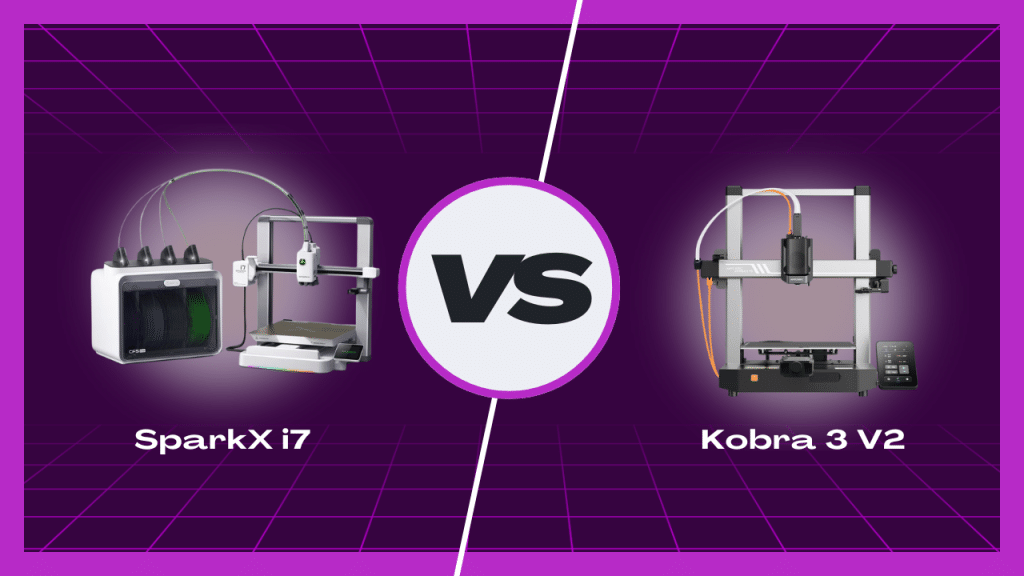
The Creality SparkX i7 and the Anycubic Kobra 3 V2 sit in the same general category. Both are desktop FDM bedslingers aimed at beginners and home users. Both focus on speed, automation, and reducing setup friction. The real difference is not in raw specifications alone. It is in how each printer approaches ownership.
The SparkX i7 is positioned as a beginner-friendly printer that includes more capabilities upfront. Multi-color printing, camera monitoring, and open firmware access are part of the base design. The Kobra 3 V2 takes a modular approach. It starts as a capable single-color printer and adds advanced features later through optional hardware and software features.
This comparison focuses on daily use, configuration flexibility, and how each printer behaves once the initial setup phase is over.
Who Should Buy Each Printer
Creality SparkX i7
The SparkX i7 suits users who expect their needs to evolve.
- Beginners who want multi-color printing from the start, without buying add-on hardware.
- Users who plan to experiment with settings and firmware over time.
- Owners who value direct access to hardware and software controls.
- Filament users who work with mixed brands and spool types.
The i7 does not assume the owner will stay inside one workflow forever. That design choice shows up in both its hardware access and firmware model.
Anycubic Kobra 3 V2
The Kobra 3 V2 fits a more staged approach.
- Beginners focused on single-color printing first.
- Users who prefer features delivered through the vendor ecosystem.
- Buyers who are comfortable adding multi-color later through the ACE Pro module.
- Users who value automation features handled mostly through software.
This makes the Kobra 3 V2 easier to frame as a starting point, but it also means some capabilities are deferred until later decisions and added cost.
Build Volume And Printer Size Comparison
On paper, the build volumes are close. In practice, the differences are small but noticeable depending on how you use the space.
Creality SparkX i7
- Build volume: 260 × 260 × 255 mm.
- Slightly wider X and Y dimensions.
- Shorter Z height, but still within the common range for this class.
- Smaller overall machine footprint.
- Lighter weight, which makes repositioning easier in home setups.
The SparkX i7 prioritizes usable bed area without increasing desk space too much. For most everyday prints, the extra width matters more often than the added height.
Anycubic Kobra 3 V2
- Build volume: 255 × 255 × 260 mm.
- Slightly taller Z axis.
- Larger physical dimensions overall.
- Heavier chassis.
The extra Z height may help with tall, narrow models. The tradeoff is a larger footprint, which can matter in tighter workspaces.
Speed, Acceleration, And Motion Design
Both printers advertise high speed. The difference lies in how those numbers are framed.
SparkX i7
- Rated up to ~500 mm/s.
- Acceleration up to 10,000 mm/s².
- Uses input shaping and pressure advance as standard features.
- Tuned around stable, repeatable motion rather than peak values.
In real use, the SparkX i7 focuses on consistency. It does not push the highest advertised limits, but it is designed to stay predictable across different print types.
Kobra 3 V2
- Advertised maximum speed of 600 mm/s.
- Acceleration up to 20,000 mm/s².
- Recommended operating speeds are lower than the maximum.
- Uses a single Z motor with three guide rods.
The higher top-end numbers look impressive. The practical emphasis appears to be on controlled speeds rather than sustained operation at the limits.
Extruder, Hotend, and Material Support
Material handling is where long-term reliability often shows itself.
SparkX i7
- Direct drive extruder.
- Tool-free quick-swap hotend.
- Hardened steel nozzle included as standard.
- Supports PLA, PETG, TPU, and PLA-CF.
- Maximum nozzle temperature of 300 °C.
The inclusion of a hardened nozzle reduces the need for early upgrades. Tool-free access also lowers the barrier when maintenance is needed.
Kobra 3 V2
- Direct drive extrusion.
- Standard 0.4 mm nozzle.
- Supports PLA, PETG, and TPU out of the box.
- Broader materials are listed in the documentation, but practical use depends on tuning and the environment.
- Maximum nozzle temperature of 300 °C.
The Kobra 3 V2 covers the common materials well. It leaves more advanced material use to user setup and conditions rather than built-in hardware choices.
Bed System and Leveling Reliability
A stable first layer sets the tone for every print. Both printers rely on automation, but their designs approach repeatability in different ways.
SparkX i7
- Dual-sided PEI textured build plate.
- Full automatic bed leveling is handled by the system.
- Automatic Z-offset, no manual tuning required.
- A rear alignment lip helps the plate seat in the same position every time.
This combination reduces small alignment errors that can show up over weeks of plate removal and reinstallation. The rear guide is a small detail, but it directly supports consistent first layers without user intervention.
Kobra 3 V2
- PEI spring steel build plate.
- LeviQ 3.0 auto leveling system.
- Z-offset supported.
- Includes area leveling and object skip features.
The Kobra 3 V2 emphasizes software-driven correction. It offers more logic-based features during a print, while the SparkX i7 leans more on mechanical repeatability paired with automation.
Multi-Color Printing: Built-In vs Add-On
This is one of the clearest structural differences between the two printers.
SparkX i7
- Uses CFS Lite, supporting up to four filaments.
- Multi-color capability is available at launch through bundles.
- Enclosed filament system with desiccant support.
- Accepts a wide range of spool sizes.
- RFID recognition supported with Creality filament.
Multi-color is treated as part of the base experience. That affects how the printer is used from day one and removes the need to plan upgrades later.
Kobra 3 V2
- Multi-color printing requires the ACE Pro module.
- The module is sold separately unless purchased as a combo.
- Adds cost and physical space requirements.
- Multi-color is optional rather than foundational.
This modular approach gives buyers flexibility, but it also shifts multi-color from a core feature to a future decision. Over time, that difference shapes both cost and workflow complexity.
Firmware, Software, and Control Freedom
The firmware model shapes how much control the owner has once the printer is no longer new.
SparkX i7
- Runs Klipper.
- Root access is enabled by default.
- Works with:
- Creality Print
- Orca-based workflows
- Fluidd
- Supports LAN, offline, and cloud operation.
This gives users multiple paths to manage the printer. You can stay inside the default software or move outward into more advanced control without changing hardware.
Kobra 3 V2
- Runs Kobra OS.
- Uses Anycubic Slicer Next, built on Orca.
- Strong focus on app-based control.
- USB printing is supported.
The experience is more guided. That works well for users who prefer defined workflows, but it also means fewer options if you want to step outside them later.
Monitoring, Automation, and Failure Handling
Both printers include cameras and automated checks, but they apply them differently.
SparkX i7
- 720p camera for monitoring.
- AI-based failure detection.
- Build plate detection included.
- Programmable RGB status bar:
- Shows print progress.
- Signals errors clearly without checking the screen.
The lighting and camera work together to make print status visible at a glance, even from across the room.
Kobra 3 V2
- 720p camera.
- AI spaghetti detection.
- Filament entanglement detection.
- Power-loss resume supported.
The Kobra 3 V2 leans heavily on software-driven safeguards. It provides more automatic checks during a print, while the SparkX i7 adds physical visibility through lighting and plate detection.
Noise and Workspace Behavior
How a printer behaves when it is running, and when it is not, matters in shared spaces.
SparkX i7
- Quiet during normal printing.
- Louder only during calibration routines.
- After prints finish:
- Fans shut off.
- Lights shut off.
- RGB lighting provides status feedback without constant screen use.
This makes the printer easier to leave powered on without it drawing attention when idle.
Kobra 3 V2
- Noise behavior is not clearly detailed in the available data.
- Larger physical footprint.
- Camera remains part of the always-on monitoring setup.
Neither printer is positioned as loud, but the SparkX i7 places more emphasis on disappearing into the workspace once a job is complete.
Maintenance Access And Long-Term Reliability
Maintenance is where design choices become visible over time. Both printers are automated, but they expect different levels of user involvement.

SparkX i7
- Motion components are exposed and visible.
- Tool-free nozzle changes through a latch system.
- Cutter blade can be accessed and replaced without tools.
- Extruder arm opens easily to clear filament.
- Designed so that common issues can be inspected without disassembly.
This does not mean the printer needs more maintenance. It means that when maintenance is required, the path is clearer. That lowers the risk of small issues turning into long downtimes.
Kobra 3 V2
- Gantry design is more enclosed.
- Hardware access is less emphasized in the design.
- Many corrective features are handled through software.
The Kobra 3 V2 relies more on automation to avoid problems. When intervention is needed, fewer physical cues are available to guide the user.
Final Verdict
The Creality SparkX i7 bundles more capability upfront. Multi-color printing, open firmware, accessible hardware, and visible status indicators are part of the base experience. These choices reduce dependency on future upgrades and make it easier to intervene when something drifts out of spec.
The Anycubic Kobra 3 V2 takes a modular path. It starts as a capable single-color printer and adds complexity later through optional hardware and software features. That can work well for users who prefer a guided ecosystem and plan upgrades carefully.
From a long-term perspective, the SparkX i7 presents fewer points where ownership depends on future decisions. Its design favors inspectability, control, and included functionality. Those traits tend to matter more as printers age and workloads change.