

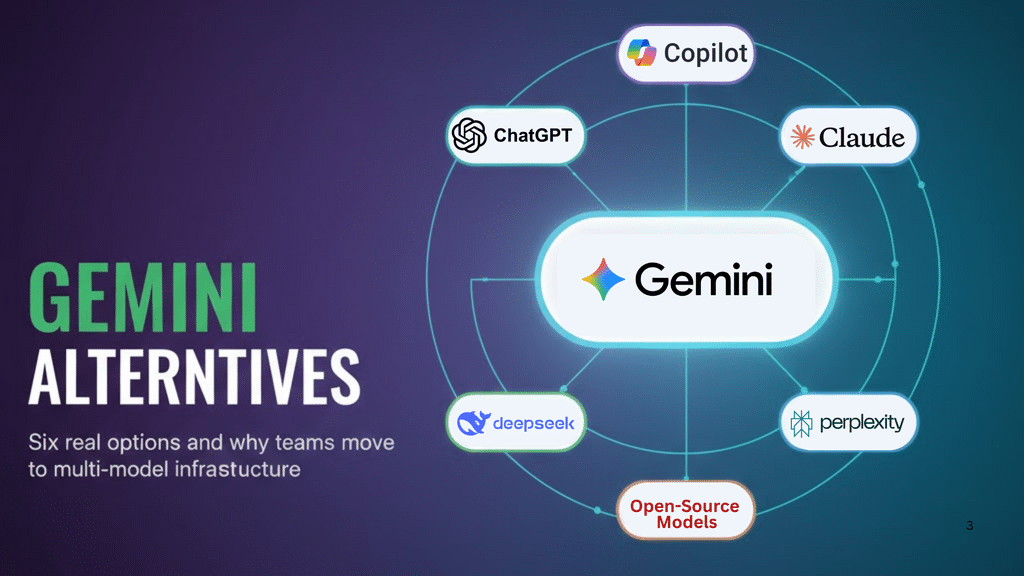
Google Gemini works well for many use cases, but it’s not the right tool for everything. Usage caps interrupt long sessions. Context handling gets messy with complex documents. And if you’re building something that depends heavily on AI, betting everything on one provider creates risk.
This guide examines six alternatives to Gemini, what they’re actually good at, and how to think about choosing between them. We’ll also look at why more teams are moving away from the “pick one model” approach entirely.
Why Teams Look Beyond Gemini
Gemini has real limitations that affect day-to-day work. Even paid users hit daily prompt caps that reset on a rolling 24-hour window, making it hard to plan capacity. Context window problems cause issues with long documents—users report conversations getting truncated and PDFs losing structure mid-analysis.
There’s also been a strange problem in early 2026 where Gemini sometimes treats current events as hypothetical or refuses to process legitimate 2026 data because it seems “too recent.” Google’s working on it, but it’s the kind of issue that breaks trust when you’re trying to do real work.
Beyond technical issues, there’s the vendor lock-in question. If your product runs on one AI provider and they change pricing, go down, or shift direction, you’re stuck. Many teams prefer to avoid that kind of dependency.
The Best Google Gemini Alternatives
ChatGPT (OpenAI) — Best Overall Alternative
ChatGPT remains the default choice for most people, and for good reason. It handles a wide variety of tasks well enough that you don’t need to think too hard about whether it’s the right tool. Writing, coding, analysis, conversation—it’s competent at all of it.
The plugin ecosystem is the biggest advantage. Hundreds of integrations connect ChatGPT to external tools and services. If you need AI that plays nicely with your existing software, ChatGPT has the most options.
But it’s expensive. Premium tiers run $20-$200/month, and you still hit rate limits during peak times. The model also has a habit of sounding confident about things it doesn’t actually know, which means you need to verify anything important. Prompt quality matters a lot—phrase things poorly and you’ll get poor results.
| Aspect | Details |
| Best for | General-purpose work, teams needing extensive integrations |
| Strengths | Versatile, large ecosystem, good at conversation |
| Weaknesses | Expensive, can hallucinate, quality varies with prompts |
| Pricing | $20-$200/month depending on tier |
| Context | Smaller than Claude’s 200K tokens |
When to use it: You need a reliable generalist that integrates with lots of other tools. You have budget for premium pricing. Your work involves diverse tasks rather than one specialized thing.
Claude (Anthropic) — Best for Long Context & Analysis
Claude’s main selling point is its massive context window—200,000 tokens standard, up to 1 million for API users. More importantly, it actually maintains quality throughout that entire window, which isn’t true for all models.
This changes how certain work gets done. You can feed Claude an entire codebase or a complete legal contract and ask questions that require understanding the whole thing. It doesn’t lose track of earlier information, which matters when you’re doing complex analysis that builds on itself.
Legal and technical writing tend to come out better with Claude. It’s more precise and formal than ChatGPT, which helps when accuracy matters more than creativity. Developers like it for code review across large multi-file projects.
The downside is that Claude can be overly cautious. The safety tuning sometimes refuses legitimate requests that look superficially problematic. It’s also less creative than ChatGPT and has fewer integrations available.
| Aspect | Details |
| Best for | Document analysis, legal/technical writing, large codebases |
| Strengths | 200K-1M token context, consistent quality, accurate |
| Weaknesses | Conservative, smaller ecosystem, less creative |
| Context | 200K tokens (standard), 1M tokens (API) |
When to use it: You regularly work with documents that exceed normal context limits. Precision matters more than creativity. You’re doing research that requires synthesizing multiple sources or refactoring code across many files.
Microsoft Copilot — Best for Office & Enterprise Users
Copilot isn’t trying to be the best AI model. It’s trying to be the best AI for people who live in Microsoft 365. If that’s you, the integration makes a real difference.
In Word, it restructures documents while keeping formatting intact. In Excel, it writes formulas from plain English. In PowerPoint, it turns documents into presentations. These work smoothly because Microsoft controls both sides of the integration.
For IT teams, Copilot management fits into existing Microsoft admin tools. Security inherits from your current M365 setup. You don’t need to build a parallel permission system or train people on new compliance procedures.
But in head-to-head comparisons on reasoning or coding, Copilot loses to ChatGPT and Claude. It’s fine for productivity tasks inside Office apps, but it’s not the model you want for complex technical work. The pricing tiers are also confusing—multiple versions with overlapping features.
| Aspect | Details |
| Best for | Microsoft 365 users, enterprise IT environments |
| Strengths | Deep Office integration, familiar security model, centralized management |
| Weaknesses | Trails competitors on pure AI performance, ecosystem lock-in |
| Best use | Document creation, email management, data analysis in Excel |
When to use it: Your organization already runs on Microsoft 365. Security compliance and IT management matter more than cutting-edge AI performance. You want AI that works inside your existing tools rather than requiring context switching.
Perplexity — Best for Research & Search
Perplexity does one thing well: finding and synthesizing information. It’s not trying to be a general-purpose assistant. It’s trying to be the best research tool.
Every answer includes source citations. You can click through to verify claims or explore further. This solves the hallucination problem by making the information traceable. Deep Research mode takes this further—it breaks complex questions into parts, searches for each piece, synthesizes findings, and identifies gaps.
The academic mode searches journals and papers instead of the general web. For researchers and students, this saves the step of using a traditional academic database and then feeding results to an AI separately.
Perplexity wasn’t built for content creation or coding. It answers questions about those things, but it’s not optimized for actually producing them. Conversation handling is also weaker than ChatGPT for complex multi-turn dialogues.
| Aspect | Details |
| Best for | Academic research, fact-checking, market analysis |
| Strengths | Source citations, Deep Research mode, academic search |
| Weaknesses | Not for content creation, requires subscription for best features |
| Pricing | $20/month for Pro (Deep Research, unlimited queries) |
When to use it: Research accuracy matters. You need verifiable sources, not just answers. You’re doing literature reviews, fact-checking, or market analysis where you need to support claims with citations.
DeepSeek — Best for Developers & Cost Efficiency
DeepSeek changed the economics of AI by proving you don’t need $100M+ training budgets to build competitive models. Their R1 model cost around $294K to train versus $78M for GPT-4. That efficiency translates directly to pricing—DeepSeek costs significantly less per token while delivering comparable performance on technical tasks.
For high-volume applications, this creates real savings. Several startups report reducing AI infrastructure costs by 60-70% by routing appropriate queries to DeepSeek instead of premium models.
The model is particularly strong on coding and math. Developers find it handles complex programming tasks, debugging, and algorithm design effectively. The upcoming V4 promises 1M+ token context windows, which would be Claude-level capacity at DeepSeek pricing.
But the ecosystem is immature. Documentation lags behind established players. The interface feels less polished. Plugin support is limited. For creative writing or tasks requiring extensive integrations, DeepSeek isn’t competitive.
There are also geopolitical considerations around depending on Chinese AI infrastructure for sensitive applications.
| Aspect | Details |
| Best for | High-volume applications, backend coding, cost-sensitive projects |
| Strengths | Very low cost, strong on technical tasks, energy efficient |
| Weaknesses | Smaller ecosystem, less polished UX, geopolitical concerns |
| Cost savings | Customers report 60-70% reduction vs. premium models |
When to use it: Cost matters as much as performance. You’re running high-volume workloads where API costs add up. Your work is development-heavy and you prioritize technical accuracy over conversational fluency.
Open-Source Models (Mistral, LLaMA, Qwen) — Best for Self-Hosting
Self-hosting open-source models gives you something commercial APIs can’t: complete control. You decide where data goes, how models are trained, and what happens to every query.
This matters most for regulatory requirements. Healthcare providers can’t send patient data to external APIs. Financial institutions have data residency rules. Government work often can’t use commercial services. For these cases, self-hosting isn’t optional.
You also get the ability to fine-tune models on proprietary data. A legal tech company trains on case law. A biotech firm fine-tunes for scientific literature. This specialization produces better results than prompting general models.
But self-hosting requires substantial infrastructure. You need GPU clusters, ML engineering expertise, and ongoing operational management. For most organizations at typical query volumes, APIs cost less than building and running this infrastructure.
Performance also trails commercial models. The gap has narrowed, but open models still lose on complex reasoning tasks.
| Model | Best For | Key Strength |
| Mistral Large 3 | EU data residency | European development, enterprise features |
| LLaMA 3.1 | General purpose | Meta backing, 128K context |
| Qwen 2.5 | Multilingual work | Strong on Asian languages |
| DeepSeek V4 | Development tools | Coding specialization, low cost |
When to use it: You have genuine regulatory requirements prohibiting external APIs. Your query volume makes API costs exceed infrastructure costs. You need to fine-tune extensively on proprietary data. You have ML ops expertise and GPU infrastructure already.
Be realistic though—most organizations that think they need self-hosting would actually save money and get better results with managed APIs.
Why Smart Teams Use Multiple Models?
Here’s the thing: there is no single best model. Claude wins on long documents but costs more for simple queries. ChatGPT handles diverse tasks but trails Claude on analysis. DeepSeek saves money but has a smaller ecosystem.
So why are we still framing this as “pick one”?
Production AI applications in 2026 increasingly use multiple models. A research assistant might use Perplexity for search, Claude for document analysis, and ChatGPT for writing summaries. Each task goes to the model that handles it best.
This delivers three concrete benefits:
Lower costs. Route simple queries to efficient models and complex ones to premium models. Organizations typically see 40-60% savings by avoiding the pattern of paying premium prices for everything.
Better reliability. When one provider goes down or hits rate limits, requests automatically route to backups. Users don’t notice. This happened multiple times in 2025—single-provider apps went dark while multi-model infrastructure stayed online.
Improved performance. Each task goes to the model that handles it best. You get better results than using one general-purpose model for everything.
The challenge is implementation. Maintaining integrations with multiple providers, handling different API formats, and building routing logic represents months of engineering work for most teams.
How Multi-Model Infrastructure Works in Practice?
The challenge with using multiple models isn’t conceptual—it’s operational. Maintaining separate integrations with each provider means managing different authentication methods, handling varied API response formats, and building routing logic from scratch. For most teams, this represents months of engineering work before seeing any value.
Platforms like Infron address this by providing a unified interface to all major AI providers. The platform offers access to models through a single API that’s compatible with OpenAI’s SDK format, which means existing code continues working without modification. Teams can route requests to different providers based on their requirements without refactoring their applications.
Three core capabilities matter for production deployments:
Availability through distributed infrastructure. When one provider experiences an outage or rate limiting, the system automatically falls back to alternative providers. This distributed approach keeps applications running even when individual providers have issues—something that happened multiple times across major AI providers in 2025.
Cost optimization without performance trade-offs. The platform runs at the edge to minimize latency between end users and inference endpoints. Teams can route queries strategically—sending straightforward requests to cost-efficient models while reserving premium models for complex tasks that justify their higher pricing.
Enterprise security and compliance controls. For organizations deploying AI in regulated industries, fine-grained data policies determine which models and providers can access specific types of information. This matters particularly for sectors like banking, telecommunications, and healthcare where data governance requirements limit which external services can process sensitive information.
Production Results
The practical impact shows up in customer deployments. Agnes AI reported reducing infrastructure costs by 60% while scaling to 5 million users globally. Pax Historia shifted budget from managing AI infrastructure to product development. YTL AI Labs deployed their ILMU system across banking, telecommunications, and media with confidence in the security model.
This approach makes sense for teams running production applications with diverse workloads, meaningful API costs, or requirements for high availability. It’s less relevant for experimental projects or simple single-purpose tools where the operational complexity exceeds the benefits.
The shift in AI infrastructure isn’t about finding the single “best” model. It’s about building systems that can route each request to whichever model handles that specific task most effectively.