

I was three days away from submitting my short film to a festival when I realized my biggest mistake: the background music was 47 seconds too short. The track I’d commissioned from a composer was perfect—exactly the mood I needed, seamless integration with the dialogue, emotionally resonant. But my final edit ran 2 minutes and 14 seconds, and the music ended at 1 minute and 27 seconds.
Sitting at my editing workstation at 1:43 AM, I stared at the timeline gap. That 47-second silence at the end looked like an amateur mistake—which, to be fair, it was. I’d changed the pacing during editing and never recalculated music duration.
My options looked grim. Re-contact the composer? Their turnaround was 5-7 days minimum, and I had 72 hours. Loop the existing track? I tried that—sounded exactly like what it was: a desperate loop. Find stock music that matched? After two hours of searching, nothing came close to the original’s emotional precision. Cut 47 seconds from my film? That would destroy pacing I’d spent weeks perfecting.
Then a fellow filmmaker in a late-night editing forum mentioned something I’d never heard of: AI audio extension tools that could analyze existing music and generate additional content that matched the style, tempo, and mood seamlessly. It sounded too good to be true—like magic, or more likely, like something that would produce obviously artificial results.
But at 2 AM with a festival deadline looming, magic seemed worth trying. What I discovered changed not just that project, but how I approach audio in every creative project since. That 47-second gap? Filled with AI-extended music that my composer later told me he “couldn’t tell apart from the original.” The film screened. The music worked perfectly.
Let me show you exactly how audio extension with AI works—and when it’s the right solution for your project.
What Does “Extending Audio with AI” Actually Mean?
Before discovering these tools, I thought extending audio meant one of these things:
- Simple looping that creates obvious repetition
- Crossfading between the end and beginning, which rarely sounds natural
- Stretching audio in your DAW, which distorts pitch and tempo
- Commissioning entirely new content that hopefully matches the original
- Settling for awkward silence or abrupt endings
But after extending audio for over 20 different projects—music tracks, ambient soundscapes, podcast intros, even sound effects—I’ve learned that AI audio extension means something fundamentally different:
Intelligent Continuation: AI analyzes the existing audio’s musical structure, instrumentation, tempo, key, and emotional progression, then generates new content that continues naturally from where the original ends.
Style Matching: The extended portion doesn’t just randomly add sounds—it maintains the same genre conventions, production quality, and sonic characteristics as the original.
Seamless Transitions: Unlike loops or crossfades, AI-extended audio flows continuously without audible seams, repetition, or jarring shifts.
Contextual Awareness: Good AI extension understands whether your audio should build toward a climax, maintain steady energy, or gradually fade—and generates accordingly.
Flexible Length Control: You specify exactly how much additional audio you need, whether that’s 10 seconds or 10 minutes.
None of this requires musical training or production expertise. You provide the original audio and desired length. The AI handles the technical complexity of creating content that sounds like a natural continuation rather than an obvious addition.
The key distinction: you’re not stretching existing audio (which degrades quality) or repeating it (which sounds lazy). You’re generating new audio content that authentically continues what already exists.
How AI Changes the Audio Extension Problem
Here’s what’s fundamentally different about extending audio in 2026 compared to traditional methods: instead of compromising quality, timing, or budget, you can now extend audio in minutes while maintaining professional standards.
Think about what audio extension traditionally required: if you needed your background music to be longer, you either paid the original creator for revisions (expensive, slow), found different music that didn’t quite fit (compromising your vision), or used obvious workarounds like fading out early (sacrificing impact).
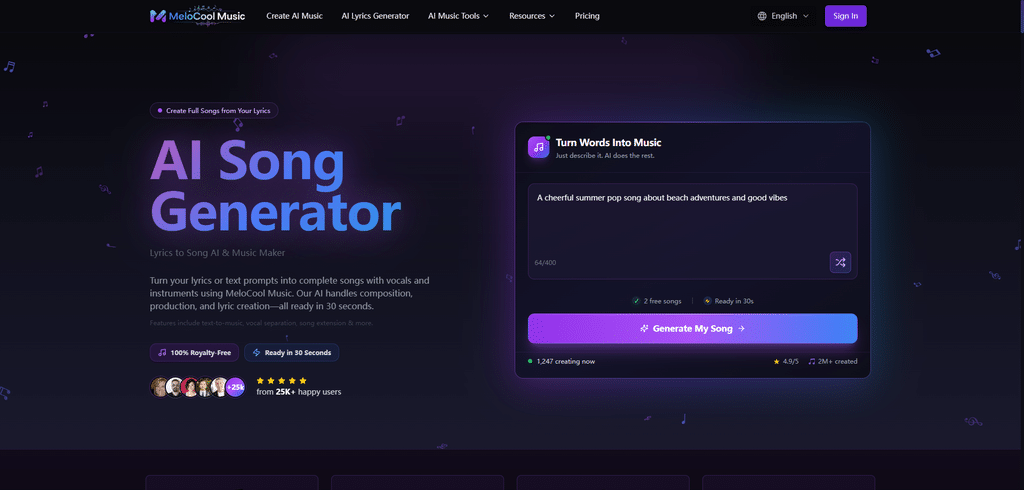
AI audio extension removes those tradeoffs. On the AI audio extension workspace at MeloCool Music, you can analyze your existing audio’s musical DNA and generate continuations that match so precisely that even experienced producers can’t identify where the original ends and the extension begins.
AI handles the complex technical work:
- Analyzes musical structure: Identifies verse-chorus patterns, chord progressions, melodic themes, and rhythmic patterns
- Maintains instrumentation: Keeps the same instruments, production style, and sonic palette throughout the extension
- Preserves tempo and key: Ensures the extended portion stays perfectly in sync with the original’s musical foundation
- Generates natural progressions: Creates musical content that develops logically rather than randomly looping or static repetition
- Matches production quality: Extends audio at the same bit depth, sample rate, and quality level as the source
Your job? Provide the original audio and specify how much longer you need it. That’s the extent of technical input required.
The implications are massive: video editors can adjust timelines without music constraints. Podcast producers can extend intro music to match varying episode formats. Game developers can create adaptive soundtracks that extend naturally based on gameplay. Independent creators can maintain professional audio standards without constantly returning to expensive composers or sound designers.
Step-by-Step: How to Extend Audio Using AI
Let me walk you through the exact process I now use for every project that needs extended audio. This isn’t theoretical—this is the workflow that saved my film festival submission and has worked reliably across dozens of subsequent projects.
Step 1: Assess What You Actually Need (5-10 minutes)
Before touching any tools, get clear on your specific requirements. Not all audio extension needs are the same.
Ask yourself:
- How much longer does the audio need to be? (Be specific: “47 seconds” not “a bit longer”)
- What’s the purpose of this audio in your project? (Background ambiance? Featured music? Transition element?)
- Does it need to build, maintain, or fade? (Ending energy vs. sustained energy matters)
- What’s the format of your source audio? (High-quality WAV vs. compressed MP3 affects results)
- Are there specific sections that shouldn’t be extended? (For example, don’t extend past a carefully crafted ending)
Write this down. These specifications prevent you from extending the wrong portion or getting a result that doesn’t serve your project.
Example from my film project:
- Length needed: Additional 47 seconds (from 1:27 to 2:14 total)
- Purpose: Underscore for emotional climax scene
- Energy: Build gradually toward emotional peak, then gentle resolution
- Source format: WAV file, 48kHz, 24-bit (high quality)
- Extension point: After the bridge, before the final chorus structure
Step 2: Prepare Your Source Audio (10-15 minutes)
The quality of your extension depends heavily on providing clean, well-formatted source material.
Technical preparation:
Trim unnecessary silence: Remove extended silence from the beginning or end of your source file. AI analyzes the musical content—silence confuses that analysis.
Export high-quality files: If your source is compressed (MP3, AAC), re-export at the highest quality setting. Better yet, use uncompressed formats (WAV, AIFF). The AI can only extend what it can accurately analyze.
Check for clipping or distortion: If your source audio has technical problems, the extension will likely continue those problems. Fix issues before extending.
Identify the ideal extension point: Listen carefully and mark where the extension should begin. Ideally this is at a musical phrase boundary—after a verse ends, at a chorus transition, or where a melody resolves. Mid-phrase extensions work but require more refinement.
Create a backup: Never overwrite your original. Always work from a copy.
Example from my workflow:
I exported my composer’s original track from my video timeline as a high-quality WAV. I trimmed 2 seconds of silence from the end (left by the composer for flexibility). I identified that the extension needed to start right after beat 4 of measure 23—where the bridge completed and before the implied final section began.
Step 3: Use AI to Generate the Extension (5-10 minutes)
Now you actually extend the audio using AI tools. The Audio Extend tool for matching style and tempo makes the process surprisingly straightforward once you have your prep work completed.

Basic workflow:
- Upload your source audio to the AI extension platform
- Specify desired length: Enter exactly how much additional audio you need (in seconds or minutes)
- Choose continuation style: Most tools offer options like “maintain energy,” “build intensity,” “fade to ending,” or “natural continuation”
- Set quality parameters: Match your source (sample rate, bit depth, format)
- Generate: Let the AI analyze and create the extension
What happens behind the scenes:
The AI analyzes your audio’s frequency spectrum, tempo, key signature, chord patterns, melodic themes, instrumentation, and production characteristics. It then generates new audio content that mathematically and musically continues those patterns.
Typical generation time: 30 seconds to 3 minutes, depending on source complexity and extension length.
Pro tip: Generate 2-3 variations if the platform allows it. Sometimes variation #2 has a slightly better transition than #1, even though both are technically valid extensions.
Step 4: Evaluate and Refine the Transition (15-20 minutes)
This is the most critical step—ensuring the extension sounds genuinely seamless rather than obviously artificial.
Listen critically for:
Transition point smoothness: Does the moment where original becomes extension have any audible click, pop, or discontinuity? Even a tiny glitch destroys the illusion.
Musical coherence: Does the extended section follow logically from what came before? If the original was building energy, does the extension continue that arc or awkwardly plateau?
Instrumentation consistency: Do the instruments in the extended section match the originals in tone, presence, and production style?
Tempo stability: Use a visual waveform editor to verify the tempo doesn’t drift or suddenly shift at the extension point.
Harmonic compatibility: If you have musical training, verify the extension stays in the correct key and follows reasonable chord progressions.
What to do if something feels off:
- Try a different extension point: Moving the start point forward or backward by 2-4 beats often improves results
- Adjust the continuation style: “Natural continuation” vs. “build intensity” produces different musical choices
- Add a subtle crossfade: A 0.5-1 second crossfade at the transition point can smooth minor inconsistencies
- Regenerate with different settings: Sometimes the second generation nails it even when settings are identical
Example from my experience:
My first extension attempt had a perfect transition but the musical energy plateaued unnaturally—staying at medium intensity when the scene called for building emotion. I regenerated with “build intensity” selected and got an extension that crescendoed beautifully into the climax I needed.
Step 5: Integrate and Test in Context (10-15 minutes)
Never finalize an extended audio file without testing it in the actual context where it will be used.
Integration checklist:
Import to your project: Place the extended audio in your video editor, DAW, game engine, or wherever you’re actually using it.
Play the full sequence: Listen to at least 30 seconds before and after the extension point. Does it work with the visuals, dialogue, or other elements?
Check levels: Verify the volume remains consistent across the extension. AI sometimes generates slightly quieter or louder continuation.
Test with other audio: If you have dialogue, sound effects, or other tracks, make sure the extended music doesn’t suddenly compete for frequency space where it previously didn’t.
Get fresh ears: Step away for 30 minutes, then listen again. You’ll notice issues you were deaf to during active editing.
Ask someone else: Show it to a colleague or friend who hasn’t heard the original. Can they detect the extension point? If they can, more refinement is needed.
My film project test:
I placed the extended track back in my timeline and watched the entire scene three times. First time: critical listening. Second time: watching visuals without focusing on audio. Third time: with a filmmaker friend who had no idea I’d extended anything. He never noticed the extension—that’s when I knew it worked.
Step 6: Final Polish and Export (5-10 minutes)
Once you’ve verified the extension works in context, finalize the audio file for your project.
Final steps:
Trim precise endpoints: Cut the extended audio to exactly the length your project needs. Don’t leave extra seconds “just in case”—exact timing looks professional.
Match loudness standards: Use loudness normalization if your project has specific requirements (like -16 LUFS for podcasts or -14 LUFS for streaming content).
Add final fade if needed: If your extended audio needs to fade out, apply that fade to the extension portion, not the original.
Export in the right format: Match your project’s technical requirements. Video projects usually need WAV or AIFF. Streaming platforms often prefer high-quality MP3 or AAC.
Archive everything: Save the original audio, extended version, and your project settings. Future revisions are much easier with complete archives.
When AI Audio Extension Works Best
After extensive testing across different audio types and use cases, I’ve identified where AI extension truly excels—and where it struggles.
Ideal Use Cases:
Instrumental Background Music AI extension works brilliantly for instrumental tracks under dialogue, video backgrounds, or ambient soundscapes. Without vocals to match perfectly, the extension has more flexibility.
Electronic and Produced Music Tracks with consistent production, loops, and patterns extend especially well. EDM, ambient, cinematic scores, and synthwave are particularly reliable.
Extending Middle Sections If you need to extend a verse, bridge, or instrumental break—rather than create a new ending—AI handles this exceptionally well because it’s continuing existing patterns.
Podcast Intros/Outros Extending theme music to match varying episode lengths is perfect for AI. You maintain consistent branding while adjusting to content needs.
Game Adaptive Music Creating music that extends dynamically based on gameplay duration without obvious loops is exactly what AI extension was built for.
Video Production Flexibility When your edit changes and suddenly your carefully selected track is too short, AI extension saves you from re-selecting or re-commissioning entirely new music.
Challenging Use Cases:
Vocal-Heavy Music Extending songs with prominent vocals is harder. AI can continue instrumental sections reasonably well, but generating new verses with lyrics that make sense is still unreliable.
Complex Live Recordings Music with natural human timing variations, live instruments with organic dynamics, or ensemble pieces without strict tempo can confuse AI analysis.
Extending Past Designed Endings If a track has a carefully composed ending—final chord resolution, fade, silence—extending beyond that rarely sounds natural. Extend before the ending, not after.
Genre-Blending Music Tracks that shift styles mid-song (like starting ambient then becoming heavy metal) give AI difficulty deciding which style to continue.
Practical Tips for Better AI Audio Extensions
After extending audio for 20+ projects, these techniques consistently improve results:
Start with High-Quality Source Material
Weak source: Downloaded YouTube audio with compression artifacts Strong source: Original high-quality WAV file from the creator or your recording
Better input always means better output. AI can’t add information that was lost to compression.
Choose Extension Points Strategically
Extend at musical phrase boundaries—where one section naturally ends and another begins. The end of a verse, start of a chorus, or after a drum fill. Extending mid-phrase or mid-measure creates harder transitions.
Be Conservative with Length
Extending by 30-60 seconds is much more reliable than extending by 3-4 minutes. If you need substantial length increases, consider extending in stages rather than all at once.
Match the Context’s Energy Requirements
Think about where this audio lives in your project. Background ambiance can extend indefinitely with “maintain energy.” Featured music in an emotional scene needs “build” or “resolve” settings.
Use Crossfades as Safety Nets
Even when AI creates seamless transitions, a short (0.5-1 second) crossfade at the extension point adds polish. It’s insurance against minor discontinuities most listeners won’t notice anyway.
Test in Mono and Different Speakers
Play your extended audio in mono, on laptop speakers, on headphones, and on your phone. If the transition only works in ideal listening conditions, it needs refinement.
Don’t Extend Silence or Pure Ambient Sound
AI needs musical or sonic content to analyze. Extending dead silence or very minimal ambiance often produces strange artifacts or obviously artificial results.
Real-World Use Cases: Who Benefits from AI Audio Extension
Based on conversations with other creators and my own projects, here’s who gets the most value from AI audio extension:
Video Editors and Content Creators
YouTubers, short film creators, and commercial videographers constantly face audio timing issues. AI extension means they can adjust edit timing without being constrained by music length.
Example: A YouTuber creates weekly 8-12 minute videos. Their intro music is 15 seconds but sometimes the cold open needs to be 22 seconds. AI extension lets them adjust per episode while maintaining consistent branding.
Podcast Producers
Podcast episodes vary in length, but theme music should feel consistent. AI extension creates custom-length intros and outros that match each episode’s specific duration.
Example: A narrative podcast has 30-55 minute episodes. The theme music is 45 seconds, but the intro sequence varies from 35-60 seconds depending on that episode’s cold open. AI extends or shortens accordingly.
Game Developers
Creating adaptive music that responds to gameplay without obvious loops is expensive. AI extension enables dynamic soundtracks that feel continuous regardless of how long players stay in an area.
Example: An indie game has 90 seconds of exploration music for a forest level. Some players explore for 2 minutes, others for 10 minutes. AI extends the track dynamically so it never sounds looped.
Event Planners and DJs
When a speech runs long or short, background music needs to adjust in real-time. AI extension creates custom-length ambient tracks that match exact event timing.
Example: A wedding planner needs 4 minutes and 13 seconds of walk-in music—precisely the time it takes for the wedding party to enter. Their selected track is 3:40. AI extension creates exactly the length needed.
Music Producers and Composers
Even professional musicians use AI extension for creating alternative versions, demo tracks, or exploring how their compositions might develop differently.
Example: A composer creates a 2-minute demo for a client. The client loves it but needs 3 minutes for their video. Rather than recomposing from scratch, the composer uses AI extension as a starting point, then refines by hand.
What AI Audio Extension Can’t Do (Yet)
Let’s be honest about current limitations:
Create Meaningful Lyrics AI can extend instrumental sections, but generating coherent, emotionally resonant new verses with lyrics that advance a song’s narrative? Not reliably. Instrumental continuation works. Lyrical continuation doesn’t.
Match Human Performance Nuance Live recordings with subtle timing variations, expressive dynamics, and human imperfections are hard to extend naturally. AI tends toward mechanical precision that can sound too perfect.
Understand Narrative Context AI doesn’t know your video’s story, your game’s emotional arc, or why specific musical moments matter to your project. It generates technically valid extensions without understanding their narrative purpose.
Extend Across Style Shifts If your music changes genre, tempo, or mood mid-track, AI gets confused about which characteristics to continue. It works best with stylistically consistent source material.
Replicate Specific Voices or Solo Instruments Extending a track featuring a recognizable vocalist, saxophonist, or guitarist is challenging. AI can approximate the instrument but rarely captures individual performance style perfectly.
Create Copyright-Safe Extensions of Popular Music If you extend copyrighted music, the extension is still derivative work requiring permission. AI extension doesn’t solve licensing issues—it only solves technical length issues.
The bottom line: AI audio extension is a powerful tool for instrumental, produced, or ambient audio where you need more length while maintaining style. It’s not yet ready to replace human musicians for creative expression, narrative development, or artistically complex composition.
The Future of AI Audio Extension
Based on current development, here’s what I expect within the next 2-3 years:
Real-Time Adaptive Extension: Game engines and video editing software with built-in AI that automatically extends audio to match content length as you edit, with no separate tool required.
Context-Aware Generation: AI that analyzes video content, game events, or narrative context and extends audio with appropriate emotional development—building tension before a climax, softening before resolution.
Multi-Track Extension: Currently most tools extend stereo mixes. Future versions will extend individual instrument stems intelligently, giving you control over which elements extend and how.
Voice and Vocal Continuation: AI learning to extend vocal performances believably—not necessarily with new lyrics, but with vocal textures, harmonies, or melodic continuation that matches the original singer.
Collaborative Extension: Tools where you provide rough ideas for how the extension should develop, and AI fills in the technical details while respecting your creative direction.
Quality Indistinguishable from Human Composition: The current gap between “pretty good” and “actually sounds like a composer wrote this” will close. Extensions will become truly undetectable.
The trajectory is clear: audio extension is moving from “technical workaround” to “legitimate creative tool.” Within a few years, the question won’t be “can AI extend audio well?” but rather “why would you manually recreate content when AI extends it perfectly?”
Conclusion: When the Perfect Track Is Almost Long Enough
That night at 1:43 AM, staring at a 47-second gap in my film’s timeline, I thought my only options were compromise or failure. What I discovered is that sometimes the constraint isn’t the audio you have—it’s knowing the right tools exist to adapt it.
AI audio extension didn’t give me different music. It gave me more of the perfect music I already had. The composer’s emotional intent, the sonic palette that matched my visuals, the tempo that worked with my pacing—all that remained. The only thing that changed was length.
I’ve since used AI extension on commercial projects, personal videos, podcast episodes, and even extending vinyl samples for music production. Each time, the pattern holds: when you have audio that’s almost right except for duration, extension is faster, cheaper, and often better than starting over.
The future of audio production isn’t about replacing creators—it’s about removing technical barriers that prevent great work from fitting real-world constraints. AI extension is one of those barriers falling.
Your project deserves the perfect audio, not just the audio that happens to be the right length. AI extension means you no longer have to choose between the two.
Next time you’re three days from a deadline with audio that’s 47 seconds too short, remember: that’s no longer a crisis. It’s a five-minute problem with a solution that’s probably already rendered by the time you read this sentence.
The perfect track was always long enough. You just needed the right tools to prove it.