

The trend toward minimalism in the tattooing world has seen an unprecedented surge. From delicate script behind the ear to meaningful dates encircling a finger, “micro-tattoos” are the height of modern aesthetic expression. However, as any experienced ink enthusiast or professional artist will tell you, the smaller the canvas, the higher the risk. What looks like a sharp, elegant line on paper can often transform into an unrecognizable blue-grey smudge under the skin within a few years.
This phenomenon, known as “blowout” or “ink spreading,” is the primary enemy of small-scale body art. To combat this, the preparation phase—specifically the selection of the typeface—is critical. By utilizing a high-quality tattoo font generator, collectors and artists can now engineer designs specifically optimized for longevity and clarity at miniature scales. This guide explores the intersection of design precision and dermatological reality, ensuring your tiny ink maintains its big impact.
The Science of Ink Spread and Small Script
To understand why a tattoo font generator is essential for small designs, one must understand how skin interacts with pigment. The dermis is not a static piece of paper; it is a living, breathing organ. Over time, immune cells attempt to clear away foreign ink particles, and the natural aging of skin cells causes pigment to migrate slightly.
In a standard-sized tattoo, a microscopic shift in ink is unnoticeable. However, in a 5mm tall word, that same shift causes the loops of letters like ‘e’, ‘a’, and ‘o’ to close up. This is where “Anti-Blur Design” becomes a functional necessity rather than a stylistic choice. Using a tattoo font generator that offers “low-density” or “high-clearance” fonts allows the artist to account for this inevitable spread before the needle ever touches the skin.
Identifying the Pain Points of Micro-Lettering
The desire for “hidden” or “dainty” tattoos often leads clients to request intricate calligraphy in tiny spaces. The most common areas—fingers, wrists, and behind the ears—are also some of the most difficult to tattoo because the skin is thin and moves frequently.
- The “O” Trap: Rounder, thicker fonts tend to bleed inward.
- The Kerning Crisis: If letters are too close, they merge into a single line over time.
- The Flourish Fail: Overly decorative serifs create “hot spots” of ink concentration that blur faster.
Designing for Longevity: The Anti-Blur Framework
When you visit a tattoo font generator, your goal for a small-scale piece should be legibility over complexity. Anti-blur design focuses on three core pillars:
1. Negative Space Maximization
The “openness” of a letter determines its lifespan. When selecting a style, look for fonts where the “counters” (the holes in letters) are disproportionately large. A precision tool allows you to preview how these spaces will look when scaled down to half an inch.
2. Monolinear Consistency
Variable-width fonts (where some lines are thick and others are thin) are dangerous for micro-tattoos. The thin lines may disappear during healing, while the thick lines may spread. A monolinear font—where every stroke is the same width—heals much more predictably.
3. Structural Simplification
For tattoos on fingers or ears, the best approach is a minimalist sans-serif or a “skeleton” script. These styles lack the heavy weight that triggers blurriness, keeping the message crisp even as the skin ages.
Why a Digital Tattoo Font Generator is the Modern Artist’s Best Friend
In the past, artists had to hand-draw tiny scripts, which left significant room for human error. Today, the digital workflow has revolutionized the consultation process. By using a specialized generator, both the client and the artist can experiment with “kerning” (the space between letters) in real-time.
Increasing the kerning by just 10-15% in the digital stencil can be the difference between a tattoo that stays legible for ten years and one that blurs in two. The ability to toggle between various weights and styles instantly ensures that the final choice is backed by design logic, not just a gut feeling.
Technical Considerations for Specific Body Parts
Finger Tattoos
Fingers are notorious for “fallout” and blurring. The skin is thick but the subcutaneous layer is thin. For this area, use the most minimalist setting on your generator. Avoid script entirely if possible, or choose a script with extremely long, thin connectors.
Behind the Ear
This area is prone to “spreading” due to the high concentration of oils and the thinness of the skin over the bone. A high-contrast, open-letter font is the safest bet here.
Inner Wrist
While more stable than fingers, the wrist still experiences a lot of motion. Use a generator to find a font that is “horizontally compressed”—this allows for more space between the letters while still fitting a full word across the narrow width of the wrist.
Step-by-Step Guide to Preparing Your Micro-Tattoo Stencil
To get the best results for a small-scale piece, follow this workflow:
- Select Your Text: Keep it short. One to three words is ideal for micro-scale.
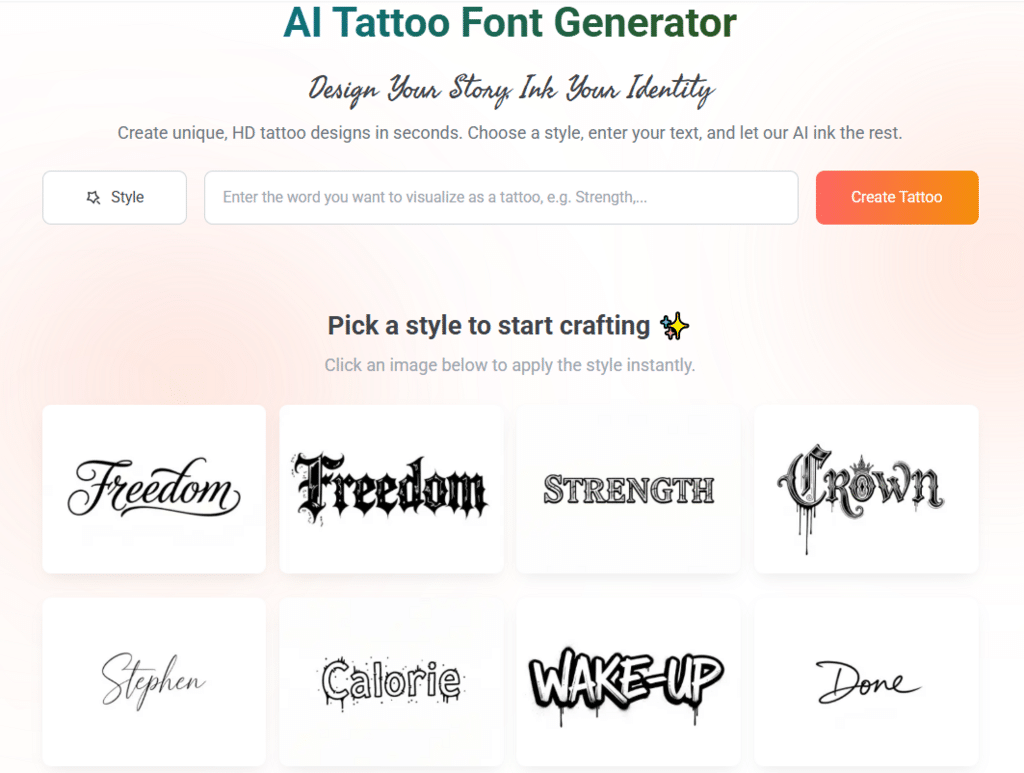
- Input into the Generator: Visit the tool and type your desired text.
- Filter for “Minimalist” or “Fineline”: Ignore the heavy gothic or thick traditional styles.
- Adjust the Spacing: Manually increase the letter spacing (kerning). If the tool doesn’t have a slider, choose a font that is naturally “airy.”
- Print at Scale: Print the design at the exact size it will be tattooed. If you can’t read it clearly on paper from a foot away, it will not work as a tattoo.
- Consult Your Artist: Show them the digital output. An expert artist will appreciate the “anti-blur” preparation you’ve done.
The Future of Typographic Tattoos
As AI and digital design tools become more sophisticated, the gap between “artistic vision” and “biological reality” is closing. We are moving toward a period where font generators can simulate “aging” on different skin types, showing you exactly how a font might look five years down the line.
For now, the responsibility lies in the preparation. Using a precision-engineered tool to select your typeface is the most proactive step you can take toward a successful, beautiful, and permanent piece of art. Small tattoos don’t have to be a gamble; with the right font and a focus on anti-blur principles, they can be a lifelong testament to refined taste.
Conclusion
Micro-tattoos offer a unique way to carry personal meaning without the commitment of a large-scale piece. However, the technical demands of tiny lettering require a departure from traditional tattoo design. By focusing on negative space, consistent line weight, and the proper use of a digital generator, you can ensure your ink remains as sharp as the day it was needle-set.
Remember: in the world of micro-lettering, less is almost always more. Prioritize the structural integrity of the letters, and your tiny ink will continue to make a big impact for decades to come.