

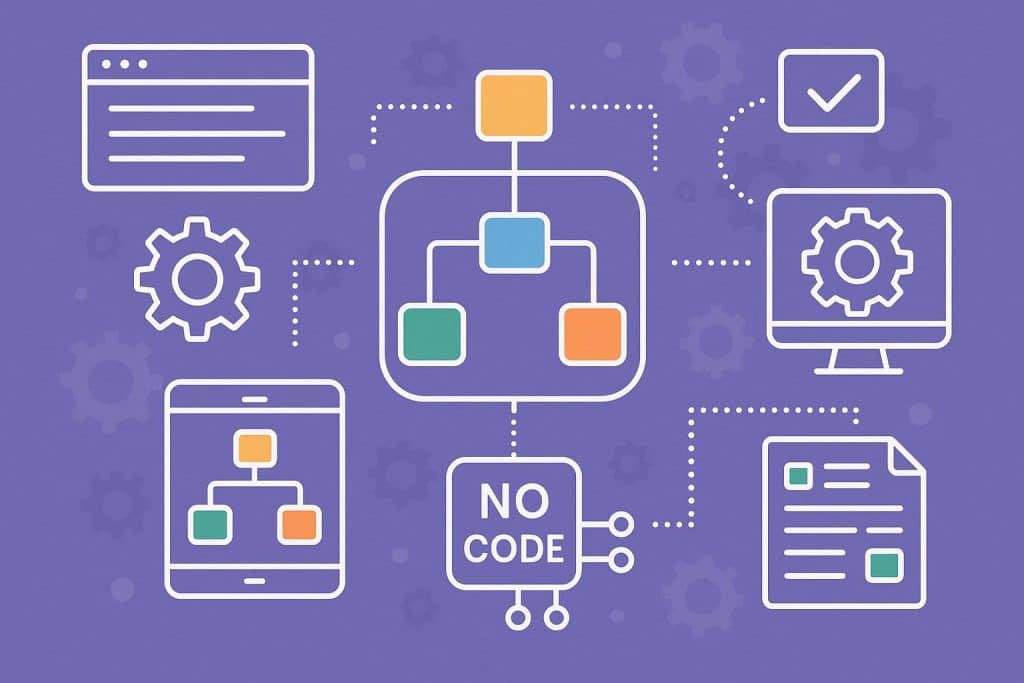
Companies still waste huge amounts of their precious time every week doing tasks that can be done with an automated system. Transfer of data from one system to another, sending out emails requesting approvals, and completing manual entries into spreadsheets. Does it sound familiar?
In case it does, you are the exact audience this guide is addressed to.
In 2026, no-code workflow automation transitioned from being merely an additional tool to an essential part of every business strategy. And the best part is that it is not at all necessary for you to know how to code to simplify your life through automation.
In this article, we are going to learn about workflow automation without code, its capabilities, advantages, and help you choose an appropriate automation platform.
What Is No-Code Workflow Automation And Why 2026 Is Different?
Workflow automation without coding means that you can link your software, design a logic for them, and make repetitive tasks take place automatically using drag-and-drop tools. No development team. No queueing with IT support.
These are some of the aspects that will change in 2026:
- Previously, automation could only be accomplished using simple rule based logic. If this, then that. Easy to implement but highly limiting.
- But now, the current technology that includes n8n, Make, and Vellum AI adds reasoning, categorization, summarization, and decision-making abilities to your workflow.
- The market size for no-code AI platforms is expected to grow up to $23.82 billion by 2030
No-code vs low-code in simple words:
- No-code implies no coding expertise whatsoever.
- Low-code implies that you have the option to script if necessary, but the rest is done visually.
It is best to use no-code for the vast majority of business users.
Core Architecture: How No-Code Workflows Actually Work
Before you choose a tool, it may help to know what’s going on behind the scenes. Each no-code workflow relies on several basic elements.
- Triggers are what begin your workflow. It could be anything from receiving a new entry in a table, filling out a form, receiving an email, setting a time, or getting a web hook from another application.
- The actions then come. These include sending emails, creating tasks, editing records, messaging in Slack, or even generating documents.
- Conditions let your workflow branch. “If the lead score is above 80, route to sales. If not, add to nurture list.” This is where the real power kicks in.
- Data mapping connects information flowing between your apps. When a new contact comes in from your website form, data mapping tells the workflow which fields go where in your CRM.
- Error handling separates amateur automations from production ready ones. Good platforms handle retries, alerts, and fallbacks automatically.
The two-layer model most guides skip:
- Layer 1 is the execution layer. Your classic no-code tool moves data, triggers actions, and runs deterministic steps.
- Layer 2 is the AI reasoning layer. An AI agent reads context, synthesizes knowledge, and decides what to do next.
Combining both is what the smartest teams are doing right now.
Top No-Code Automation Tools in 2026
There are dozens of tools out there and most comparison articles just list them without helping you choose. Here is an honest breakdown based on what each tool actually does best.
| Tool | Best For | AI-Native | Self-Host |
|---|---|---|---|
| Zapier | Non-technical, quick automations | Partial | No |
| Make | Multi-branch, volume workflows | Partial | No |
| n8n | Technical teams, open-source | Partial | Yes |
| Workato | Enterprise, complex orchestration | Partial | Via agent |
| Vellum AI | AI workflow standardization | Yes | VPC/on-prem |
| Kissflow | Process-heavy orgs, approvals | Yes | No |
| Gumloop | AI-first, marketing/ops | Yes | No |
Zapier
It is the most beginner-friendly option on the market. It connects over 8,000 apps and lets you build automations in minutes. If your team is non-technical and you need quick wins, start here. It can get expensive at scale and struggles with complex branching logic.
Make
It is a step up in power. Its visual canvas lets you build multi-branch, high-volume workflows with detailed logic. Better suited for teams that need more control without writing code.
n8n
It is the go-to for technical teams who want open source flexibility. You can self-host it, write JavaScript or Python inside nodes, and connect to virtually any API. Not the friendliest for non-technical users but great for data residency requirements.
Workato
It is built for enterprise. It supports complex orchestration, separate workspaces, detailed audit logs, and environment management across dev, staging, and production.
Vellum AI
It targets teams that want to standardize AI workflows at scale. It lets you build complete AI workflows by describing them in plain language, then wraps them in evaluation, versioning, and observability.
Kissflow
It shines for HR, finance, and operations teams. It is designed for structured approvals, form-based requests, and process tracking without IT involvement.
Gumloop
It is an AI-native platform designed for marketing and ops teams. The LLM handles most of the logic inside your workflows, making it fast to build.
Choosing the right workflow automation tools depends on your team size, technical comfort, and process complexity. Taking time to compare a few options before committing can save significant rework down the line.
Real-World Use Cases by Department
No-code workflow automation is not just for IT teams. Here is how different departments are actually using it.
Marketing
- Auto-score leads based on behavior
- Trigger personalized email sequences
- Sync campaign data across platforms
- Teams report up to 40% time savings and faster lead response times
Sales
- Auto-update CRM records after calls
- Route new leads to the right rep based on territory or deal size
- Get meeting recaps delivered to Slack with action items pulled out automatically
HR and Operations
- Automate employee onboarding steps
- Handle leave approval chains without email threads
- Generate documents and manage cross-department handoffs
IT Teams
- Automate password resets which account for 20 to 30% of all helpdesk tickets
- Reclaim unused software licenses automatically
- Detect and flag shadow IT usage
Finance
- Process invoices without manual data entry
- Run multi-step approval workflows
- Automate reconciliation and routine reporting
How to Implement: From First Workflow to Full Scale
Knowing the tools is one thing. Rolling out no-code workflow automation without creating chaos is another. Here is a practical roadmap.
Phase 1: Find your first automation target
Look for tasks that are repetitive, rule-based, and happen frequently. If you can explain the process step by step without any “it depends” moments, it is automatable.
Phase 2: Start small and win fast
Do not try to automate your most complex process first. Pick something simple and build it in a day or two. A lead notification or a data sync between two tools is a perfectly valid first automation.
Phase 3: Document everything as you go
Each process must be accompanied by brief notes about its purpose, triggering events, and ownership. This information becomes important at the time of failure.
Phase 4: Scale with governance
The more workflows you collect, the more important it is to develop naming conventions and assign responsibilities for building and approving workflows before rollout. At this stage, many teams bring in workflow automation services to set up role-based access, audit trails, and separate dev and production environments.
Phase 5: Layer in AI when you are ready
After you get your rule-based workflows under control, try to identify areas where artificial intelligence can make better decisions than your predefined rules. These include content classification, ticket routing, and data enrichment.
Common pitfalls to avoid:
- Do not automate a broken process. Fix it first.
- Do not ignore error handling. Your workflow will break eventually.
- Do not build without documentation. You will not remember how it works in six months.
Conclusion
In 2026, there is no excuse for not embracing no-code workflow automation as it will help smart people save money, time and avoid wasting hours in repetitive tasks which could have been automated.
Start with the little things, find one frustrating process, and make a workflow. You can always scale your software stack as your needs increase or hire workflow automation developer to handle more complex, multi-system automations your business demands.
The teams winning right now are not the most technical ones. They are the ones who started early and stayed consistent.