

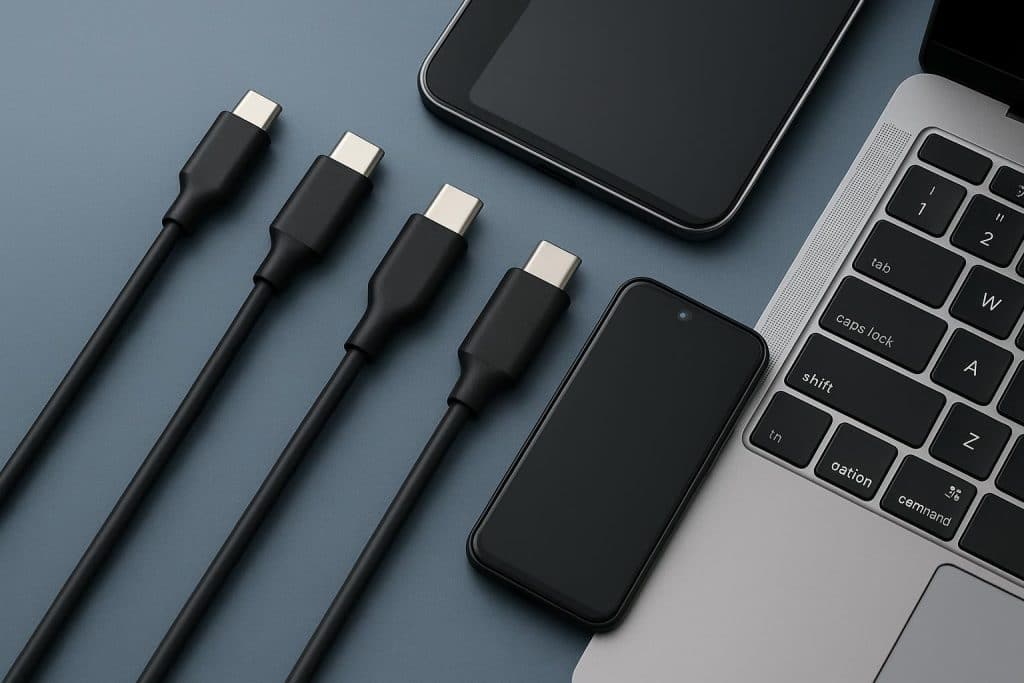
USB-C has quickly become the universal standard for charging and connectivity. From smartphones and tablets to gaming consoles, laptops, power banks, and monitors, USB-C cables are now used everywhere. Yet despite their similar appearance, not all USB-C cables are the same.
Many consumers assume every USB-C cable offers identical charging speed, data transfer, and display support. In reality, USB-C cables come in multiple types with different specifications, power capabilities, and performance levels. Choosing the wrong cable can lead to slow charging, limited transfer speeds, or compatibility issues.
This guide explains the different types of USB-C cables, how they work, and how to choose the right one for your devices.
What Is USB-C?
USB-C, also called USB Type-C, is a modern connector standard developed by the USB Implementers Forum (USB-IF). Unlike older USB-A or Micro USB connectors, USB-C is fully reversible, meaning it can be plugged in either direction.
USB-C supports multiple functions through a single cable, including:
- Fast charging
- Data transfer
- Video output
- Audio transmission
- Device connectivity
Its versatility has made it the preferred standard across most modern electronics.
Why USB-C Cables Are Different
One of the biggest misconceptions about USB-C is that all cables perform the same way. While two cables may look identical externally, the internal wiring and chipset configuration can be completely different.
USB-C cables vary based on:
- Charging wattage
- Data transfer speed
- Video support
- USB generation
- Build quality
- Certification standards
Understanding these differences helps users avoid poor performance and protects expensive devices from low-quality cables.
USB-C Charging Cable Types
1. Basic USB-C Charging Cables
These are entry-level cables mainly designed for standard charging and light data transfer.
Typical specifications:
- Up to 15W charging
- USB 2.0 transfer speeds
- Suitable for small devices like earbuds or accessories
These cables are affordable but not ideal for fast-charging laptops or transferring large files.
2. USB-C Fast Charging Cables
Fast charging cables support USB Power Delivery (USB PD), allowing devices to charge at significantly higher speeds.
Modern fast charging cables commonly support:
- 30W
- 45W
- 65W
- 100W
- 140W
- 240W USB PD 3.1
USB Power Delivery has become essential for laptops, tablets, and high-capacity power banks. According to USB-IF standards, certified USB-C cables are now labeled based on power capability, including 60W and 240W ratings.
For example, a high-performance MacBook Pro or gaming laptop requires a cable capable of handling higher wattage safely and efficiently.
Consumers looking for reliable high-speed charging solutions often search for quality options like USB C cable Australia that support modern charging protocols and durable construction.
USB-C Data Transfer Cable Types
USB 2.0 USB-C Cables
These cables are primarily designed for charging rather than speed.
Transfer speed:
- Up to 480 Mbps
Best for:
- Charging phones
- Basic file transfers
- Everyday accessories
While sufficient for casual use, USB 2.0 cables can feel slow when transferring large videos or backups.
USB 3.2 USB-C Cables
USB 3.2 cables offer much faster transfer rates.
Depending on the generation, speeds may include:
- 5 Gbps
- 10 Gbps
- 20 Gbps
These cables are ideal for:
- External SSDs
- Professional photography workflows
- Gaming storage
- High-speed backups
The USB naming system can be confusing because different USB generations have been renamed over time.
USB4 and Thunderbolt USB-C Cables
Premium USB-C cables now support USB4 and Thunderbolt technologies.
These advanced cables can deliver:
- Up to 40 Gbps speeds
- High-resolution display output
- Simultaneous charging and data transfer
They are commonly used for:
- 4K and 8K monitors
- Professional docking stations
- High-performance laptops
- Creative workflows
Thunderbolt and USB4 cables are typically more expensive because they contain additional hardware and shielding.
USB-C Video Output Cables
Some USB-C cables support video transmission using DisplayPort Alt Mode or Thunderbolt protocols.
These cables can connect devices to:
- Monitors
- TVs
- Projectors
- Docking stations
However, not every USB-C cable supports video output. This is one of the most common causes of compatibility problems.
If you connect a laptop to a monitor using a low-spec charging-only cable, the display may not work even though charging functions correctly.
Active vs Passive USB-C Cables
Passive USB-C Cables
Passive cables rely entirely on the connected devices for signal management.
Advantages:
- More affordable
- Reliable for shorter distances
- Common for everyday charging
Active USB-C Cables
Active cables include internal electronics that help maintain signal quality over longer distances or higher speeds.
Advantages:
- Better performance at high bandwidth
- Stable data transfer
- Improved display reliability
These are commonly used in professional setups involving Thunderbolt or USB4.
E-Marker Chips Explained
High-power USB-C cables often contain an E-Marker chip.
This small internal chip communicates with devices and chargers to safely negotiate power delivery levels. Without proper E-Marker support, high-wattage charging may not function correctly.
For example:
- A 100W laptop charger may only charge at lower speeds if the cable lacks proper certification or E-Marker functionality.
USB-IF certification helps ensure cables meet required safety and compatibility standards.
Braided vs Standard USB-C Cables
Standard PVC Cables
These are the most common and affordable cable designs.
Pros:
- Lightweight
- Flexible
- Lower cost
Cons:
- More prone to wear
- Can crack over time
Braided USB-C Cables
Braided cables use reinforced nylon or woven materials for extra durability.
Pros:
- Better lifespan
- Improved resistance to bending
- Premium appearance
For users carrying cables daily or frequently traveling, braided USB-C cables are often a worthwhile investment.
How to Choose the Right USB-C Cable
When buying a USB-C cable, consumers should consider four main factors:
1. Charging Requirements
Check the maximum wattage your device supports.
Examples:
- Smartphones: 20W–45W
- Tablets: 30W–65W
- Laptops: 65W–140W+
Using an underpowered cable can reduce charging speed significantly.
2. Data Transfer Needs
If you regularly transfer videos, photos, or large files, choose USB 3.2 or USB4 cables instead of basic USB 2.0 options.
3. Video Support
For monitor connectivity, verify the cable supports:
- DisplayPort Alt Mode
- Thunderbolt
- USB4 video output
4. Durability
Frequent travelers and heavy users should prioritize:
- Braided construction
- Reinforced connectors
- USB-IF certification
Common USB-C Mistakes Consumers Make
Buying Based Only on Appearance
Many low-cost cables look premium but lack proper internal components.
Ignoring Wattage Ratings
A cable may physically fit your device but still limit charging speed.
Assuming Every Cable Supports Video
Not all USB-C cables can transmit display signals.
Using Cheap Uncertified Cables
Poor-quality cables can overheat, damage devices, or fail prematurely.
The Future of USB-C
USB-C continues to evolve rapidly. New standards like USB4 Version 2.0 are pushing speeds even higher while supporting more powerful charging capabilities.
Governments and manufacturers are also moving toward universal USB-C adoption to reduce electronic waste and simplify device compatibility.
As laptops, smartphones, gaming devices, and accessories continue shifting to USB-C, understanding cable types will become increasingly important for consumers.
Final Thoughts
USB-C has simplified modern connectivity, but choosing the right cable still requires understanding the differences between charging speeds, transfer rates, video support, and build quality.
Whether you need a simple charging cable for your phone or a high-performance cable for laptops and professional devices, selecting the correct USB-C cable ensures better performance, safer charging, and longer-lasting reliability.
As USB technology continues advancing, investing in quality certified cables from trusted brands like Zyron can help future-proof your devices and improve your everyday charging experience.