

A disappointing AI video is often blamed on the model. Sometimes that is fair. Just as often, the real problem appeared earlier: the idea was vague, the reference files contradicted one another, or nobody decided what the clip needed to communicate.
“Make this cinematic” is not a production brief. Neither is a folder containing ten unrelated mood images. A useful brief explains the subject, action, camera, timing and purpose of the clip. It also tells the system which uploaded asset should control which part of the result.
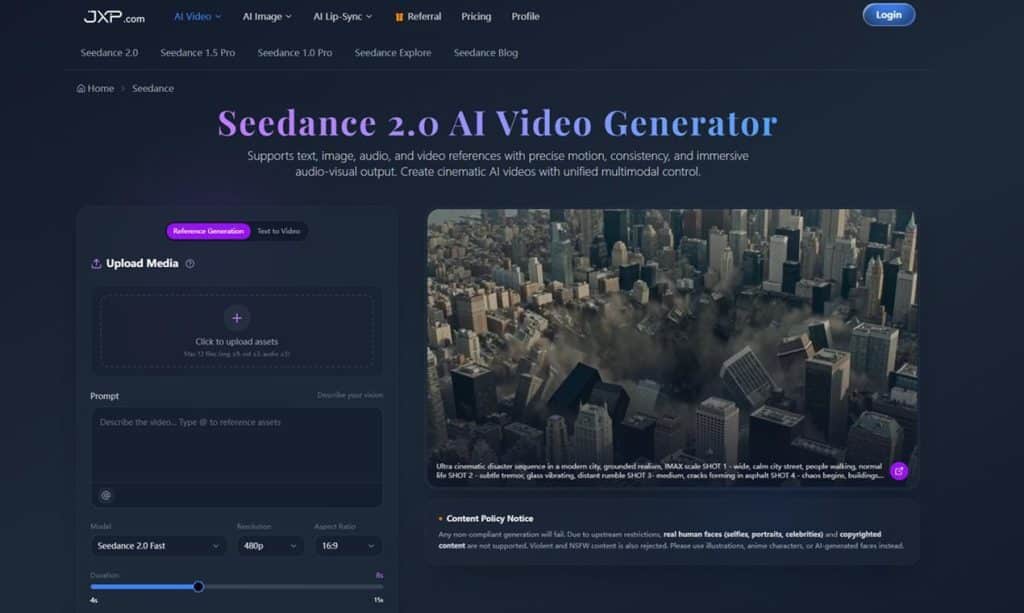
That preparation becomes especially important with a multimodal tool such as Seedance 2.0, where text, images, audio and video can all contribute to one generation. More inputs can give a creator greater control, but only when those inputs tell the same story.
Start With the Decision the Video Must Support
Before writing a prompt, ask what someone should understand or feel after watching the clip. A product teaser may need to make one feature memorable. A storyboard draft may need to test camera movement. A social post may need to establish a mood in the first second.
These goals lead to different creative choices. A product clip benefits from a clear view of the object and restrained motion. A previsualization draft can be rougher, but the blocking and camera path must be readable. A short social video needs a quick visual hook and a frame that still makes sense on a small screen.
When the purpose is missing, creators tend to add more style words. The prompt becomes longer without becoming clearer. A single sentence describing the intended decision is often more useful than another paragraph of visual adjectives.
Build the Brief Around Five Concrete Choices
A practical AI video brief does not need to look like a film-school assignment. It does need to settle five questions:
- Subject: What must remain recognisable throughout the clip?
- Action: What changes from the opening frame to the closing frame?
- Camera: Is the view static, tracking, panning, orbiting or pushing in?
- Timing: Which moment deserves the most screen time?
- Destination: Is the output for a vertical feed, website, presentation or production review?
These choices put boundaries around the idea. The model still has room to interpret lighting, texture and movement, but it is no longer guessing at the basic structure.
A brief might read: “Keep the illustrated robot unchanged. Begin with a wide shot in a dim workshop, track slowly toward the workbench, and reveal the glowing device on the final beat. Use the uploaded image for the robot design and the video only for camera movement.” That is far easier to evaluate than “create a futuristic cinematic scene.”
Assign One Role to Every Reference
The most common reference mistake is uploading files without explaining their jobs. If an image shows one colour palette and a video shows another, which should win? If the audio changes pace halfway through, should the scene follow it?
The prompt should answer those questions directly. With the Seedance 2.0 AI video generator, an image can define the first frame or subject appearance, while a separate video guides motion. Audio may shape rhythm, and text can describe how the parts connect.
Keep references deliberate. One strong product image is usually more helpful than five slightly different versions. A short motion clip with a clear camera path is easier to follow than a montage. If two files compete for the same role, remove one or explain the priority.
Separate Visual Identity From Movement
Appearance and motion are different instructions. A character image may define clothing, colours and facial style. A reference clip may define a turn, gesture or camera orbit. Mixing those roles in the prompt can cause unwanted drift.
A clearer instruction says what must be preserved and what may change. For example: “Keep the character design, clothing and proportions from Image 1. Use Video 1 only for the walking rhythm and camera distance. Do not copy the background.”
This is also useful for product content. The product photograph should anchor shape, packaging and label placement. A motion reference can guide the reveal without becoming a new visual identity.
Plan the Clip as a Beginning, Change and End
Short clips still need structure. Without it, motion can feel decorative rather than meaningful. A simple three-part plan is enough:
- Beginning: establish the subject and setting.
- Change: introduce the action, camera move or transition.
- End: hold on the detail, expression or product moment that matters.
This structure is particularly helpful when audio is involved. Instead of asking the entire scene to react constantly, choose one or two beats that should trigger visible changes. The result is easier to read and less likely to feel restless.
Review One Failure at a Time
The first draft should answer questions, not end the process. Watch it once for subject consistency, once for motion and once for timing. Trying to judge everything at the same time makes feedback vague.
If the subject changes, improve the reference or preservation instruction. If the camera wanders, simplify the movement. If the ending feels rushed, shorten the setup or extend the final moment. Seedance 2.0 also presents options for extending clips, merging sections and refining selected areas, which can help preserve a useful draft instead of restarting from zero.
Keep a short record of what changed between versions. “More cinematic” is difficult to reproduce. “Slower push-in, no camera roll, hold the product for two seconds” gives the next attempt a measurable target.
Check Rights and Accuracy Before Publishing
Creative control includes knowing which assets are appropriate to use. The platform restricts real human faces, copyrighted content, violent material and NSFW requests. Original illustrations, licensed assets and AI-generated faces are safer choices for projects that need characters.
Every final clip also deserves a close review. Check products, logos, hands, background text and transitions. Watch without sound to catch visual problems, then watch with sound to evaluate rhythm. A convincing preview can still contain a small error that makes it unsuitable for public use.
Good Generation Starts With Good Preparation
AI video tools can reduce the technical effort needed to create motion, but they do not remove the need for direction. The clearer the brief, the easier it becomes to choose references, judge the first output and make a useful revision.
For creators who want to create videos with Seedance 2.0, the best first step is not uploading every available asset. Start with one purpose, one primary subject and one clear movement. Build the rest of the brief around those decisions. A disciplined setup may feel slower for five minutes, but it can save several rounds of confused generation afterward.