

If you create content for a living, you don’t need “more inspiration.” You need usable visuals on demand—images that look professional, fit your brand, and don’t take half a day (or half your budget) to produce. That’s where Banana Pro AI earns its spot in a creator’s toolkit.
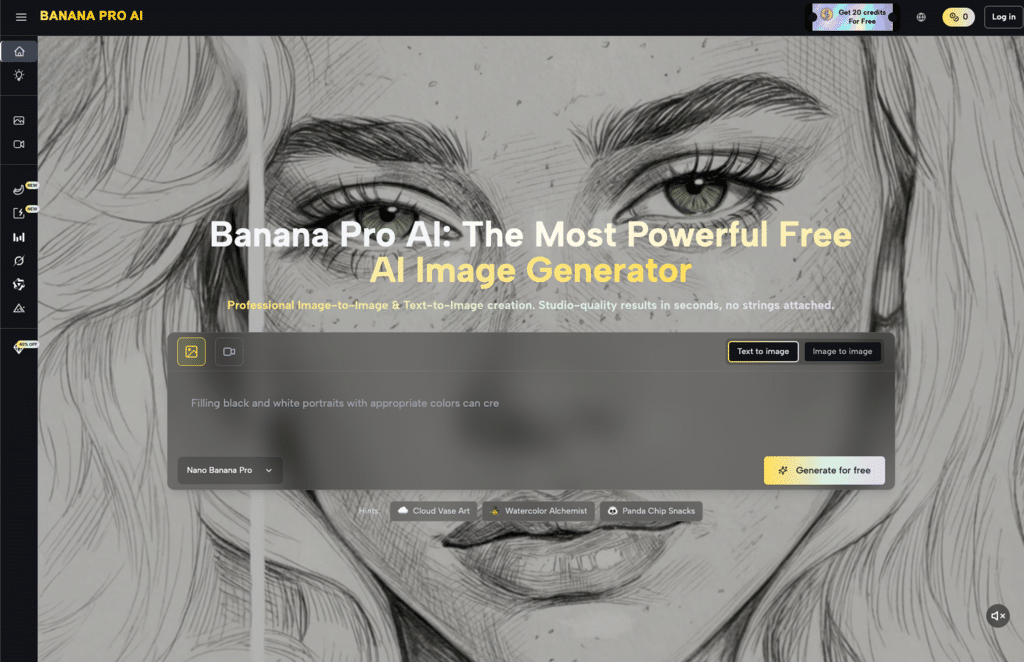
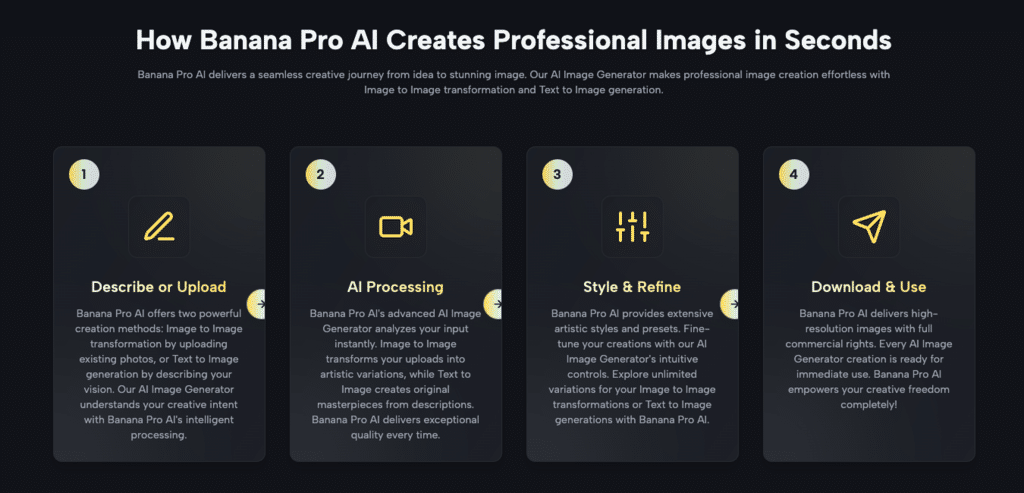
Banana Pro AI positions itself as a free, high-speed AI image platform that supports both Text to Image and Image to Image generation. In plain terms: you can type what you want and generate it, or upload an existing image and transform it. The sweet spot is speed + iteration—getting you from “idea” to “options” in seconds, then refining until you have something you can actually publish.
Below is a structured, creator-first guide to Banana Pro AI, including practical workflows, real-world fixes for common generation issues, and how to get consistently strong results with Banana Pro AI Image Generator and Banana Pro AI Image Editor.
What Is Banana Pro AI (and Who Is It For)?
Banana Pro AI is an AI-powered image creation tool built for fast production and iteration. The platform centers around the Banana Pro AI Image Generator, with two main creation modes:
- Text to Image: You describe the scene and style, and Banana Pro AI generates original images.
- Image to Image: You upload a reference image, and Banana Pro AI transforms it—style shifts, variations, upgrades, and creative remixes.
Who benefits most from Banana Pro AI?
Banana Pro AI is especially useful for content creators who need volume, consistency, and quick turnaround:
- Marketers who need ad creatives, landing page visuals, and A/B test variants.
- Writers and bloggers who want article illustrations, hero images, and feature graphics.
- Designers who need concept drafts, style exploration, and client-facing mock directions.
- Video creators who need thumbnails, storyboard frames, mood visuals, and channel branding assets.
From my own workflow: I use Banana Pro AI when I’m stuck between “I need a visual” and “I don’t need a full design project.” It’s ideal for producing good first drafts that can either be used immediately or polished lightly.
What Banana Pro AI Can Create (and Where It Shines)
A lot of tools can generate an image. Fewer can generate images that look “client-ready” fast. Banana Pro AI leans into three output strengths.
Photorealistic quality (for marketing-grade visuals)
Banana Pro AI can produce sharp, realistic imagery—lighting, texture, and composition that can pass for professional photography at a glance. For product-style visuals, lifestyle scenes, or business graphics, this is a big win.
Unlimited artistic styles (for creators who need range)
Need anime today and minimalist tomorrow? Banana Pro AI supports a wide range of styles, which is ideal when you’re producing across platforms, brands, or content series.
Versatile use cases (for creators who publish constantly)
Banana Pro AI works well for:
- Blog illustrations and hero images
- Social media graphics and post concepts
- Product mockups and campaign visuals
- Concept art and “mood” assets for video
- Thumbnails and banner-style compositions
And because Banana Pro AI Image Generator supports both Text to Image and Image to Image, you can choose the mode that fits your time and certainty level.
Core Features: What You Actually Get with Banana Pro AI
Here’s what stands out when you evaluate Banana Pro AI as a working tool (not a novelty).
Banana Pro AI Image Generator (Text to Image + Image to Image)
The heart of Banana Pro AI is the Banana Pro AI Image Generator. It’s built to generate:
- portraits, scenes, product-style images
- illustrations and concept visuals
- variations from a single prompt or reference image
If you’re serious about output volume, that dual-mode setup is the difference between “one tool” and “five tabs open.”
Style Transfer & Presets
Banana Pro AI offers preset styles and style transfer options. This matters because most creators don’t want to become prompt engineers—they want consistent aesthetics quickly.
I’ve found presets especially useful when I need to keep a feed coherent or make a set of blog images feel like they belong together.
Batch Generation (for A/B testing and creative exploration)
Batch generation is underrated until you do marketing work. With Banana Pro AI, generating multiple variants in one go makes it easier to:
- run A/B tests
- present options to a client
- choose the best composition quickly
Smart Asset Library (save, search, reuse)
A good platform doesn’t just generate—it helps you organize output. Banana Pro AI includes an asset library approach so you can revisit images, reuse prompts, and keep iteration history.
AI Chat Assistant (for prompt help and refinement)
If you can describe what you want conversationally, the assistant layer helps translate “creative intent” into better inputs for Banana Pro AI Image Generator.
Troubleshooting Guide: Common Banana Pro AI Issues (and Fixes)
Even strong generators will occasionally produce something that’s almost right. Here are the problems I see most often—and how I fix them with Banana Pro AI.
Issue 1: “It’s fine… but it looks cheap”
Fixes
- Add lighting direction: “soft studio lighting,” “cinematic rim light,” “natural window light”
- Specify lens feel: “35mm,” “shallow depth of field”
- Use Image to Image with a high-quality reference for tone and composition
This is where Banana Pro AI Image Editor behavior matters: you’re not retouching; you’re re-directing.
Issue 2: Inconsistent subjects across a set
Fixes
- Switch to Image to Image to lock the structure
- Generate in batches and iterate from one “best” base image
- Keep style consistent; don’t mix aesthetic directions in one series
Issue 3: Overloaded prompts that backfire
Fixes
- Reduce the prompt to essentials (subject + setting + style)
- Generate first, refine second
- Remove conflicting descriptors (e.g., “minimalist” + “ultra detailed”)
Prompting Tips: How to Get Better Results with Banana Pro AI
These are simple, high-impact habits that improve output quality with Banana Pro AI and the Banana Pro AI Image Generator.
- State the use case (it changes composition)
Examples:
- “for a blog hero image, wide composition, negative space on the left”
- “for a YouTube thumbnail, centered subject, high contrast”
- Control lighting (it controls perceived quality)
Examples:
- “soft studio lighting, clean shadows”
- “cinematic lighting, subtle haze, rim light”
- Choose one style lane
Don’t stack five aesthetics at once. Pick one: minimalist, cinematic, watercolor, anime, vintage.
- Be specific about materials and environment
“matte metal,” “warm wood,” “paper texture,” “neutral background” tends to beat vague words like “modern.”
- Use Image to Image for brand consistency
For series visuals, Image to Image is the shortcut to repeatability—this is where Banana Pro AI Image Editor workflows shine.
- Change one variable at a time
You’ll learn faster and waste fewer generations.
Key Takeaway: Is Banana Pro AI Worth Using?
For creators who need speed, volume, and usable quality, Banana Pro AI is a strong choice—especially because it combines Text to Image and Image to Image in one workflow and emphasizes creator-friendly commercial usage.
Use Banana Pro AI to generate the first draft fast. Use Banana Pro AI Image Generator to explore and batch variants. Use Banana Pro AI Image Editor workflows to refine direction and keep a series consistent. That combination is what turns “AI images” into “publishable assets” without turning your week into a design marathon.