

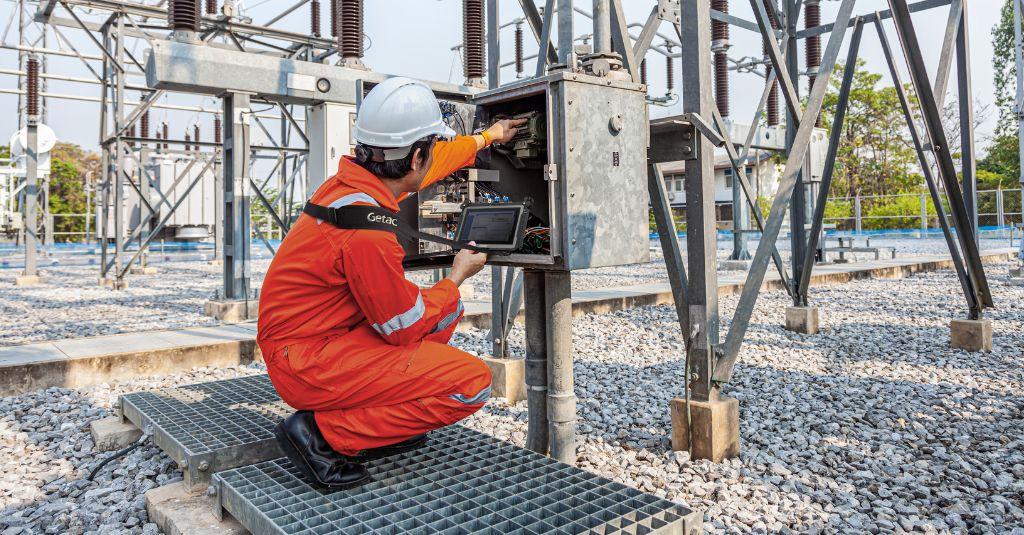
As utilities digitize and evolve, so should the tools technicians use in the field. Durability is a critical factor, but so is performance. Rugged tablets should withstand harsh field conditions and be adaptable to legacy and emerging technologies. The right OS can improve workflow efficiency, strengthen security, and support long-term adaptability —they make rugged tablets future-ready.
The Digitalization of Utility Field Operations
Gone are the days of paper forms, radios, and manual reporting in field operations. Technicians now work in ecosystems built around smart grid technology, real-time analytics, and predictive maintenance.
In the field, they perform everything from simple meter readings to navigating complex monitoring and control interfaces.
This has made rugged tablets mission-critical tools. They are portable yet offer enough screen space for inspections, diagnostics, documentation, and other tasks. Their value increases when their OS integrates smoothly with existing systems and remains compatible with future technologies.
What Makes a Tablet Utility- and Future-Ready
First, tablets need to withstand harsh field conditions and frequent handling. They should have adequate MIL-STD and IP ratings to survive drops, temperature swings, vibrations, dust, or water.
They should also have anti-glare displays, a gloves-on touchscreen, and long battery life. Connectivity via Wi-Fi, Bluetooth, cellular, and GPS, available ports, and I/O flexibility are also important for field operations.
Equally important is the OS. A rugged tablet’s OS must work reliably with these hardware features to maximize its capabilities. At the same time, the OS should be flexible enough to support future upgrades.
Comparing OS: Windows vs Android
Most rugged tablets run Windows or Android, but they excel in different scenarios. Which one is right depends on the operational ecosystem, existing software, and long-term support strategies.
Windows
Windows tablets can be a good fit for utilities, especially those with long-established software systems. Many critical apps were built for Windows first and may run best there. This matters in field operations because technicians use multiple apps at once.
Windows is also very familiar. They align with existing workflows, training systems, and IT support. This is advantageous because it can be easier to roll out.
For example, facilities with specialized monitoring or diagnostic software often use Windows for app compatibility.
Android
Android is usually used for deployments that prioritize scale, battery efficiency, and adaptability. It’s lightweight, so it can run longer, especially when teams use only a set number of apps.
Android is also less expensive. It has lower licensing costs and broader hardware options, making it easier to equip larger teams. Android is also highly customizable and potentially easier to adopt.
For organizations that have their own field apps, developing with Android is faster and easier to support updates.
For example, Android may be a good fit for distribution and inspection-heavy operations for its scalable deployment and efficient asset tracking.
Key Considerations for OS Selection
Existing Infrastructure
Organizations should review their existing applications and systems. If they use more legacy apps, then Windows tablets may be a better option. This can simplify integration and preserve existing processes.
If the organization is setting up a new system, it has leeway in choosing an OS.
Deployment Strategy
Does the organization prefer rapid deployment? How large is the team? What apps are they going to use and how many? Do they anticipate additional tasks and applications later?
If priority is rapid rollout and simplified workflows, then Android may be better.
Security
Windows is highly compatible with established enterprise security standards and IT governance models. But that doesn’t mean Android is far behind. It supports enhanced security, too, though it may require expert configuration to maintain consistency across hardware.
Future-Ready Rugged Tablets For Utilities
OS-ready rugged tablets are indispensable for utilities and their field technicians. Getac offers purpose-built devices that allow organizations to choose whatever OS they need and want without compromising durability and performance.
For example, Getac ZX10 is a lightweight and cost-efficient Android rugged tablet, ideal for large-scale deployments. It has extended battery life and supports rapid customization, ensuring adaptability and performance.
On the other hand, the Getac F110 is a Windows rugged tablet that ensures high compatibility with legacy utility software and applications, advanced diagnostics, and security requirements.
Both tablets can withstand harsh field conditions and are compatible with existing hardware, ports, and docks.
Flexibility Is a Strategic Advantage
In practice, many utilities benefit from a mixed approach: using Windows where legacy or complex software demands it, and Android where scale, efficiency, and flexibility create the most value.
Choosing the right operating system is about matching technology to operational needs. Utilities that invest in rugged, OS-flexible platforms are better positioned for current and future requirements.