

Social media moves fast. Whether you’re a content creator, ecommerce seller, marketer, or small business owner, creating eye-catching visuals consistently can quickly become overwhelming. Traditional desktop software often demands expensive subscriptions, heavy downloads, and a steep learning curve—slowing down your content pipeline.
That’s why browser-based AI editing tools are changing the game. With an online image editor like YouCam Online Editor, anyone can create polished, platform-ready visuals directly from their browser, completely bypassing the headaches of traditional software.
From intelligently expanding tightly cropped photos to animating static images, AI-powered online editors make professional-quality creative work faster and more accessible than ever.
Why Online Image Editors Are Essential for Social Media
Every social platform operates on different dimensions. A photo that looks flawless in an Instagram grid might get awkwardly cropped on TikTok, YouTube, or LinkedIn. Manually resizing and redesigning the same asset for multiple platforms is a major bottleneck.
An online image editor simplifies this workflow by allowing you to edit instantly across both desktop and mobile devices. Because it’s entirely web-based, you gain instant access to powerful tools including photo and video enhancer, background removal, object removal, AI image-to-video, and more, without downloading large applications.
While traditional design software often feels intimidating for beginners, browser-based AI editors focus on speed, flexibility, and simplicity without sacrificing high-quality results.
Instantly Upgrade Your Visual Quality With AI Photo Enhancer
High-quality visuals are essential for social media engagement, but not every photo starts out perfectly sharp, bright, or clear. Blurry images, low lighting, compression artifacts, and low-resolution uploads can quickly make content look less professional — especially on highly visual platforms like Instagram, TikTok, and Pinterest.
That’s where AI Photo Enhancer can make a major difference.
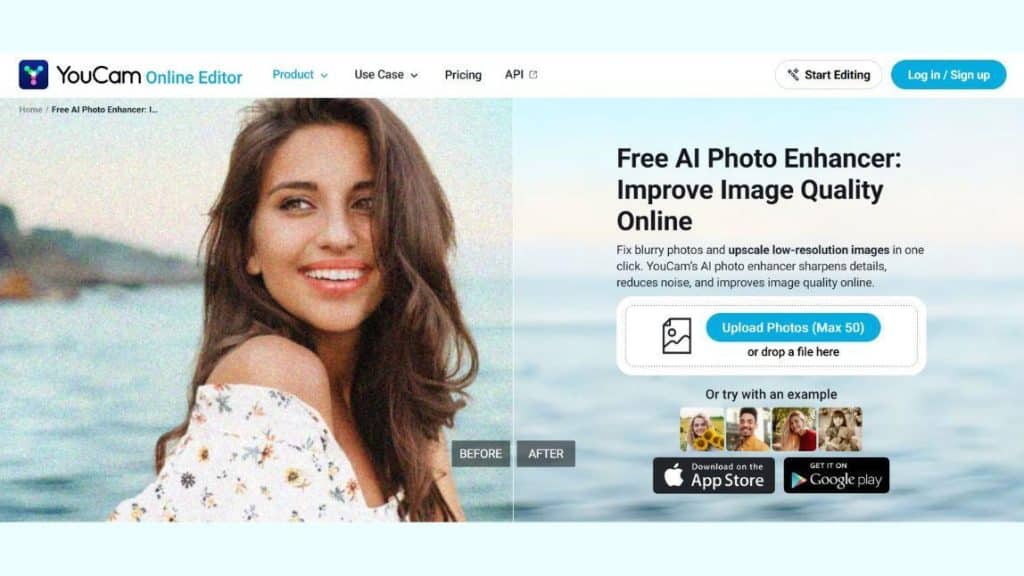
Instead of manually adjusting sharpness, brightness, contrast, and detail through complicated editing software, AI automatically enhances your image quality in just a few clicks. With YouCam Online Editor, users can quickly transform ordinary photos into polished, social-ready visuals directly from their browser.
Unlike traditional editing software that often requires technical knowledge and time-consuming adjustments, YouCam Online Editor simplifies the process with an intuitive interface optimized for both desktop and mobile use. Users can preview enhancements instantly and create professional-looking visuals without downloading complicated editing apps.
For social media creators, ecommerce sellers, and marketers, AI Photo Enhancer offers one of the fastest ways to improve content quality and create more visually engaging creatives that stand out in crowded feeds.
Turn Static Images Into Scroll-Stopping Visuals
In crowded social feeds, static images can easily get lost. Motion content naturally attracts more eyes and drives higher engagement.
The AI Video Generator from Image tool transforms ordinary photos into animated visuals in just a few clicks. Instead of spending hours mastering complex video rendering software, creators and businesses can instantly generate dynamic content for TikTok and Instagram Reels, interactive product showcases and ecommerce ads, and digital marketing campaigns.
For ecommerce brands, animated visuals make product pages feel premium and interactive. For individual creators, these subtle motion effects are key to stopping the scroll and improving viewer retention in a short-form video-dominated landscape.
Accessible for Beginners, Powerful for Professionals
The greatest advantage of a browser-based AI editor is its balance of accessibility and power.
For beginners, the lack of setup means you can dive in and get results immediately. For professional marketers and design teams, the desktop-optimized interface supports rapid, high-volume production. Users can seamlessly transition between:
- Mobile editing for rapid, on-the-go social uploads.
- Desktop editing for detailed creative layouts.
- AI enhancements for instant quality boosts and resizing.
By automating repetitive, tedious tasks, online AI editing tools allow you to focus more on strategy and creativity, and less on technical complexity.
Final Thoughts
Creating high-performing social media assets no longer requires a massive budget or years of editing expertise. YouCam Online Editor combines AI-powered tools like AI Photo Enhancer and AI Video Generator from Image into a single, beginner-friendly platform built for the speed of modern internet culture.
Whether you need to optimize image quality or convert a flat photo into an engaging animation, shifting to an online AI editor will dramatically improve both the quality and speed of your creative workflow.