

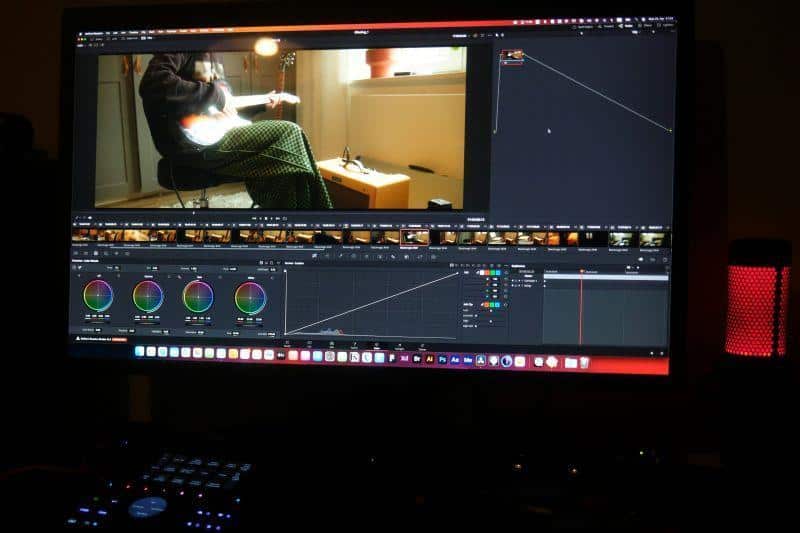
Content creators, marketers, and filmmakers who produce videos likely understand the time that goes into them. Preparing the footage, editing the video, adding the captions, and more can take days. To make matters worse, the trend is over by the time you hit publish. Every delay results in fewer views, lower revenue, and missed opportunities. If you don’t want that, it’s smart to create a video with AI. Many AI tools can help you streamline your video creation workflow.
This guide presents the best AI tool to help you create high-quality, engaging videos for your social media, marketing channels, and more. It also walks you through the use cases to inspire your next creation.
Part 1. How to Create a Video With AI Faster?
AI video generators like LitVideo automate the time-consuming, labor-intensive tasks across the entire video creation workflow, from ideation to final output. Here’s an overview of how to speed up the video production process with AI:
Scripting and Ideation: Good content ideas take time, and you might end up spending hours staring at a blank screen. The good news is that you can now create a video script with AI in seconds. Just input a phrase or sentence about what you want in your video, and AI can create a detailed script.
For example, just enter “a dog running in a field,” and ask AI to improve it. The AI will write something like: A dog is joyfully sprinting across a field, its paws kicking up small clouds of dust with every stride, and its eyes gleam with pure excitement. Each leap feels like a celebration of freedom, as if the earth beneath it is cheering with excitement.”
Text-to-Video Generation Advanced video-editing models such as OpenAI’s Sora, Google’s Veo, and Vidu can create a music video with AI from a detailed prompt. The footage includes visuals, sound effects, music, and the actors lip-syncing to the song. What once took days in a traditional video creation workflow can now be completed in minutes with AI.
Automated Editing: Sometimes you send a video for editing, but they’re stuck waiting for the file to upload, download, or process. This can take hours if the video is long. Regardless, editing a complex video can take days. However, that’s not the case with AI, and the best part is, you don’t need any editing skills.
As you upload the video, AI analyzes it, identifies key moments, creates rough cuts, and automatically adds transitions. An AI model like Veo can generate a video from a single photo in seconds.
Virtual Avatars and Voiceovers: AI tools can also generate natural-sounding voiceovers and realistic human-like avatars in multiple languages. This may eliminate the need to hire actors or voice-over artists or to re-record footage for localization.
Part 2. What Makes LitVideo Ideal for Video Creation?
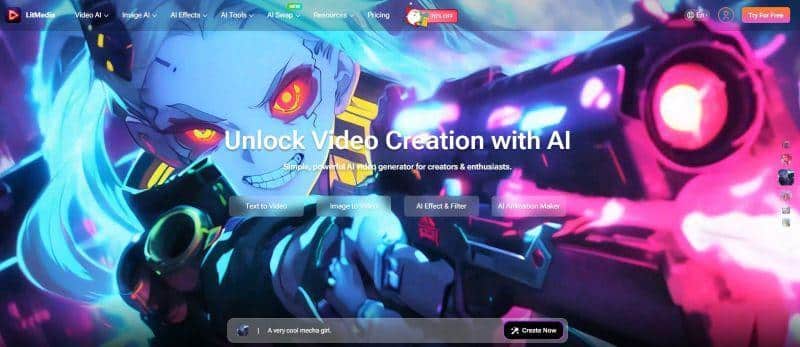
As demand for quick video content rises, many AI tools have emerged, but most struggle with output quality and may take forever to render. LitVideo stands out from the crowd with its faster turnaround, powerful AI models, and high-quality output. The tool is suitable for video creators of all levels and transforms text, images, and even videos into vivid animations within seconds.
LitVideo’s “Extend Video” functionality helps create longer videos from your existing shorter ones. There’s also a broad library of video effects available, making LitVideo suitable for content creators, marketers, and casual users who want to create something unique to share on social media.
Key Features
- Speed: LitVideo offers fast rendering and supports batch processing to accelerate the workflow.
- All-in-One Creation: LitVideo can create a video with AI from text, image, and even video, providing flexibility in video creation.
- Multiple AI Models: Instantly switch between leading AI models, including LitAI 4.5, Vidu, Kling AI, and Jimeng, to produce engaging videos every time.
- AI Effects: Plenty of AI-powered effects like AI costume change, AI kiss, AI hug, and more.
- AI Animation Generator: Create animations from scratch using LitVideo’s dedicated AI animation tools.
- AI Lip Sync: Users can create videos where the character moves its mouth to match an uploaded audio track.
- Sound Effects: LitVideo features a sound effects generator that creates ambient sounds that sync perfectly with the video’s motion.
Part 3. When Should You Create a Video With AI
Creating videos with AI isn’t a trend anymore, but has become the backbone of scalable video content for marketing, e-commerce, and digital experiences. These are the areas where AI video creation tools like LitVideo can help:
Social Media Posts: Content creators can turn their photos, blog post images, or infographics into eye-catching, natural-motion visuals with LitVideo’s image-to-video feature. Not only that, adding viral-style effects such as AI hug, AI costume change, or AI kiss can make their content more engaging for TikTok and Instagram audiences and help content creators boost their reach.
Short Content Campaigns: Brands can use AI tools like LitVideo to create dozens of YouTube Shorts, Instagram Reels, or TikTok videos, each customized to their campaign, tone, and language. A plethora of AI effects and style options like anime, 3D animation, and cyberpunk, alongside text-to-video, image-to-video, and video-to-animation features, help them create a unique and engaging video and create a distinctive brand identity.
AI-Generated Avatars: You can select from hundreds of available video effects and templates to create AI avatars and use them to introduce products, explain features, or deliver offers without spending days of filming and editing. Talking avatars can add a human touch to digital interactions and improve engagement, knowledge retention, and user interaction.
Repurposing Ideas: Video creation platforms can convert blog posts, reviews, and FAQ snippets into engaging videos. Just paste your written content, and AI tools like LitVideo can transform it into videos within seconds. Different audiences have different consumption preferences, so repurposing your blog posts into videos helps you tap into the large viewership of video-centric platforms like YouTube, TikTok, and Instagram Reels and reach new market segments.
Conclusion
Video creators increasingly use AI video generators to streamline their content workflow, save time, and increase their content value. Furthermore, when you create a video with AI, it offers greater scope for experimentation and helps deliver consistent, unique output every time.
However, not every AI video generator can produce the desired output, primarily due to its inability to correctly interpret text, audio, or visual prompts. They also might take longer to render. LitVideo, however, is a multi-model AI video-generation tool that helps you create optimal videos for your specific needs. Besides, its high-quality, consistent output, fast rendering, and several available AI effects set it apart. So, use LitVideo and supercharge your creativity today!