


Music has become the soundtrack of our daily lives. Whether we are commuting, working out, or just relaxing, we rely on streaming platforms like Spotify, Apple Music, or YouTube Music to keep the vibes going.
However, let’s face the elephant in the room: Streaming services have limits. You don’t actually “own” the music. If your internet disconnects, or if you stop paying the monthly subscription, your playlist vanishes. Plus, you are often locked into listening on their specific apps, making it hard to play your favorite tracks on an old MP3 player, in your car via USB, or on a burning CD.
Is there a way to break these chains?
Today, we are reviewing EasyDown Music Downloader, a tool that promises to give you full control over your music library. If you are looking for a way to keep your tracks forever and play them anywhere, keep reading.
Part 1. What is EasyDown Music Downloader?
EasyDown Music Downloader is a comprehensive, all-in-one music conversion tool designed for music lovers who value freedom. Unlike standard recording software that captures audio with quality loss, EasyDown is built to directly download tracks, playlists, albums, and podcasts from major streaming services.
Its core mission is simple: convert encrypted streaming music into open formats (like MP3 or FLAC) that can be played on any device, at any time, without requiring a permanent internet connection or an active subscription. It bridges the gap between the music you love and the devices you own.
Part 2. What Makes EasyDown Music Downloader Stand Out?
With so many converters on the market, why should you choose EasyDown Music Downloader? After testing the software, here are the 6 key features that make it a “must-have” tool.
1. Support for Multiple Platforms
The biggest strength of EasyDown is its versatility. You don’t need separate tools for Spotify, Apple Music, and SoundCloud. EasyDown integrates support for practically all major streaming services in one interface. Whether you are a Tidal Hi-Fi user or a YouTube Music enthusiast, EasyDown handles it all, making it the only tool you’ll ever need.
2. 10X Fast Speed & One-Click Batch Download
Time is precious, and EasyDown respects that. Unlike traditional audio recorders that require you to record songs one by one in real-time, EasyDown supports Batch Downloading. You can add an entire playlist, album, or artist discography to the download queue with just a single click—no need to manually select tracks one by one. Combined with its advanced 10X acceleration technology, you can download a massive 100-track playlist in just a few minutes while you grab a coffee.
3. High Audio Quality & Retention of ID3 Tags
For audiophiles, quality is non-negotiable. EasyDown allows you to download music without losing the original fidelity, supporting high bitrates (up to 320kbps for MP3 or Lossless for FLAC). Furthermore, it automatically detects and preserves smart ID3 tags, including the Title, Artist, Album, and even the Cover Art. This ensures your offline library remains organized and visually appealing.
4. Support for Multiple Output Formats
Streaming platforms often use encrypted formats (like OGG or AAC) that prevent you from moving files. EasyDown unlocks this by converting music into widely compatible formats such as MP3, AAC, WAV, FLAC, AIFF, and ALAC. Whether you need high compression for your phone or uncompressed quality for your home stereo, there is a format for you.
5. Freedom from Subscription Limits
This is the game-changer. Once you download music with EasyDown, it is yours forever.
- Transfer to USB: Play music in your car without using phone data.
- Burn to CD: Create physical mixtapes for friends or events.
- MP3 Players: Use lightweight devices for running without carrying a bulky phone.
- Keep Songs Forever: Even if you cancel your premium subscription next month, the songs you downloaded today will still play perfectly.
6. User-Friendly Interface & 100% Safe
You don’t need to be a tech wizard to use this. The interface is clean, intuitive, and guides you through the process. More importantly, EasyDown is safe software—no bundled malware, no annoying pop-up ads, and no privacy risks. It just does what it says it does.
Don’t let subscriptions hold you back. Get the free trial of EasyDown Music Downloader to start saving your favorite playlists forever.
Part 3. How Does EasyDown Music Downloader Work?
Using EasyDown Music Downloader is incredibly simple. You can build your offline library in just four steps:
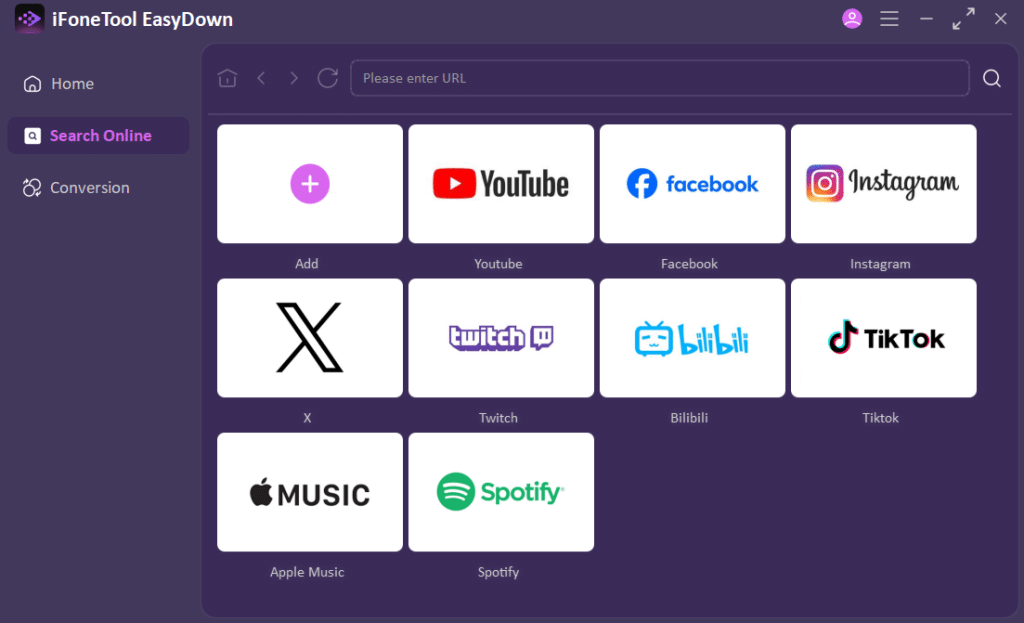
Step 1: Launch and Select Platform Download and install EasyDown Music Downloader on your computer. Upon launching, select the music service you wish to download from (e.g., Spotify or Apple Music) from the main menu.
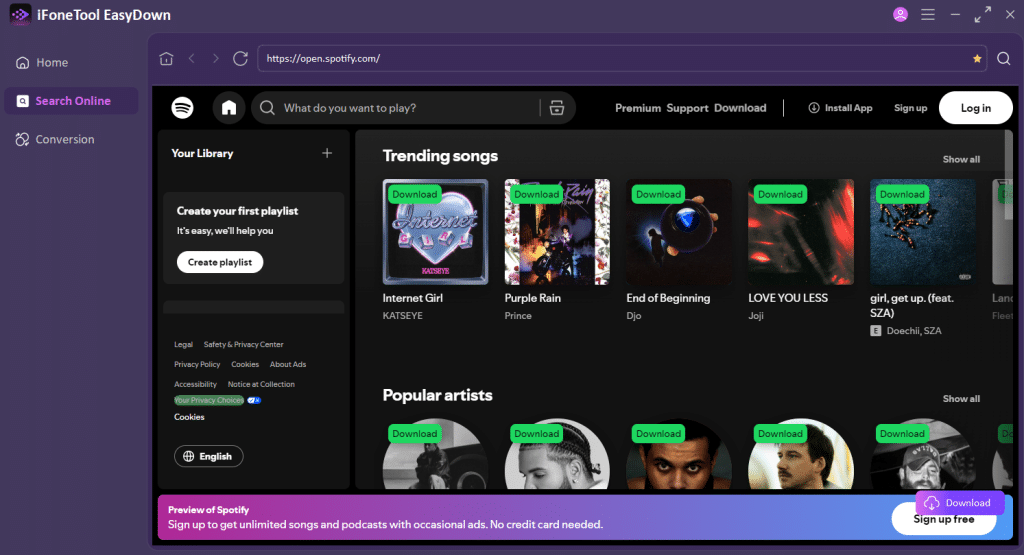
Step 2: Add Your Music Log in to your streaming account via the built-in web player. Browse for the playlist or album you want. Click the “Download” button, and EasyDown will automatically list all the songs available for download.
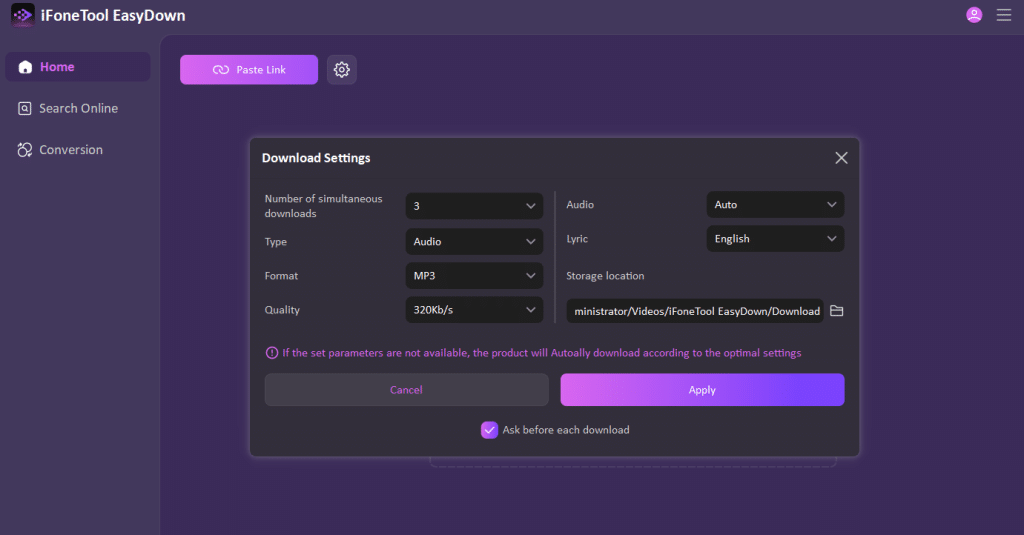
Step 3: Customize Output Settings Before downloading, go to the “Settings” menu. Here you can choose your preferred format (e.g., MP3), adjust the sound quality (e.g., 320kbps), and select the destination folder where your files will be saved.
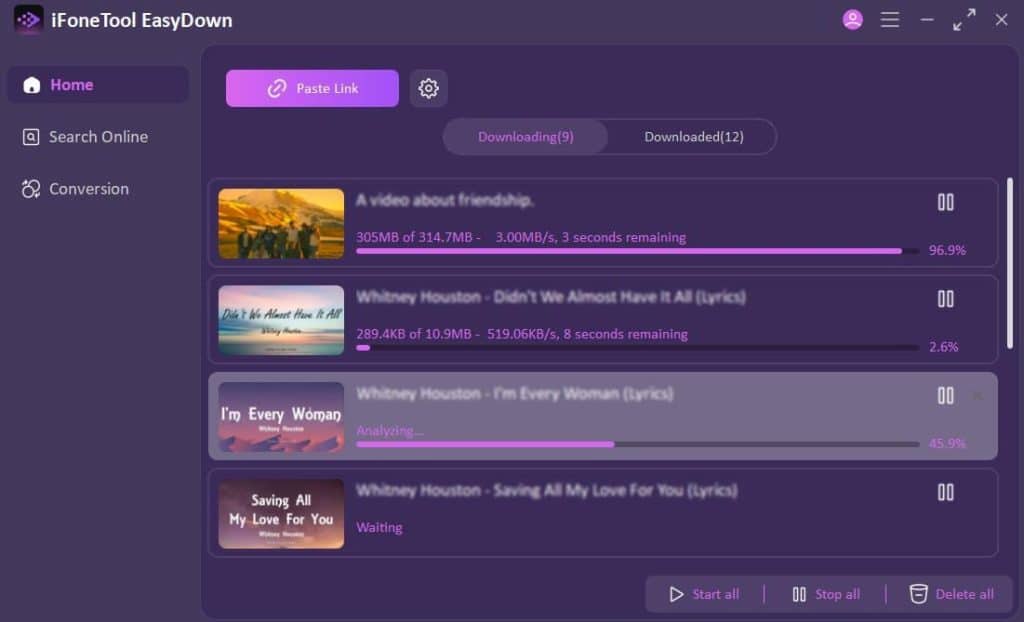
Step 4: Convert and Enjoy Click the “Download” button. The software will start downloading your tracks at high speed. Once finished, open the output folder, and you will find your DRM-free music files ready to be transferred to any device!
Part 4. Conclusion – Can I Trust EasyDown Music Downloader?
After a thorough review of its capabilities, the answer is a resounding yes. EasyDown Music Downloader distinguishes itself not merely as a basic recording tool, but as a professional and reliable solution for securing your digital music library. By successfully combining 10X batch downloading speeds with lossless audio retention, it effectively solves the common frustrations of time-consuming recordings and poor sound quality.
Furthermore, its ability to strip away encryption limitations and convert tracks from multiple platforms into open formats like MP3 proves that it prioritizes user freedom. Whether you are looking to backup your favorite playlists to a USB drive, burn a CD, or simply ensure you keep your music after a subscription ends, EasyDown delivers on its promises with a safe, clean, and user-friendly experience. It is a tool you can trust to take full control of your music listening journey.