
Close Menu
    Facebook X (Twitter) Instagram
    • Contact Us
    • About Us
    • Write For Us
    • Guest Post
    • Privacy Policy
    • Terms of Service
    Metapress
    • News
    • Technology
    • Business
    • Entertainment
    • Science / Health
    • Travel
    Metapress

    How To Keep Your Condo Gaming Setup Organized

    Lakisha DavisBy Lakisha DavisNovember 16, 2025
    Facebook Twitter Pinterest LinkedIn Tumblr Email
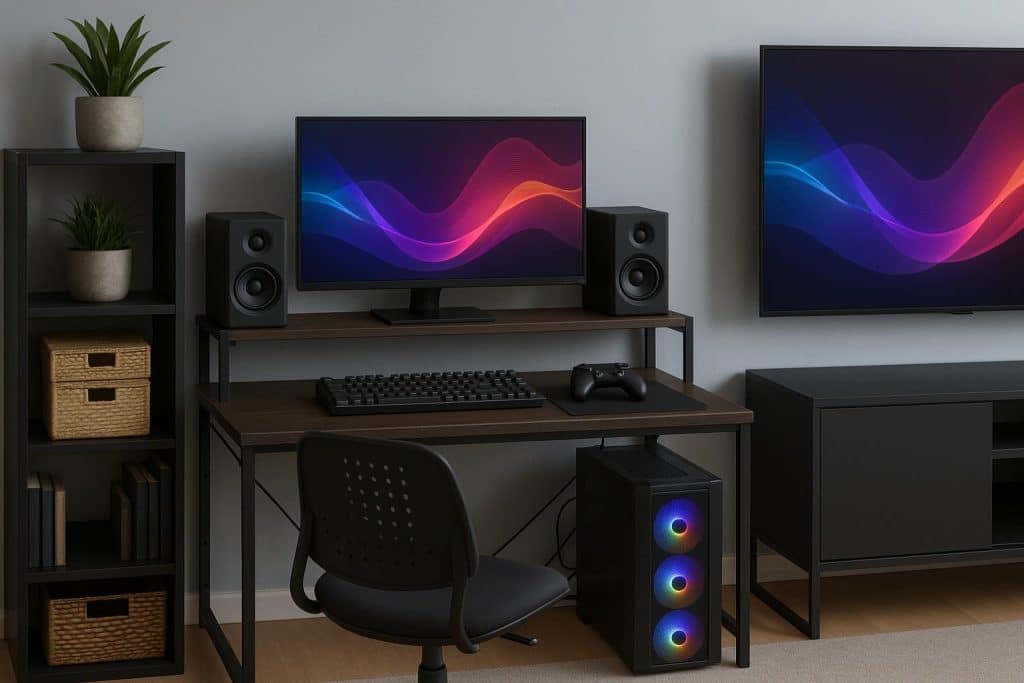
    Modern condo gaming setup with organized desk, dual monitors, LED lighting, and storage shelves
    Share
    Facebook Twitter LinkedIn Pinterest Email

    You can improve your gaming experience by having an organized and neat game environment. Think neatly tucked cables, organized game boxes, and a clean space for playing your fave titles for maximum immersion. Here are some tips to keep your Narra Residences condo gaming setup organized.

    Cable Management

    Tangled cables can be a safety hazard because you or family members could trip on them, leading to injury. Use velcro straps and zip ties to navigate and strap cables together. Not only does it make your space look neat and organized, but good cable management also improves the performance of your system with proper airflow and preventing overheating.

    Declutter and Organize

    Clean your desk and remove any bags of chips, bottles of soda, and then clean the surface of any dirt and crumbs. Remove anything that seems out of place on your setup. Clean your computer, headset, mouse, and keyboard too. This makes sure that your equipment and peripherals are in good condition, as it prevents liquid or dust from getting in, which could cause them to malfunction.

    Try Multi-Device Charging Stations

    If your setup has many devices, too many cables could prove to be stressful as you have to identify which one charges which. A multi-device charging station can help charge everything you have in one place at the same time. Keep important ones like headset cables, charging cables, and controller wires within your reach, in a designated area that’s easy to find.

    Monitor Stands

    With some extra space underneath a monitor stand, you can store your keyboard, mouse, and controllers. You are also placing the monitor at optimal eye level to prevent any neck and back pain.

    Use Wall Space for Storage

    Invest in pegboard hooks or floating shelves to store your gaming accessories like your controller, headset, and games. You can also add some personal items or your collection, like figurines, die-casts, and more. This makes use of the wall space you have without sacrificing any space on your desk and the floor space in your condo.

    Share. Facebook Twitter Pinterest LinkedIn Tumblr Email
    Lakisha Davis

      Lakisha Davis is a tech enthusiast with a passion for innovation and digital transformation. With her extensive knowledge in software development and a keen interest in emerging tech trends, Lakisha strives to make technology accessible and understandable to everyone.

      Follow Metapress on Google News
      Lori Romero Ransom Canyon: Ransom Canyon’s Heart
      December 6, 2025
      Rex Splode: Addresses Invincible Rex Splode Special
      December 6, 2025
      Kekw: Unraveling Twitch’s Favorite Laughter Symbol
      December 6, 2025
      Speedau Review
      December 6, 2025
      Razed Review for Australian Players
      December 6, 2025
      How to Create a Keno Game Online?
      December 6, 2025
      Buburuza COO Dr. Grygoriy Bakalor on How Traditional Banks Are Bleeding Your Remote Workers
      December 6, 2025
      Why RTOs Work Better with the Right Learning Systems in Place
      December 6, 2025
      Difference between an Award plaque and a crystal award
      December 6, 2025
      Protecting Your Pension: How Divorce Lawyers in Dayton, Ohio Safeguard Your Retirement Assets
      December 6, 2025
      The Rise of Virtual Chat Partners: Exploring the Benefits of an AI Conversation App
      December 6, 2025
      Understanding the Basics of AI Orchestration: A Beginner’s Guide
      December 6, 2025
      Metapress
      • Contact Us
      • About Us
      • Write For Us
      • Guest Post
      • Privacy Policy
      • Terms of Service
      © 2025 Metapress.

      Type above and press Enter to search. Press Esc to cancel.