

Many Samsung users face problems when their phones get locked after resets. This happens when the phone asks for the old Google account details. Without the account, you cannot access your device or its data. It becomes stressful, especially with second-hand phones or forgotten passwords. Luckily, a safe and simple solution exists for everyone.
Dr.Fone FRP Unlock is useful for bypassing Samsung FRP without a PC. Besides, it does not require any complicated software or computer processes to work with. Even untechnical users will be able to use simple guidelines and open up their devices. Therefore, this ultimate guide will help you explore the entire process without hassle.
Part 1. What is Samsung FRP and Why Does it matter?
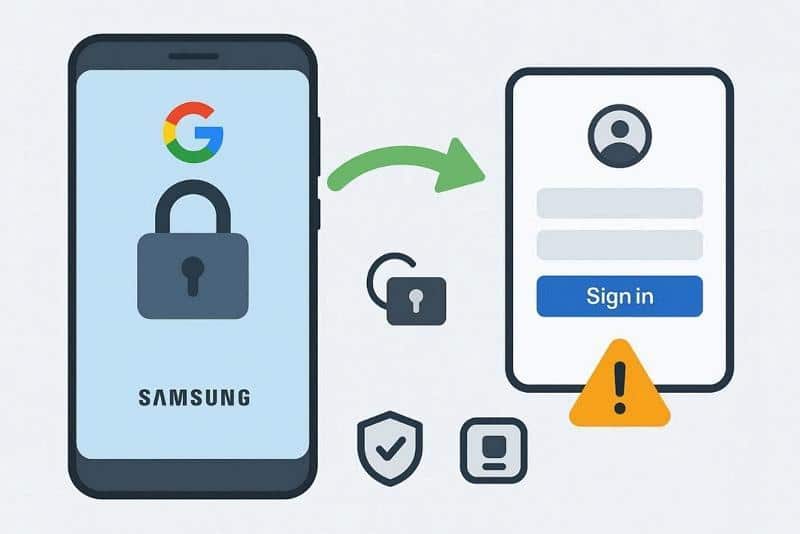
Samsung Factory Reset Protection is a security feature that blocks unauthorized phone access. It activates when a Google account is added to the device. The phone requires the original Google login to proceed after a factory reset. Moreover, FRP protects data from theft or accidental reset. Common triggers include forgotten accounts or second-hand phones. Therefore, for a safe, reliable unlock, many users trust Wondershare Dr.Fone.
Why Does it Matter?
- Data Protection: Samsung FRP keeps personal photos, emails, and apps secure always.
- Theft Prevention: Locked devices discourage thieves since FRP reduces phone resale opportunities.
- Ownership Proof: FRP ensures only the original owner can unlock Samsung phones.
- Work Security: Business devices stay protected using FRP in schools and companies.
- Safe Resale: Second-hand phones retain FRP, assuring buyers of original ownership.
Part 2. Why Choose Dr.Fone Samsung FRP Removal
When locked after resets, users need a safe, quick, phone-only FRP solution. For this need, Dr.Fone Samsung FRP Removal online removes Google locks without complex steps. It supports all Samsung models, including Galaxy S25 and Z series, worldwide. Moreover, the broad firmware coverage spans One UI versions and Android 14 and 16 compatibilities. While unlocking, users only need to submit basic device information, with IMEI or serial never stored.
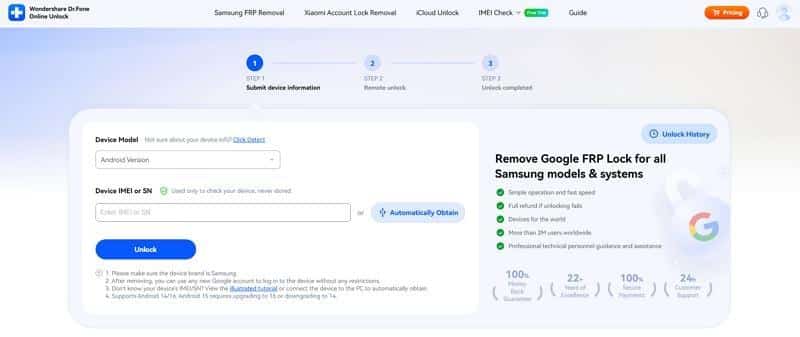
In addition, automatic detection helps retrieve device details, reducing errors. After removal, any new Google account logs in without restrictions immediately. The process achieves 100% success across Samsung devices, backed by strong technical expertise. Plus, this FRP tool unlocker prioritizes safety to reduce risks while preserving accessibility.
Key Features
- Remote Processing: Submits device info online for instant remote FRP unlock execution.
- Auto Detect: Automatically obtains device info if IMEI or SN is unknown.
- No Data Loss: Removes FRP lock while preserving all device data intact.
Part 3. How Dr.Fone Online Unlock Actually Works
Go through the guide given below to find out how you can remove the Samsung FRP lock via Dr.Fone:
Step 1. Open the Online Unlocker Tool
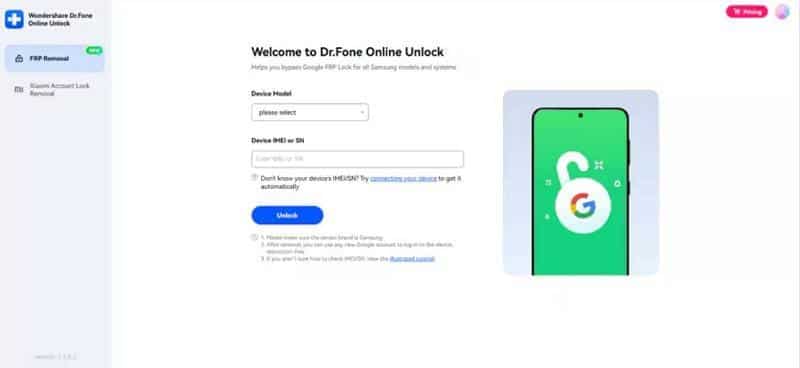
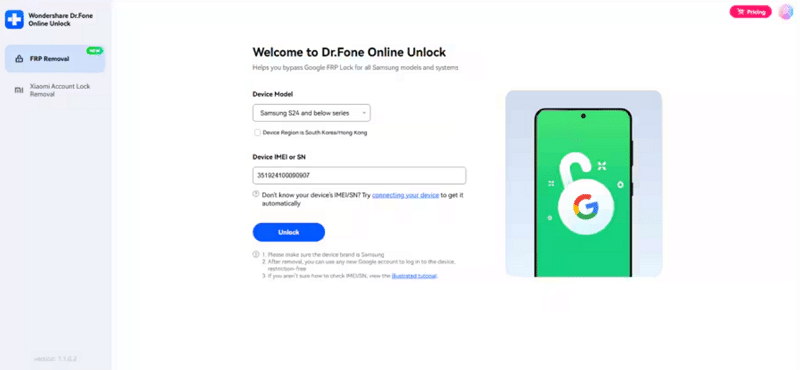
Go to “Dr.Fone Online Unlock” and log in to choose the “FRP Removal” feature. Select your device mode, and enter or retrieve your IMEI/SN manually via dial code, packaging, label, or automatically by connecting your device to the PC.
Step 2. Verify Device Information and Unlock
After entering all necessary details, confirm the information and click the “Unlock” button. This online tool will remove FRP via the cloud, then follow visual prompts to finish activation.
Part 4. 5 Real World Use Cases of Using Dr.Fone
Many users rely on Dr.Fone to FRP unlock Samsung devices safely. Below are a few real-world situations where Dr.Fone proves helpful and reliable:
- Second-Hand Phones: Buying used Samsung devices often means they remain linked to the previous owner’s Google account. Dr.Fone removes the verification screen and allows new owners to activate and use the device normally.
- Forgotten Accounts: Users sometimes forget their Gmail credentials after performing a factory reset. It removes FRP verification and restores full access without needing account recovery steps.
- After System Reset or Repair: Phones reset during troubleshooting or repair can trigger FRP protection automatically. Dr.Fone unlocks the verification screen and lets users finish device setup successfully.
- Imported or Gifted Devices: Phones received from abroad or online sellers may contain unknown Google accounts blocking activation. The program clears FRP and lets users register their own accounts.
- Business Repairs: Repair shops often handle multiple Samsung phones stuck on the Google verification page. Dr.Fone helps technicians unlock devices quickly while maintaining proper device functionality.
Part 5. When to Contact the Support Team for Advanced Troubleshooting
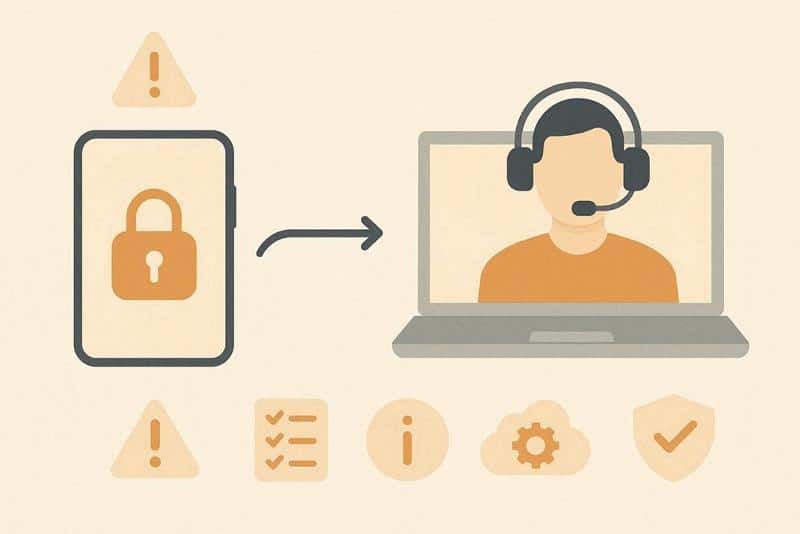
When basic unlocking steps fail or devices show repeated verification issues, contact support. The team assists users facing complex FRP errors or unusual firmware responses. Yet, prepare essential details like device model and network region before submitting. Their experts analyze logs remotely to diagnose problems and ensure smooth solutions. Always reach out through the official site for easy Samsung FRP tool guidance.
Conclusion
In summary, FRP keeps phones secure, but can also block rightful owners. When FRP locks appear, users struggle to regain access or reset devices. This guide explained FRP clearly and showed safe ways to unlock devices. Anyone can follow the easy steps on their phone and unlock without help. So, you should try Dr.Fone Online Unlock now for fast, risk-free results.