

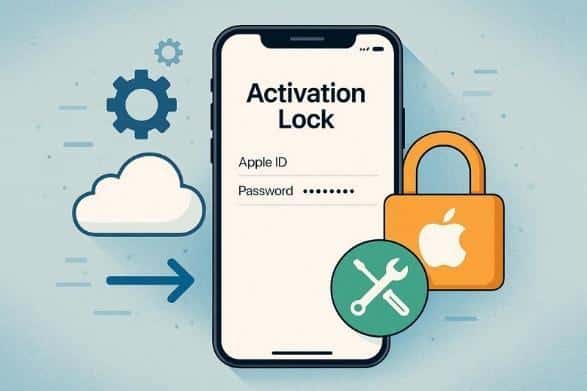
iCloud Activation Lock on iPhone can stop you from using a device fully. Many users run into trouble when a device is still linked to a previous owner’s Apple ID. Thus, knowing the safe ways for iCloud Activation Lock bypass helps you use your iPhone properly, which this guide will cover in detail. So, learn how to skip stress and unlock your device smoothly using Dr.Fone – Screen Unlock (iOS).
Part 1. Why Activation Lock Exists on Every iPhone
Activation Lock is an inbuilt feature on all iPhones that safeguards the phone and personal information. It retains the device connected to its owner’s Apple ID even after erasure. Therefore, it stops thieves from switching off Find My, deleting the phone, or using the phone without the original ID. As a result, Apple implements this feature to comply with safety standards and improve the likelihood of device recovery.
Situations That Trigger iCloud Activation Lock
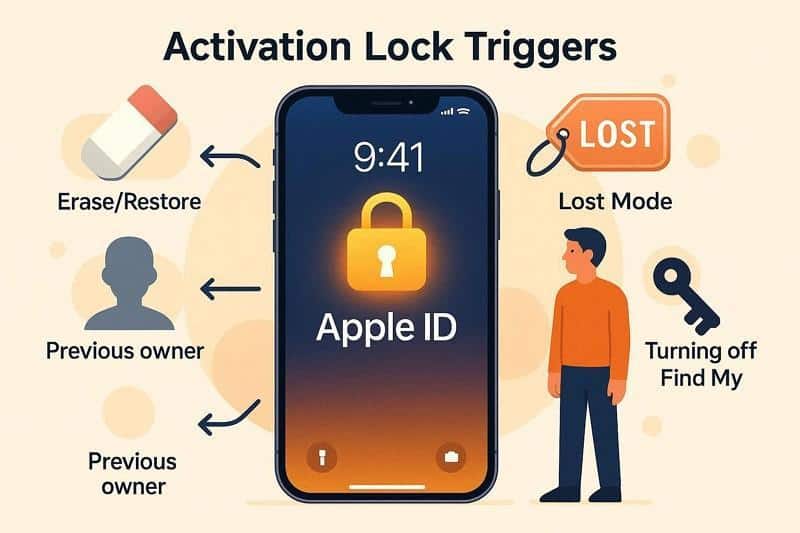
Prior to seeking ways to bypass iCloud Activation Lock, see what triggers it at first:
- Erasing or restoring checks Apple servers and shows Activation Lock if an Apple ID remains.
- Setup stops at Activation Lock when the previous owner did not sign out.
- Lost Mode keeps Activation Lock active and blocks setup after erase.
- Turning off Find My or iCloud requires a password and may later trigger Activation Lock.
Part 2. How to Use Dr.Fone to Remove iCloud Activation Lock on iPhone [Safe Option]
If you want to remove iCloud Activation Lock without performing complex steps, use Dr.Fone – Screen Unlock (iOS). The tool can bypass Activation Lock on iPhones (5s to 17 Pro Max) and iPads (2013-2025 models) as well as iPhone 17 series & iOS 26.1. Along with the major device support, it offers fully guided steps and needs no jailbreak (for certain models).
Overall, the tool is 100% secure and handles various Activation Lock triggering scenarios, such as forgetting the passcode, a gifted iDevice, or a device being lost. Users can also use it to remove iPhone SIM Lock, screen time lock, or iOS screen lock, including PIN or fingerprint. Since the tool is versatile, it is also updated weekly to offer innovative solutions for all upcoming models.
Ultimate Guide: Remove iCloud Activation Lock on Supported iPhones
For those who want to unlock the Activation Lock iPhone (all supported models), follow these 3 simple steps:
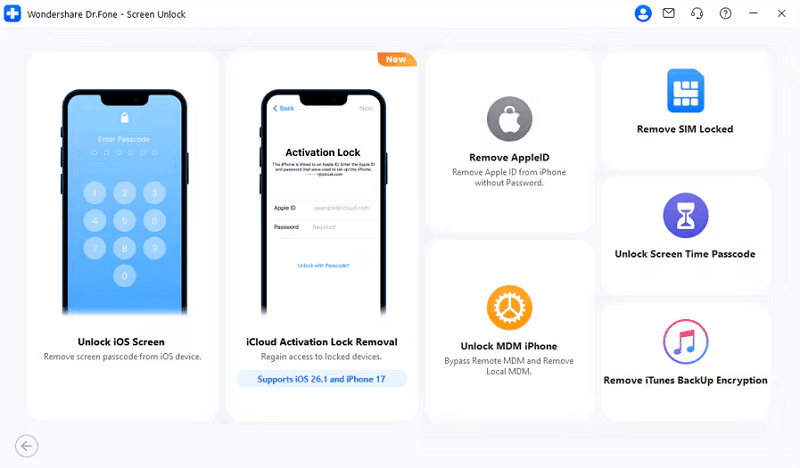
Step 1. Access the iCloud Activation Lock Removal Tool
Pick the “Screen Unlock” tool for iOS from the “Toolbox” tab and choose the “iCloud Activation Lock Removal” option.
Step 2. Choose the Unlock Now Button on Certain Models
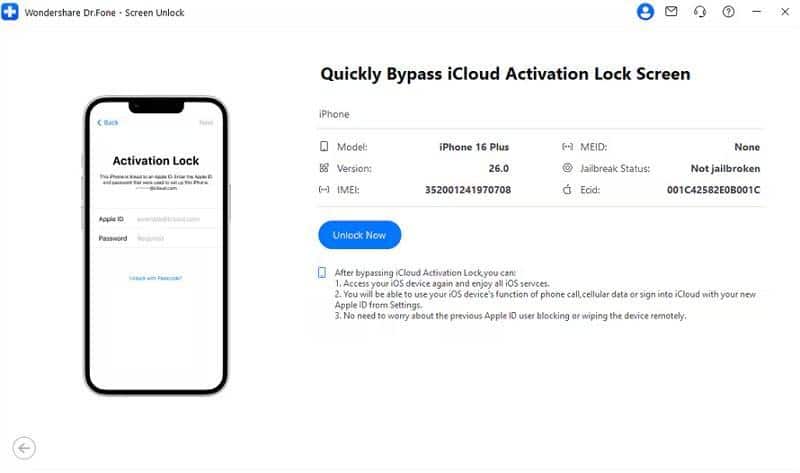
Press the “Start” button on the new interface, and as an iPhone/iPad (iOS/iPadOS 18.6-26.1), choose the “Unlock Now” button. Now, accept the agreement in the popup menu and select the “Got It” button to start downloading the drivers.
For iPhone (iOS 17.0.1-18.6)
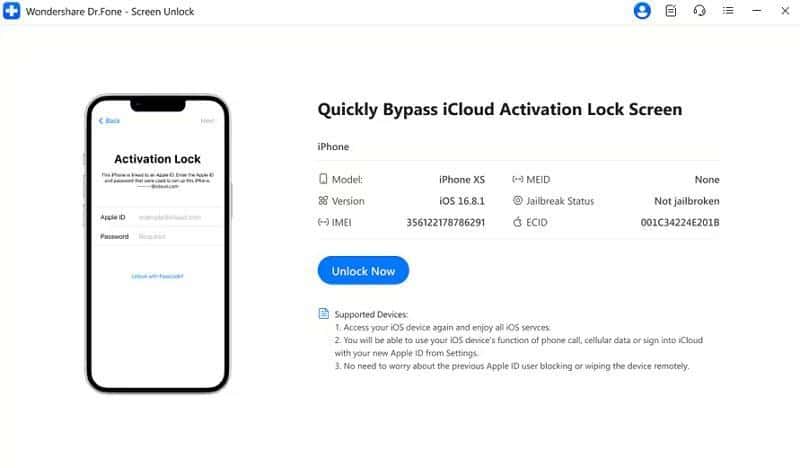
If your iPhone XR is running an unsupported version of iOS (iOS 17.0.1-18.6), the app shows a System Upgrade Guide as you press the “Unlock Now” button.
For iPhone/iPad/iPod Touch (iOS/iPadOS 15.0-16.7.11)
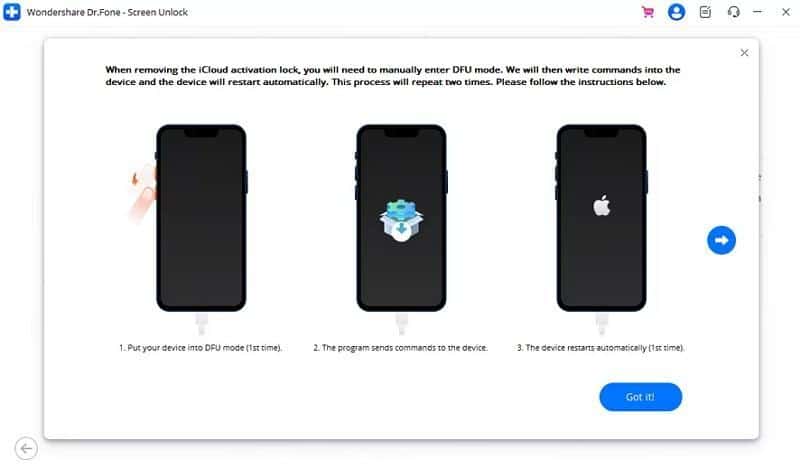
After confirming the agreement and pressing the “Unlock Now” button, choose to enter the Recovery Mode. After that, access the DFU Mode by following the detailed guide to begin the jailbreak process.
iPhone/iPad/iPod Touch (iOS/iPadOS 12.0-14.8.1)
For a GSM device, you can use the device as you normally do by selecting the “Unlock Now” button.
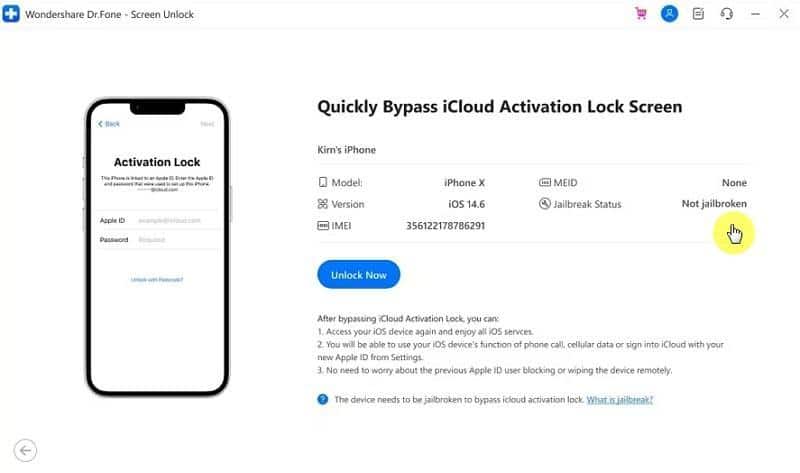
For a CDMA device, you won’t be able to make calls or use the device for other cellular purposes, but the Apple ID remains associated. So, pick the “Unlock Now” button and confirm the agreement. Follow the given guide if the device is not jailbroken and wait for the process to commence.
Step 3. Wait for the iCloud Lock Bypass Confirmation
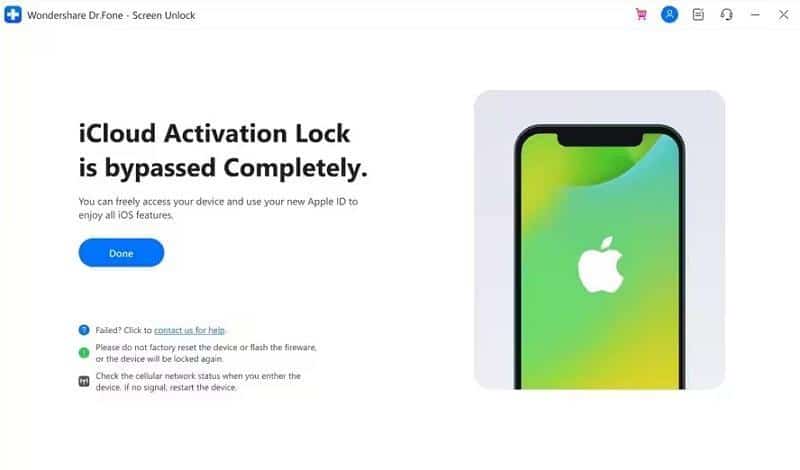
Now that drivers for certain models are installed, the tool will start bypassing Activation Lock, and choose “Done” when it ends.
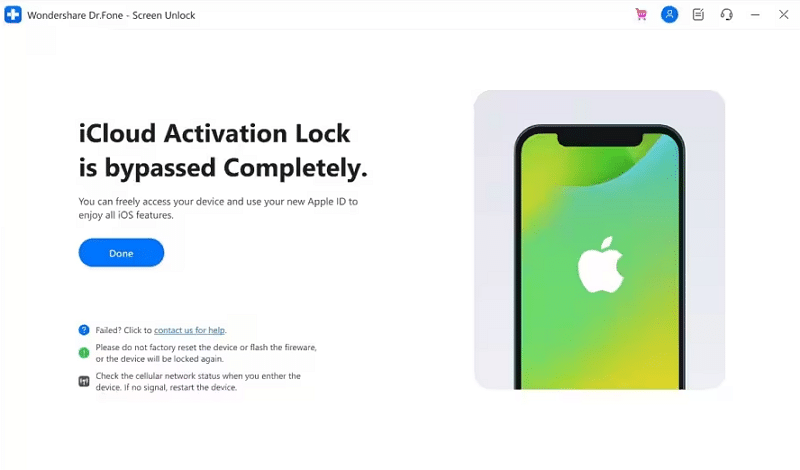
Thus, seamlessly regain control of your iPhone in minutes with Dr.Fone – Screen Unlock (iOS).
Why Users Prefer Dr.Fone for Fixing iCloud and iOS Issues
Regarding the Activation Lock removal tool, the following reasons explain why Dr.Fone is the safest choice:
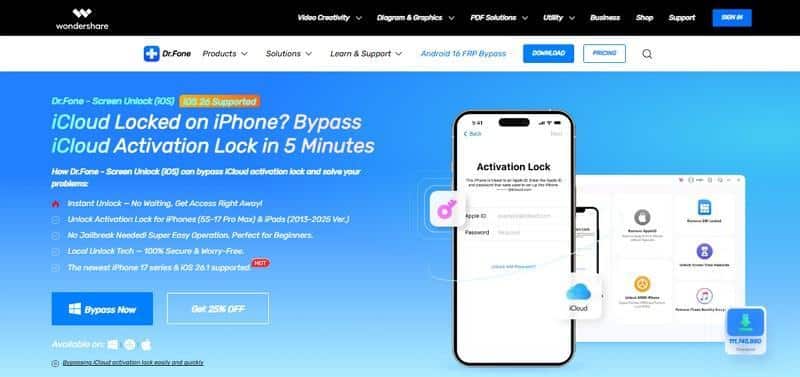
- Shows a faster option than Apple support, with bypass done within minutes.
- Help new owners use devices without constant help from the previous owner.
- Simple three-step process: download, connect the device, then press the start button.
- Supports many iPhone and iPad models across older and newer systems.
- Free trial plus success claims attract users who want quick solutions.
Part 3. What to Try Instead: Legal Alternatives to Fix Activation Lock
To bypass Activation Lock without a password, you can also try the options given below:
Contact the Original Owner
You must contact the original owner because only they can remove Activation Lock from Apple’s servers. They can sign in to iCloud or Settings and remove the device, as guided below:
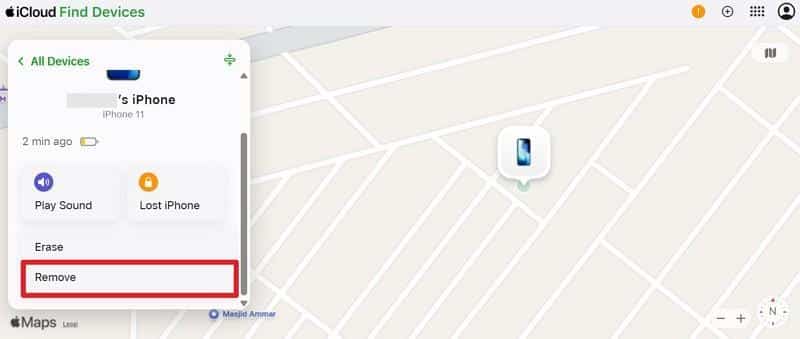
Step 1. Choose Find My on iCloud.com, then tap the “Remove” button for the device you want to bypass.
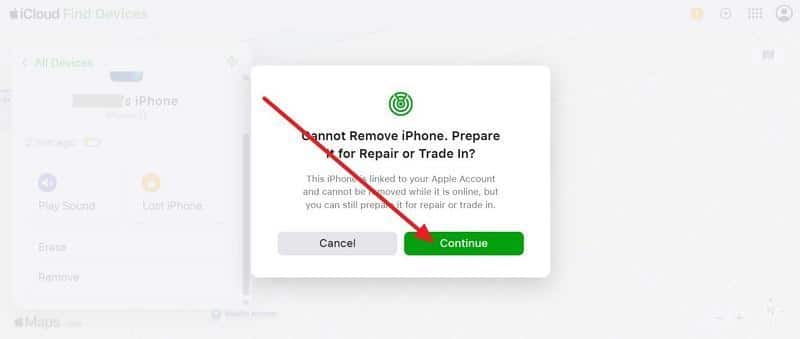
Step 2. Press the “Continue” button to remove the Activation Lock.
Apple Support Unlock Request
Use Apple’s official Activation Lock request because it provides a safe, permanent unlock from Apple’s servers. Paired with the Dr.Fone Activation Lock tool, this method stays legal, protects privacy, and keeps full iPhone features active after approval.
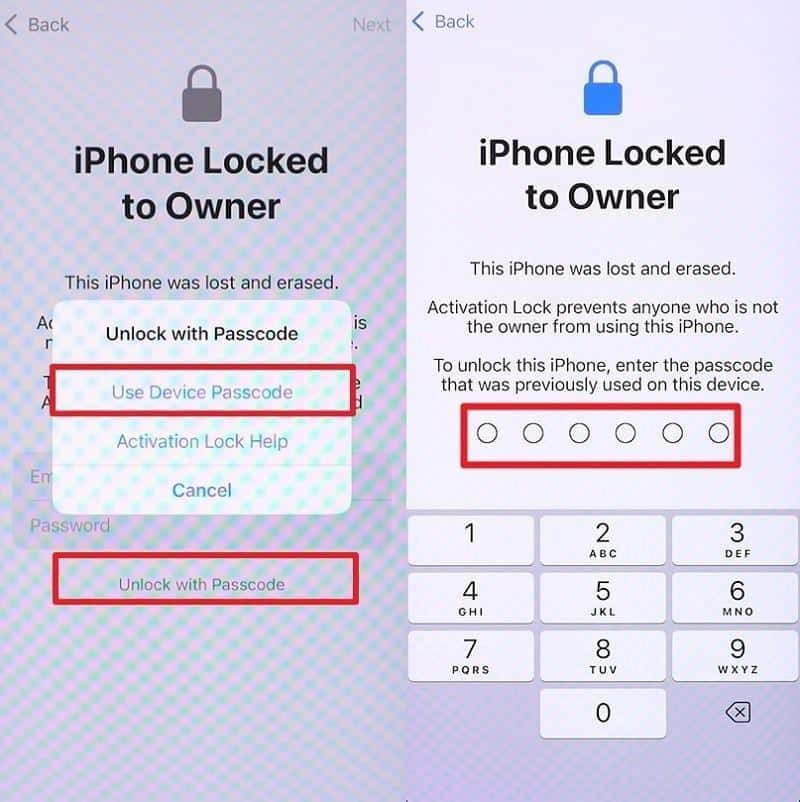
Using a “Passcode” Screen
The passcode screen can remove iCloud Activation Lock because it confirms the real owner has control of the iPhone. Additionally, Apple accepts the device passcode as proof when certain security checks match, which helps users who have forgotten their Apple ID password. So, here is how you can use this method to unlock Activation Lock iPhone:
Instructions. Press “Use Device Passcode” after pressing the “Unlock with Passcode” option and enter the code.
Conclusion
To sum up, this guide has explained how to make iCloud Activation Lock bypass possible via safe and legal ways. Thus, always make sure you are the rightful owner of the device or have clear permission before you proceed. However, if you need a simpler solution, you can consider Dr.Fone – Screen Unlock (iOS) to help complete the process with guided steps and broad device support.
Frequently Asked Questions
- Is iCloud Activation Lock bypass legal?
Yes, bypass is legal for rightful owners; Dr.Fone – Screen Unlock (iOS) helps you easily follow safer official unlock methods.
- Can bypass affect iPhone features?
Yes, some bypass methods limit calls, iCloud sync, updates, or security features depending on the model.