

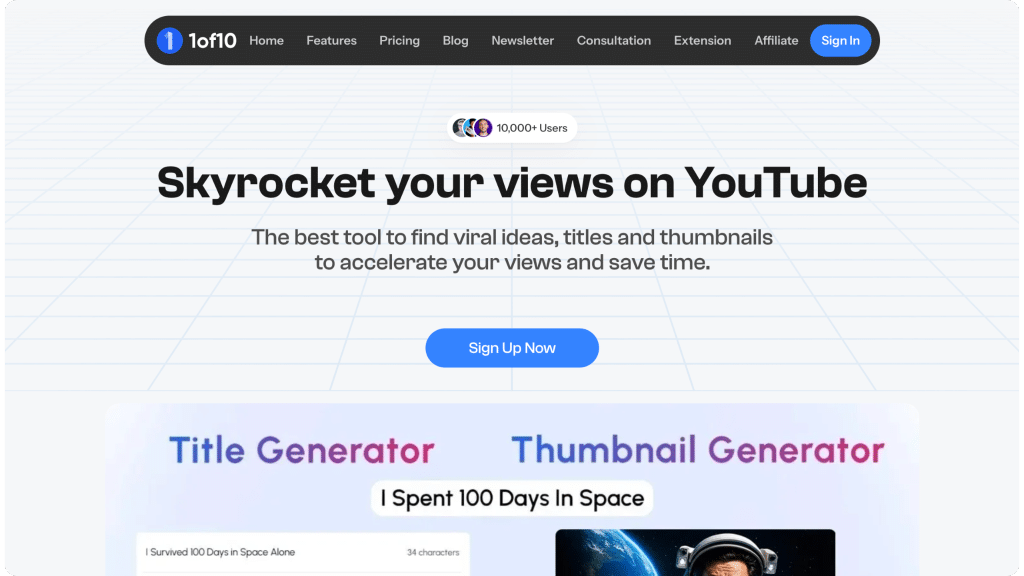
AI thumbnail makers revolutionize how creators produce eye-catching visuals for videos, blogs, and social posts.
You can create thumbnails easily with AI, transforming simple ideas into professional designs in minutes without needing design expertise.
Why AI Thumbnails Boost Engagement
Thumbnails are the first impression that people will get of your video.
When they pass over it, you'll never know.
AI tools have learned to create catchy images (bold colors, facial expressions, etc.) by analyzing successful thumbnails, and those generated images outperform manually created or stock images in terms of click-through rates.
The creator tools (with suggestions for layout and copy) also save time, and creators say that they tend to get more views and shares once they start to add AI.
This allows the user to concentrate more on writing than editing.
Core Workflow for Stunning Results
Start with the desired content hook.
What is the emotional highlight of your video or the main focus of your post? (i.e., a shocking reveal or a useful tip.)
Then the AI will generate some variations from which you can pick the best base.
Include overlays such as punchy headlines that are written in a large font and have the greatest contrast from the background for readability on smaller screens.
Overlays should be resized according to the platform, such as widescreen for video or square.
Test variations on different devices to make sure they're appealing.
This step-by-step approach ensures not only that your thumbnails look good, but are effective.
Key Refinement Steps
- Crop tightly on focal points to eliminate distractions.
- Boost saturation for vibrant pops without overdoing it.
- Layer subtle shadows for depth and realism.
Design Principles That Win Clicks
Use psychological principles to your advantage.
People will naturally look at faces showing high emotional states, such as wide-eyed surprise or happy triumph.
Position them off-center, according to the rule of thirds, for a more balanced composition.
An important part of this color theory, and of UI design in general, is that the palette must match the message (e.g., red for urgency, blue for trust) and that only one or two features should stand out.
Less is more: short, blocky, sans-serif copy, six words or less.
This keeps the focus on the image while backing up the promise of the content.
Platform-Tailored Approaches
Tailor your thumbnails for the platform to optimize performance.
Video Platforms
Prefer 16:9 aspect ratios with oversized, high-contrast titles.
Text should be legible when resized.
Branding should be minimal and restricted to the corners of the viewfinder.
Split-screen before-and-after styles work well here, hinting at value inside.
Blog Headers
Use a landscape photo background with your post headline above it to transition from photo to article.
Ensure the colors complement the article and match its tone.
Social Feeds
Square posts with question marks or arrows can be attention-grabbing, leading to sharing and algorithmic amplification through user engagement and interactions.
Advanced Techniques for Pros
Use style prompts.
For viral examples, imitate color grading and lighting styles (e.g., glowing effects for tech, organic textures for lifestyle) that are popular in your niche.
AI handles these subtleties effortlessly.
Running A/B tests, where three to five versions of each piece are tracked for short-term click-through rate, is recommended.
Identify winners and copy them in future iterations.
Create branding kits with common color schemes and logos to ensure uniformity.
Motion hints, such as fade or pulse, can imply interactivity or liveliness in supported formats without full animations.
Design authorities recommend using grid-based layouts and aligning all design elements along these invisible grids to achieve a professional look.
Pitfalls That Kill Performance
Also, avoid common mistakes.
Don't fill your titles and descriptions with excessive text (more than 20% of the space).
Low-resolution exports may appear pixelated, weakening credibility.
Audiences want comparable designs, or they disengage.
Making decisions by intuition alone, not data, leads to repeat errors.
Remember mobile previews, because most views are on mobile.
Avoid out-of-the-box layouts; AI-generated layouts pop far more.
Metrics to Track and Optimize
Monitor these indicators to refine your strategy continuously.
| Metric | Ideal Target | Impact on Growth |
| Click-Through Rate | 5-10% | Core engagement driver |
| Average Watch Time | +15% lift | Signals strong hooks |
| Bounce Rate | Under 50% | Ensures content match |
| Share Percentage | 2-5% | Fuels organic reach |
Review weekly via platform tools and tweak prompts accordingly.
Seamless Workflow Integration
As part of your normal production cycle, think about thumbnails while writing the script, then create them after editing.
Use team feedback loops in collaborative projects.
Less production time means you produce more things without burning out.
Create prompt templates specific to tasks you want to do (writing tutorials, reviews, etc).
Prompt Mastery Examples
Craft inputs that yield superior outputs.
- Tech tutorial: "Sleek device screen bursting with charts, electric blue glow, excited expression overlay."
- Fitness challenge: "Athlete powering through workout, fiery backdrop, 'Level Up Now' bold text."
- Recipe showcase: "Fresh ingredients cascading onto plate, warm lighting, savory steam rising."
Generate ten per session for variety, then select ruthlessly.
Team Scaling Strategies
For groups of users, create libraries of top prompts and style guides, while assigning generation and optimization to separate roles.
This preserves quality even at high volume.
With regular audits and basic training, these trends can easily be adapted.
The barrier to entry is low with AI.
Emerging Innovations Ahead
Expect data-driven segmentation to power personalized thumbnail previews, and deeper integration into 3D to improve but not complicate realism.
With voice prompts, greater engagement will be seen in ideation as tools improve over time.
Implementing these 1 of 10 strategies to apply AI thumbnail makers, including workflow, design, and data tactics, allows your content to benefit from compounding visibility and interaction gains, making it hard to beat.