


Overwhelmed by paper in your medical practice? Paperwork slows down your ability to treat patients efficiently and drives up your admin costs?
If so, time to transition your paperwork to digital! With fully secure and HIPAA-compliant digital forms, you can do away with almost all the paper you currently process.
Why move from Paper Forms to Digital Forms
No more copy-paste from form to form
From the first contact with a patient, you can collect all the necessary information on a phone or tablet with HIPAA Compliant patient forms or intake forms. Collect all necessary information once! No more “First Name”, “Last Name” repetition across 5 different forms and consents. Consolidate multi-form paper packets into one digital form that can be customized for the patient’s age or developmental milestone.
Easy to fill out and sign at home.
Follow-up consent forms can be digitalized and pushed to parent’s phones for immediate completion. No more complaints from parents that they don’t have a printer handy, no more unreadable scans, no more JPG files when you need a PDF and, most importantly, no more paper!
Storage, security and Compliance
All the information can be collected in a fully digital and HIPAA-Compliant manner on any device. This not only reduces the admin burden in handling paper, but it also speeds up storage and transmission as the information can be easily copied or pushed to most EMRs.
How to move to Digital Forms?
Check Your EMR System:
- First, check if you have online forms already included with your existing EMR system.
Find a Third-Party Online Form Service:
- If you are not satisfied with your EMR solution or your EMR does not have forms, search for an online form service. Make sure that your digital form provider is ready to sign a BAA.
- Verify that the service you would like to use is itself HIPAA Compliant.
Review online forms features:
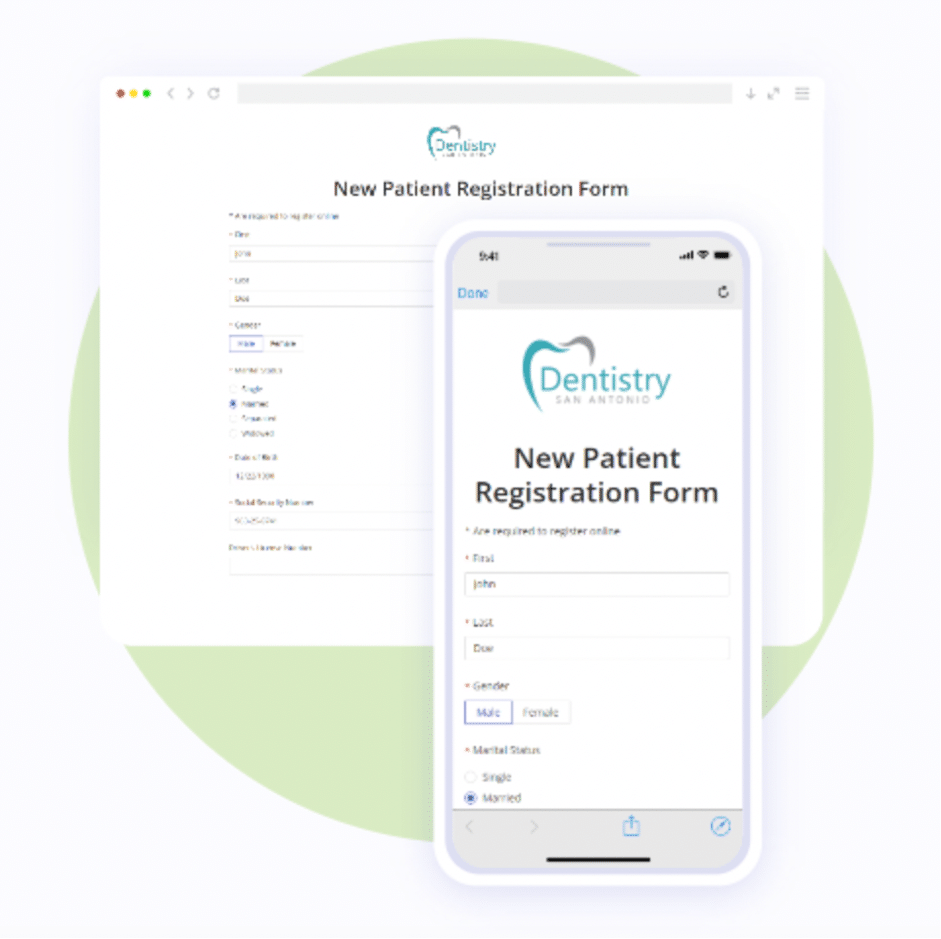
- Every healthcare practice may require specific elements for forms, such as canvases, e-payments, or e-signatures. Of course, your online forms should always be mobile-friendly. Look for services that have functionalities that include conditional logic and form packets to save your patients time and headaches. Other helpful features are file and image uploads as well as 2 Factor Authentication and PHI access control.
Customize Your Forms:
- If you want to add your form to your website, make sure you can style your digital form according to your website’s branding. You have so many more elegant choices today than a boring, fillable PDF!
Flexible Access:
- More and more practices also send forms to patients with a secure link in an email or text message. Another option includes using QR codes that are available at a practice’s Front Desk.
Review if you can edit your form easily.
- Your practice requirements, as well as regulations, change, so you want to make sure that you can edit or change your form in the future.
Test Your Forms:
- Test the look and feel of your forms before signing up for a service.
- Test how you receive and manage submissions. Submissions containing PHI should be password-protected.
Start using your form to focus on patient care and reduce paperwork:
- Send your new forms in advance to allow patients to fill them out before an appointment
- Check the submission and all required documents and signatures before the appointment.
- If any form is missing before the appointment, you can always send it to your patient’s phone for a quick response or get an iPad that the patient can use at your office.
There are different services that can help to move away from paperwork to online forms. For example, HIPAAtizer’s solution includes free form conversions because they know that Doctor don’t always want someone else’s forms. They want their own forms.