

In 2025, cyberattacks have surged by over 40% compared to 2023, according to recent cybersecurity reports. Companies and individuals alike face constant threats, from DDoS attacks and data breaches to online surveillance. To navigate these risks and optimize network performance, many turn to proxy solutions. Platforms like Buy Proxy offer flexible, reliable proxy servers that support both personal and corporate use.
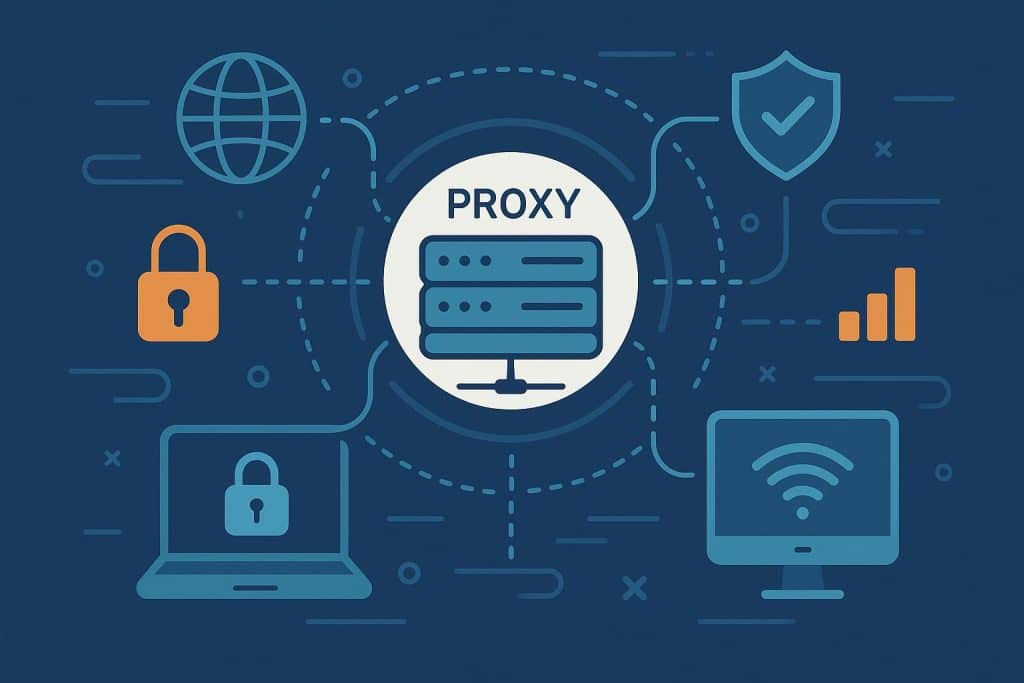
A proxy server acts as an intermediary between a user and the internet, routing traffic through itself. Beyond simple traffic rerouting, proxies accelerate page loading through caching, manage corporate or educational network traffic, and filter malicious or unwanted content.
Understanding Proxy Servers
A proxy server serves as a buffer between users and the web. By masking IP addresses, it prevents direct identification of a user’s location and activity. Proxies also cache frequently accessed data, reducing network load and improving access speeds.
Platforms such as Buy Proxy allow individuals and organizations to deploy proxies to enhance security, manage bandwidth, and optimize routing. Key benefits of proxies include:
- Spam and content filtering: Proxies block spam and malicious sites, lowering malware risk.
- Traffic management: Organizations can monitor and control internet usage across employees or students.
- Marketing intelligence: Companies use proxies to gather competitive insights and audience data for targeted campaigns.
- Optimized data routing: Proxies can reroute traffic along alternative paths to avoid network congestion.
How Proxies Work
Proxy servers process requests step by step. When a user requests a web resource, the request first passes through the proxy, which replaces the user’s IP address with its own and forwards the modified request to the target server. This approach improves privacy while enabling caching, traffic filtering, and network optimization for both personal and enterprise environments.
Protection Against DDoS Attacks
Proxies are essential in defending against Distributed Denial of Service (DDoS) attacks, where attackers attempt to overload servers with traffic. By masking the real IP address, proxies prevent direct hits on target servers. They also:
- Filter suspicious traffic and block bots using rate limiting and behavior analysis.
- Balance traffic loads across multiple servers using tools like Nginx or Qrator to prevent congestion.
- Cache frequently requested content to reduce repeated server queries.
- Implement geo-blocking to restrict traffic from high-risk regions.
SOCKS5 proxies, supporting both TCP and UDP, are particularly useful for gaming and VoIP platforms. Reverse proxies absorb incoming traffic, analyze it for threats, and block malicious requests before they reach the server. Providers like Buy Proxy offer SOCKS5 and other configurations suitable for secure online applications.
Types of Proxies and Protocols
By Protocol:
- HTTP Proxies: Handle standard web traffic, cache pages, and reduce load times, but do not encrypt data.
- HTTPS Proxies: Provide encryption for secure communication, suitable for handling sensitive data.
- SOCKS Proxies: Support multiple protocols (FTP, P2P, gaming traffic) but lack caching and require advanced setup.
By Function:
- Anonymous Proxies: Mask user IPs to enhance privacy, ideal for personal or organizational use.
- Transparent Proxies: Forward the original IP for monitoring purposes, commonly used in corporate or educational networks.
Pros and Cons:
| Type | Advantages | Limitations | Recommended Use |
|---|---|---|---|
| HTTP | Fast, simple, caches pages | No encryption | General browsing |
| HTTPS | Encrypts data, secure | Higher resource use | Sensitive online activity |
| SOCKS | Supports multiple protocols | No caching, complex setup | Specialized applications |
| Anonymous | Enhanced privacy | Proxy use detectable | Personal privacy |
| Transparent | Enables monitoring | No privacy | Corporate or institutional oversight |
Setting Up a Proxy Server
Using Squid on Ubuntu 22.04, a proxy can be installed via an automated script that:
- Installs Squid and required utilities.
- Generates authentication credentials.
- Configures caching, access control, and firewall rules.
- Starts and enables the Squid service.
Squid is a high-performance proxy server supporting HTTP, HTTPS, and FTP protocols. Its key features include caching, access control, content filtering, and SSL support. After setup, users can configure the proxy on Windows or other systems by specifying the server IP and port. Platforms like Buy Proxy provide ready-to-use proxies, simplifying deployment without the need for complex local configuration.
Conclusion
Proxies are not just tools for faster browsing—they are essential for privacy, network security, and traffic management. Their relevance continues to grow as cyber threats increase.
Applications: Privacy protection, corporate traffic monitoring, and marketing analytics. HTTP proxies suit general browsing, HTTPS proxies secure sensitive data, and SOCKS proxies handle multi-protocol traffic. Anonymous proxies conceal IP addresses, while transparent proxies allow oversight and monitoring. Whether using preconfigured solutions or deploying a full server with authentication, caching, and filtering, the choice of proxy depends on whether speed, security, or traffic control is the priority. Providers like Buy Proxy make it straightforward to access reliable proxy solutions for both individuals and enterprises.