

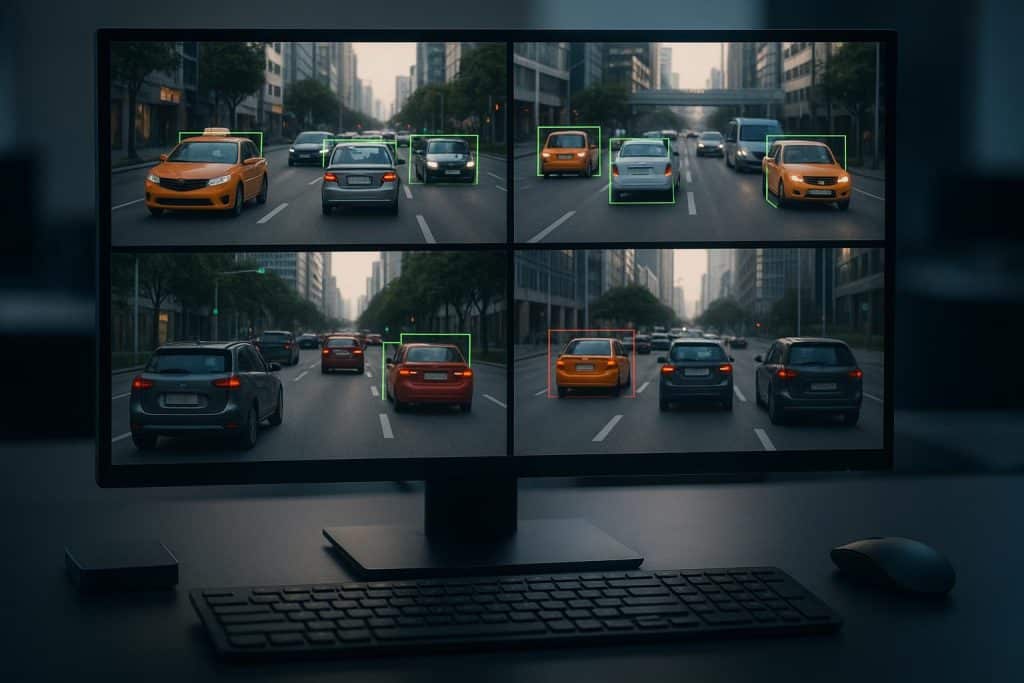
The amount of visual data has grown fast. This has made it crucial to find ways to process video efficiently. Computer Vision Libraries are key in this area, helping developers create smart visual systems.
These libraries are part of a larger system called computer vision frameworks. They are vital for working with video streams. With these tools, developers can make apps that understand and analyze visual data from different sources.
Computer vision is very important in video processing. It has many uses in fields like surveillance, healthcare, and entertainment. Knowing how these frameworks work with video streams is vital for developers who want to use visual intelligence.
The Fundamentals of Computer Vision for Video Processing
Learning about computer vision is key for good video processing. It helps make algorithms and models work well. This field mixes computer science and electrical engineering to let machines see and understand pictures.
Video processing is a big part of computer vision. It looks at video streams to find important information. This task is hard because it deals with lots of data from videos.
Memory Management for Continuous Streams
Managing memory well is important for video streams. It uses methods like buffering and streaming algorithms. These help the system handle high-quality videos smoothly.
CPU vs. GPU Processing Tradeoffs
Choosing between CPU and GPU is important for video processing. CPUs are good at many tasks, but GPUs are better for complex tasks. Using a Computer Vision Library that works well with GPUs can make video processing faster.
In summary, knowing about computer vision for video processing means understanding the challenges of continuous streams. It also means knowing the differences between CPU and GPU. By using good memory management and the right hardware, developers can make strong video processing apps.
The Best Computer Vision Frameworks for Video Stream Processing
Choosing the best computer vision framework is key for video stream processing. With many options, picking the best can be tough. This section will look at the top frameworks for video streams, focusing on their main features and how well they perform.
Key Features for Video Handling
When picking a computer vision framework, certain features are essential. These include being efficient, easy to use, and able to handle complex video data. Some top frameworks that stand out in these areas are:
- Savant AI: Known for its comprehensive library and ease of use.
- TensorFlow: Offers robust support for machine learning tasks.
- PyTorch: Provides dynamic computation graphs and is highly flexible.
These frameworks are used in many areas, like surveillance, object detection, and video analysis. Their ability to quickly process video streams is crucial for real-time use.
Performance Benchmarks
To compare these frameworks, we look at their processing speed, memory usage, and accuracy. Here’s a quick summary:
- OpenCV: Excels in processing speed thanks to its optimized C++ code.
- Savant AI: Offers high accuracy in machine learning tasks, making it great for complex video analysis.
- PyTorch: Provides a good balance between processing speed and flexibility.
By looking at these benchmarks, developers can pick the best framework for their needs. This ensures the best performance in video stream processing tasks.
In conclusion, the right computer vision framework depends on the project’s needs. This includes processing speed, ease of use, and support for machine learning tasks. By considering these factors and looking at the frameworks’ features and performance, developers can make a smart choice.
Video Stream Acquisition and Preprocessing Techniques
To analyze video content well, we need to know how to get and prepare video streams. Getting video involves capturing it from sources like cameras, files, or online streams.
Then, we use preprocessing to make the video better. This includes steps like resizing, denoising, and normalizing. These steps get the video ready for analysis.
Choosing the right preprocessing method depends on the computer vision task. For example, resizing makes the video smaller to save computer power. Denoising removes unwanted noise from the video.
- Resizing: Adjusting the resolution of the video to suit the computational resources available.
- Denoising: Removing noise from the video stream to improve its quality.
- Normalization: Scaling the pixel values to a standard range to enhance the stability of the analysis.
Using a strong Computer Vision Library makes getting and preparing video streams easier. These libraries have special functions for these tasks. This lets developers concentrate on the main analysis.
Implementing Real-time Video Analysis Pipelines
Setting up real-time video analysis pipelines needs careful thought. You must consider hardware, software, and algorithms. Knowing each part is key to efficient video processing.
Required Dependencies and Hardware Considerations
First, you need to pick the right hardware and software. Choose GPUs or TPUs for video processing. Also, pick libraries and frameworks for computer vision tasks.
- GPU or TPU for accelerated processing
- Video capture and processing libraries (e.g., OpenCV)
- Computer vision frameworks (e.g., TensorFlow, PyTorch)
Code Examples for Different Source Types
Code must handle various video sources. It should read and process different formats. This includes files, cameras, and live streams.
import cv2
# Reading from a file
cap = cv2.VideoCapture('video.mp4')
while cap.isOpened():
ret, frame = cap.read()
# Process frame
cv2.imshow('Frame', frame)
if cv2.waitKey(1) & 0xFF == ord('q'):
break
cap.release()
cv2.destroyAllWindows()
Parallel Processing Techniques
For real-time performance, use parallel processing. This can be done with multi-threading or multi-processing. It spreads the work across multiple cores or GPUs.
- Multi-threading for concurrent execution
- Multi-processing for parallel task execution
- GPU acceleration using CUDA or OpenCL
Memory Optimization Strategies
Good memory management is vital. Minimize memory allocation and reuse buffers. Also, optimize data transfer between CPU and GPU.
Object Detection in Video Streams
Object detection is key in video analysis. Use YOLO and SSD for real-time detection.
Tracking Objects Across Frames
After detection, track objects across frames. Use Kalman and particle filters for this.
Real-time Display Options
Displaying processed video in real-time is important. Use OpenCV or web interfaces for this.
Saving and Exporting Processed Video
Finally, save the processed video for analysis or storage. Encode it in a suitable format and save or stream it.
By focusing on these points, developers can create efficient real-time video analysis pipelines. These pipelines meet the needs of many applications.
Effective Video Stream Processing with the Right Computer Vision Framework
Choosing the best computer vision framework is key for efficient video stream processing. Many frameworks have unique strengths in handling video data. They cover everything from getting the video to real-time analysis.
The right framework boosts the accuracy and speed of video analysis. This is vital in applications like surveillance, object detection, and tracking.
Understanding computer vision basics and comparing different frameworks helps developers. They can then make smart choices to improve their video processing.
Finally, picking the best computer vision framework for your needs is crucial. It unlocks the full potential of video stream processing.