

Audio and video sync problems are common when working with footage recorded on multiple devices or edited separately. Whether creating YouTube videos, podcasts, interviews, or social media content, proper synchronization is essential for smooth playback and viewer engagement. This is why many creators use audio-to-video sync software to sync audio to video.
Multiple platforms now offer automatic audio-video alignment and timing correction tools with minimal manual effort. This article explores 5 top-rated sync tools that help fix sync issues and maintain high-quality video production workflows.
Part 1. What Makes the Best Audio Synchronizer? Factors to Know
The best audio synchronizer should reduce manual adjustments while maintaining precise audio-video alignment across different file formats and recording setups. Given below are the attributes of the best multimedia synchronizer:
- Automatic Audio Detection: The ability to detect waveforms and synchronize audio and video without frame-by-frame manual adjustment is a great feature of a good audio synchronizer.
- Frame-Level Accuracy: High-quality synchronization software should offer accurate frame-to-frame synchronization and should avoid lip-sync errors.
- Multi-Device Compatibility: A good multimedia sync tool supports footage from cameras, smartphone, microphone and screen recording devices..
- Wide Format Support: The software should support popular formats and not cause loss of quality.
- Easy Editing Workflow: Its interface should feature timeline controls and fast export options to improve user production workflow.
Part 2. 5 Top Tools to Fix Out-of-Sync Audio and Video Fast
Finding a reliable multimedia synchronization tool can be difficult because many platforms offer different alignment features. This section brings to light 5 best sync audio to video tools which help in syncing video and audio to make the selection process easy:
- Wondershare Filmora
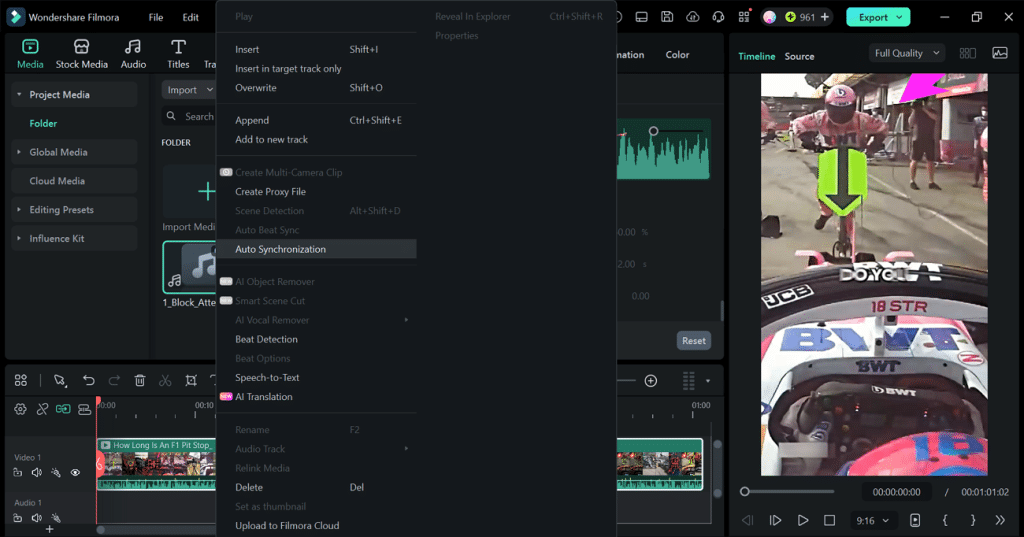
Wondershare Filmora does well at one-click multimedia alignment with a simple interface. It also provides an intuitive timeline for synchronizing multiple clips. Users can also add external audio and synchronize it with the video with pre-existing audio. The video’s original audio is automatically muted to prevent overlap.
Filmora also allows users to refine the sound to ensure that the exported files are high-quality. The sound balance can be adjusted to improve the sound quality. Its fade in and fade out functions may be used to achieve a gradual start and finish in the sound. Excessive background noise can be reduced through the audio denoiser.

Pros
- Filmora offers an AI Voice Enhancer feature that elevates the quality of the sound.
- The Audio Ducking functionality can be applied to adjust the speech and music balance.
- Users can select the file format upon export for better accessibility.
Con
- Once the trial period ends, the subscription plan has to be bought.
Best For: Beginners and professionals working on creative projects.
- CapCut Desktop
This tool is for those needing a convenient way to match audio with video. CapCut Desktop offers automatic waveform matching and manual timeline adjustments to address sound delays. The platform supports voiceovers to be synchronized, resulting in accurate timing and high-quality video.

Pros
- The Separate Audio feature enables users to detach audio from their video.
- CapCut Desktop offers editors the ability to adjust the speed of their audio.
Cons
- This tool does not offer any extensive audio adjustment tools.
- CapCut Desktop may feel slower during large multi-track editing projects on mid-range systems.
Best For: Minor audio and video adjustments with no extensive editing.
- DaVinci Resolve
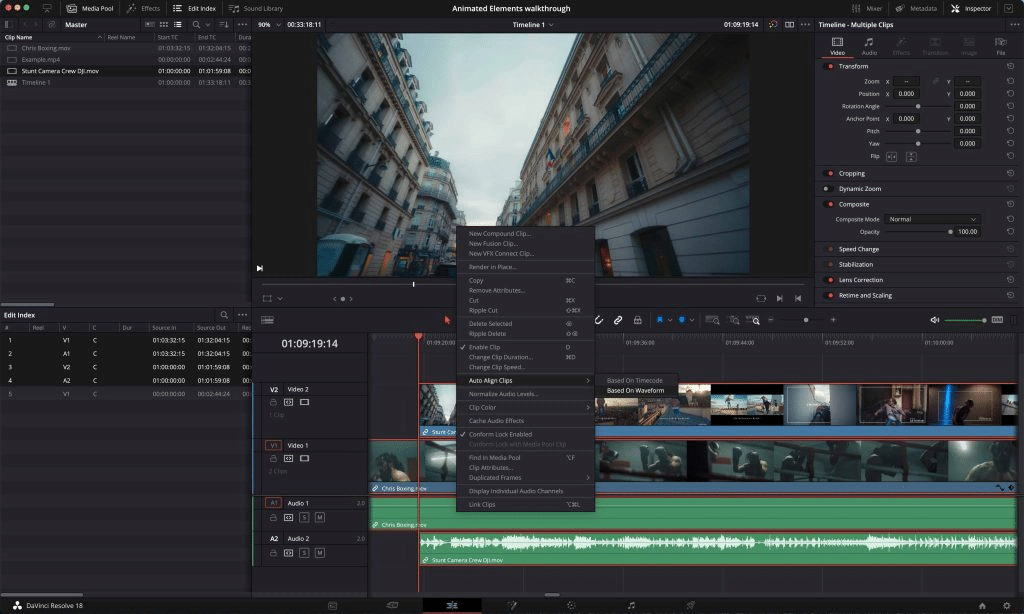
Audio and video sync is a feature in DaVinci Resolve that allows for accurate syncing of audio and video to create a professional editing environment. This audio synchronization software provides automatic waveform sync, timecode sync and manual sync of the timeline for fine control. Dialogue, music, and multi-camera footage can be synced with ease and accuracy by the editors to achieve the right timing in post-production.
Pros
- DaVinci Resolve syncs audio across multiple video angles in one workflow.
- The original files remain intact at the end of the synchronization.
Cons
- This tool is better suited for professionals with prior editing experience.
- DaVinci Resolve can feel heavy compared to lightweight editors for basic syncing.
Best For: Users working on films that require advanced multimedia alignment.
- Adobe Premiere Pro
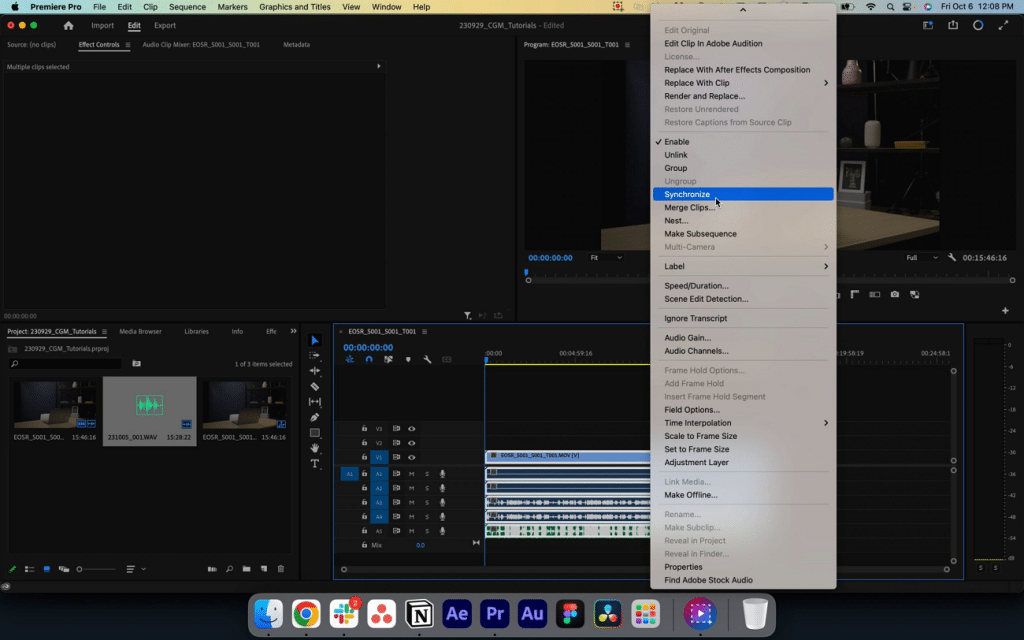
This workflow is commonly used in podcast production, interviews, and multi-camera YouTube recordings. They can set the clip start and end time manually for accurate synchronization. This tool enables editors to set the number of audio track channels for multi-source audio track syncing.
Pros
- This tool aligns audio and video using audio peaks.
- Adobe Premiere Pro allows frame-by-frame adjustment for precise synchronization.
Cons
- Waveform matching of Premiere Pro shows inconsistencies with low-quality audio.
- This tool is a resource-heavy software that slows down on mid-range PCs.
Best For: Users who want a balance of professional control and efficient workflow.
- Final Cut Pro X
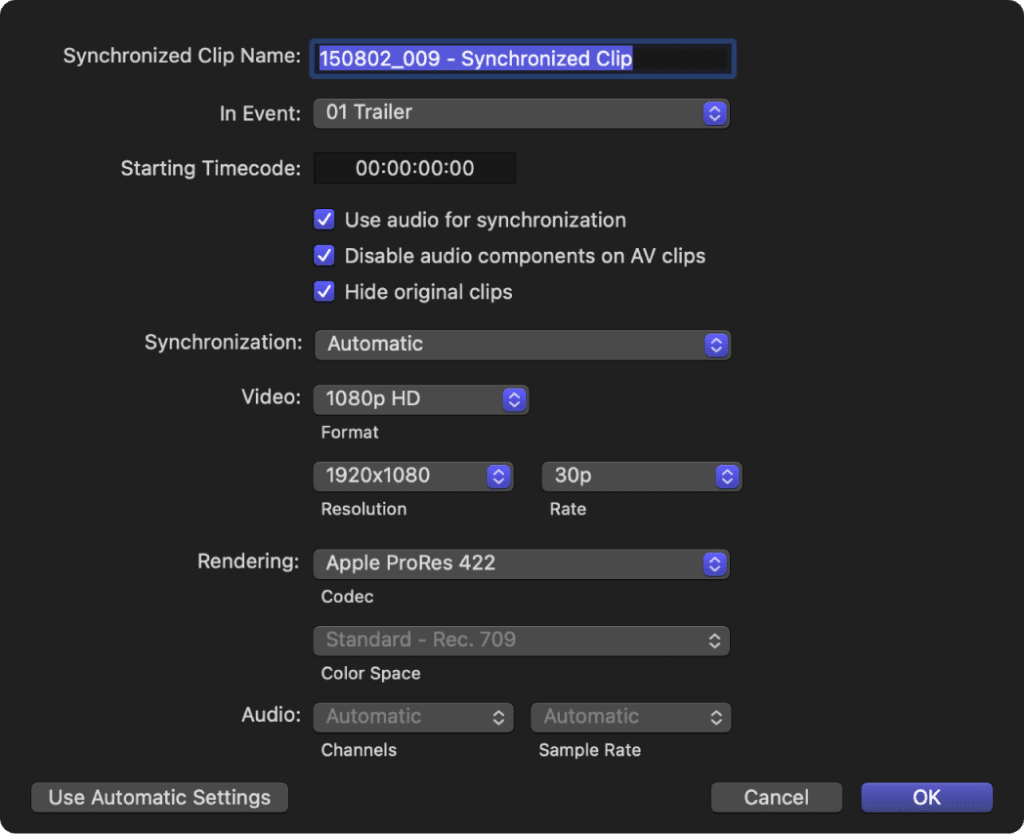
The platform is designed for quick, engaging timeline-based editing instead of relying on detailed manual configuration. It lets editors sync external audio to clips using automatic waveform matching or by manually aligning markers in the timeline. This makes this audio synchronizer especially useful for users handling multi-camera projects where speed matters more than technical depth.
Pros
- Its clean design makes syncing less intimidating for new editors.
- This tool handles large video files smoothly during sync and editing.
Cons
- Final Cut Pro is a Mac-exclusive tool with no Windows or Linux support.
- Automatic sync may struggle with low-quality or noisy recordings.
Best For: Creators who need quick audio-video sync for daily content.
Part 3. Final Verdict: Which Audio Synchronization Software Is Best?
From the above tools, it can be concluded that Filmora is a viable option to many of the users who are facing the issue with audio video synchronization. One-click syncing and automatic audio muting prevents audio overlap. AI Voice Enhancer, Audio Ducking, and noise reduction further enhance sound quality and workflow efficiency.
Using Wondershare Filmora to Sync Audio and Video Tracks
Filmora offers a simple one-click workflow for aligning audio and video tracks. Look into the following section and explore how to sync audio to video using this tool:
Step 1. Import Media in the New Project
To begin with, select the “New Project” button and import video and audio from your device.

Step 2. Initiate the Audio Video Sync
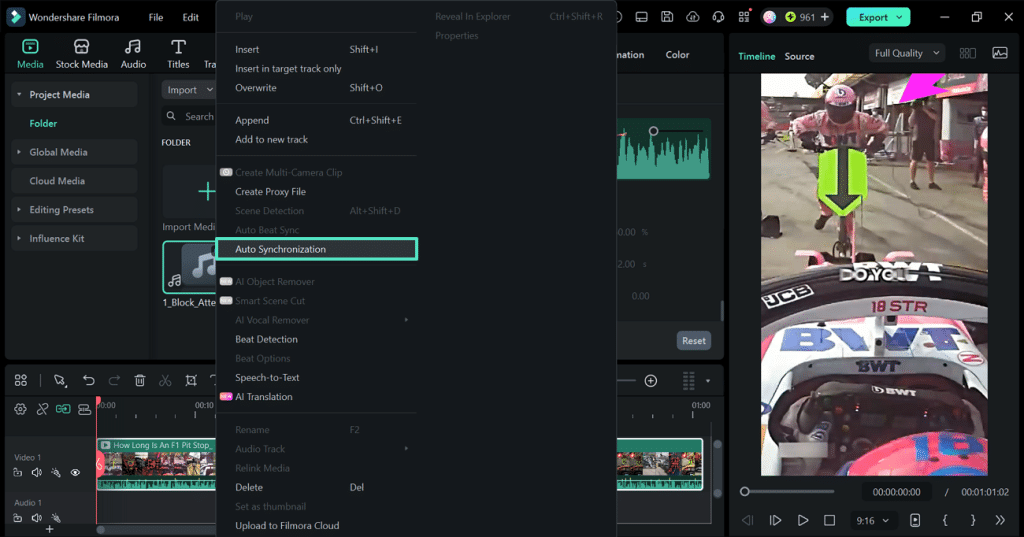
After dragging the media files to the timeline, select all media and right-click on it. From the extended pop-up menu, select the “Auto Synchronization” feature and let the sound and the visuals align.
Step 3. Adjust Audio and Export File
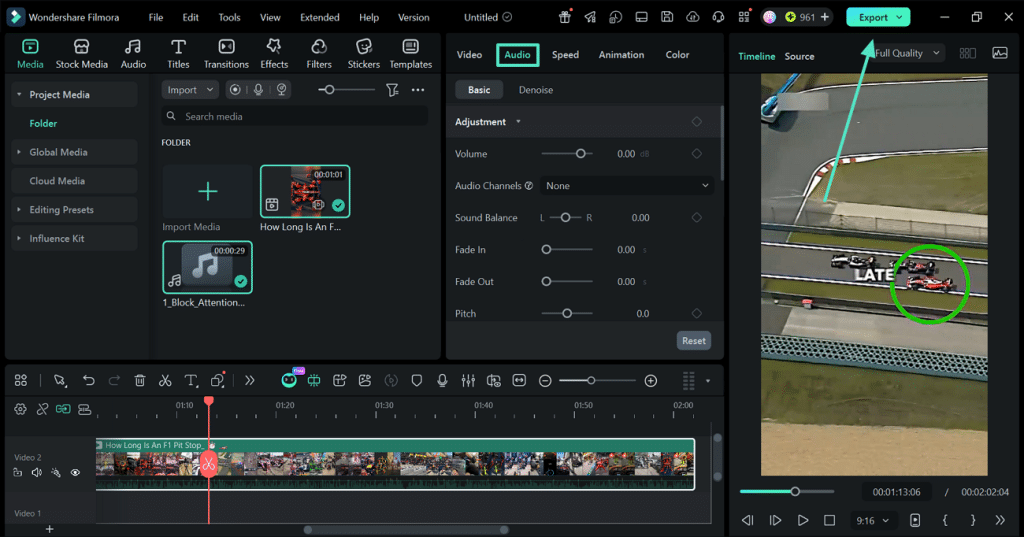
Once the audio has been adjusted, enter the “Audio” editing panel to make sound adjustments. Lastly, click the “Export” button from the top right to save the final output.
Conclusion
In conclusion, syncing audio to video has become essential in content creation. Users can fix audio mismatches using multiple tools offering syncing. Wondershare Filmora is a reasonable syncing tool and a simple solution. It has a balance of automation and editing control that makes it suitable for both beginners and professionals.Note to Reader: This section is an independent editorial review based on public product information and comparative analysis. It does not represent the official position of any publishing outlet, software company, or media organization.