

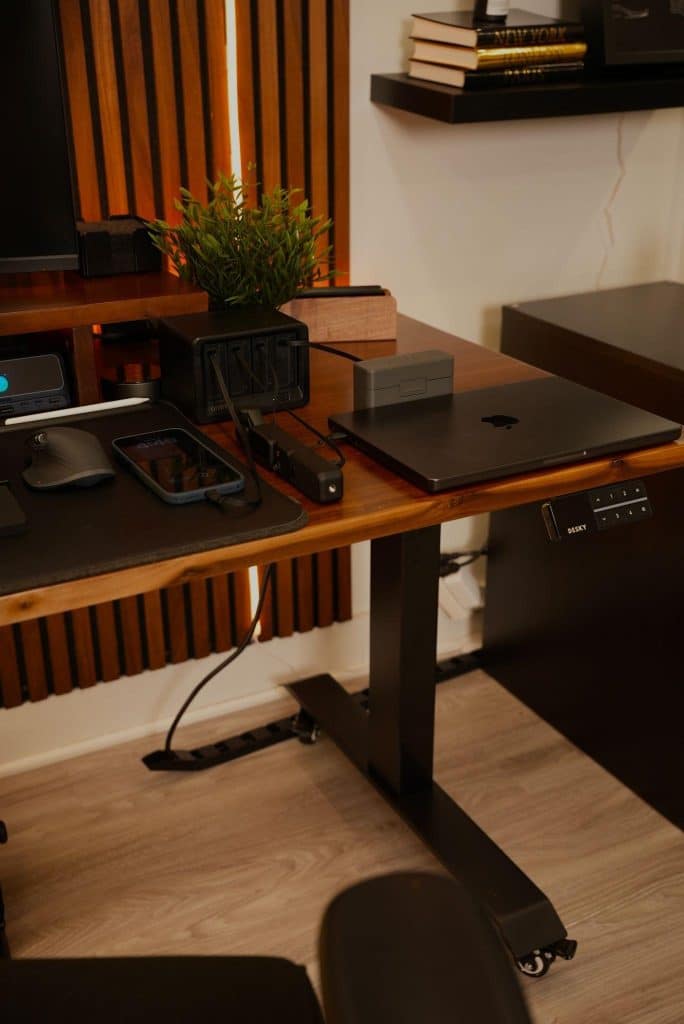
For many people today, a laptop is no longer just a portable device. It has become the core of an entire workstation.
Instead of a traditional desktop computer, more workspaces now revolve around a laptop connected to external monitors, keyboards, mice, and a growing list of personal devices. This setup offers flexibility, but it also introduces a problem that often goes unnoticed: power management.
The Reality of a Laptop-Based Workstation
A modern laptop-based workstation usually includes more than just the laptop itself.
Typical setups involve:
- A laptop that needs continuous power
- An external monitor
- A phone
- Wireless earbuds or headphones
- Sometimes a tablet or additional accessories
While the laptop handles the main workload, all these devices depend on a reliable and organized power source. As the number of devices increases, power setup becomes a critical part of the workspace.
The Hidden Problem: Power Setup Falls Behind
Most people build their workstation around performance and ergonomics. Power is added later, often as an afterthought.
This usually leads to:
- Multiple chargers plugged into a single power strip
- Cables crossing over the desk
- Frequent unplugging and replugging of devices
- Limited access to available outlets
The workstation still functions, but the workflow becomes fragmented. Power starts to feel like a constant interruption rather than a seamless part of the setup.
In many cases, the issue isn’t the laptop or the devices — it’s how power is organized.
Common Power Solutions and Their Limitations
Laptop charger and power strip
This is the most common approach. It works, but it quickly becomes crowded as more devices are added.
USB hub plus separate chargers
A USB hub can help with connectivity, but charging is often still spread across multiple adapters, keeping cables visible and disorganized.
Both options solve part of the problem but fail to address power as a system.
What an Effective Power Setup Should Do
In a laptop-based workstation, power should support the workflow without drawing attention to itself.
An effective setup should:
- Power the laptop and multiple devices at the same time
- Reduce the number of separate chargers
- Keep cables predictable and contained
- Allow devices to stay connected throughout the workday
The goal is not more power, but better organization.
Centralized Power for Laptop-Based Workstations
This is where centralized desk power solutions become relevant.
Instead of relying on several individual chargers, a single desk-focused power unit can manage outlets and USB charging in one place. This approach simplifies cable routing and reduces desk clutter while keeping all devices powered consistently.
For example, desktop charging stations from Gitryin are designed with this kind of workstation in mind. By combining multiple power outlets and USB ports into one compact unit, they help laptop-based setups stay organized without changing how the user works.
Rather than adding another device to the desk, centralized power replaces a collection of adapters with one controlled system.
How to Know If Your Workstation Needs a Better Power Setup
A simple way to evaluate your current setup is to ask a few questions:
- Do you regularly unplug one device to charge another?
- Are multiple chargers competing for space on your desk?
- Do cables interfere with your working area?
- Does your power setup feel improvised rather than intentional?
If the answer to more than one of these is yes, power organization may be the weakest part of your workstation.
Small Changes That Make a Big Difference
Even without redesigning the entire desk, a few habits can improve power organization:
- Use shorter charging cables where possible
- Keep power delivery centralized
- Avoid stacking chargers or adapters
- Maintain consistent cable paths
These adjustments help power fade into the background, where it belongs.
Final Thoughts
Laptop-based workstations are built for flexibility and mobility. A well-planned power setup is what makes that flexibility sustainable.
When power is centralized and organized, the workstation feels cleaner, calmer, and easier to use. Instead of managing chargers, you can focus on the work itself — which is exactly what a modern workspace should enable.