

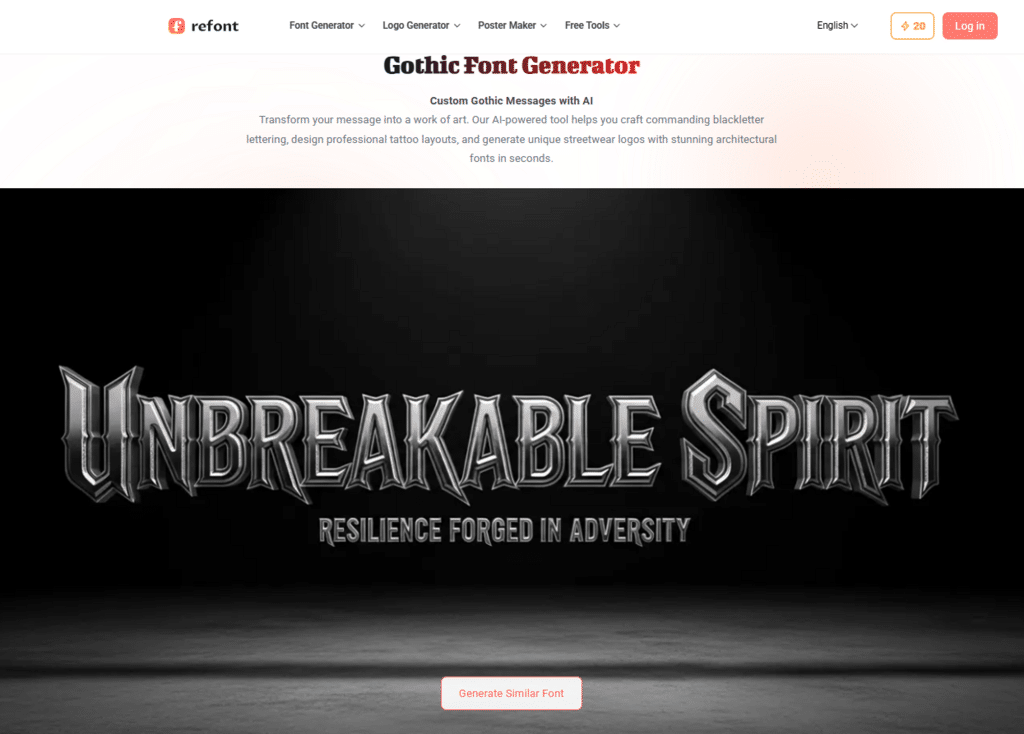
alt description of the picture: Refont Gothic Font Generator homepage featuring a metallic 3D blackletter “UNBREAKABLE SPIRIT” logo design.
Deciding on a new tattoo is a profound commitment. Unlike a digital canvas or a piece of paper, the human body is a living, breathing medium where mistakes are permanent and “undo” buttons don’t exist. For those drawn to the bold, dark, and intricate world of blackletter script, the challenge has always been visualization. How will a specific word look curved around a forearm or stretched across a chest? In 2026, the bridge between a vague idea and a perfect stencil is a high-fidelity gothic font generator. This guide explores how to leverage AI-driven typography to ensure your next piece of ink is a masterpiece of both form and meaning.
The Timeless Legacy of Gothic Script in Tattoo Culture
Gothic lettering, often referred to as Blackletter or Old English, carries a historical weight that few other typefaces can match. Originating in Western Europe during the 12th century, it was the standard for manuscript books and eventually became the face of the Gutenberg Bible. In the world of tattooing, Gothic fonts represent a fusion of tradition, rebellion, and artistic complexity.
From the sharp, aggressive lines of Fraktur used in heavy metal aesthetics to the fluid, ornate “Chicano” style born from the streets of East Los Angeles, Gothic script is the language of identity. It signals strength, heritage, and a respect for the “old school” craft. However, the very complexity that makes these fonts beautiful also makes them difficult to design. Without a professional gothic font generator, many enthusiasts find themselves at the mercy of a tattoo artist’s freehand skills—which, while often impressive, may not always align with the client’s specific vision for character weight or flourishes.
Why a Professional Gothic Font Generator is Critical for Pre-Ink Planning
The primary pain point for tattoo clients is “the fear of the unknown.” You might love a font on a computer screen, but typography for the skin requires a different set of rules. A standard word processor simply doesn’t offer the granular control needed for anatomical design.
Using a dedicated gothic font generator allows you to experiment with “kerning” (the space between letters) and “weight” (the thickness of the lines) before you ever step foot in a studio. This is crucial because skin is not a flat surface. As muscles move and skin ages, ink naturally spreads—a phenomenon known as “bleeding.” If your chosen font is too dense or the letters are too close together, a beautiful word can turn into an illegible dark smudge over a decade. By using a digital generator, you can simulate different thicknesses to ensure the longevity of the design.
Mastering Anatomy and Typography: Adjusting for the Body’s Curves
One of the most significant advantages of modern AI tools like Refont is the ability to customize the “flow” of the text. When designing a tattoo, you must consider the “muscle lines.” A straight line of text on a bicep will look distorted when the arm is flexed.
Spacing and Kerning for Longevity
When using a gothic font generator, always lean toward slightly wider kerning than you think you need. Gothic characters are naturally “busy” with their vertical strokes and decorative serifs. Giving the ink room to breathe ensures that as the years pass, the counters (the holes inside letters like ‘o’, ‘e’, and ‘g’) remain clear and open.
Weight Calibration
Refont’s AI allows users to choose between delicate, fine-line Gothic and heavy, bold Blackletter. For smaller tattoos on the wrist or behind the ear, a finer weight is necessary to prevent the ink from blurring together. Conversely, for large-scale back pieces, a heavier weight provides the “punch” and contrast that makes Gothic script so visually arresting from a distance.
The Artist’s Perspective: Readability vs. Artistry
In the tattoo community, there is an ongoing debate: should a tattoo be easily readable, or is it purely a piece of abstract art? Most veteran tattooists will tell you that the best designs achieve both.
A high-quality gothic font generator serves as a collaborative tool between the client and the artist. Instead of walking into a shop with a blurry screenshot, you can provide a high-resolution, AI-generated template. This allows the artist to focus on the technical execution—shading, whip-stippling, and line consistency—rather than spending hours trying to sketch a font from scratch.
“I always prefer when a client brings in a clear reference from a tool like Refont,” says one Los Angeles-based script specialist. “It gives us a baseline for the ‘skeleton’ of the letters. I can then add my own custom flares or ‘blood drips’ on top, but the core geometry is already perfect.”
From AI Generation to the Tattoo Chair: A Step-by-Step Workflow
To get the most out of your digital design process, follow this professional workflow to ensure your vision translates perfectly to your skin:
- Contextualize the Phrase: Start by typing your desired text into the generator. Consider the length. Long phrases often work better in a “Simplified Gothic” style, while single words can handle the “Heavy Ornate” variations.
- Style Selection: Browse through the AI-generated styles. Look for a balance between the sharp edges of traditional Fraktur and the modern legibility of contemporary scripts.
- Refine the Parameters: Use the customization sliders to adjust the stroke thickness. If you are planning a “fine-line” tattoo, look for styles that maintain their elegance even when the lines are thin.
- Print and Perspective: Once you have generated the perfect version, print it out in the actual size you want the tattoo to be. Tape it to the part of your body where you want the ink. Look in a mirror. Move your body. See how the letters warp.
- The Stencil Transfer: Take your digital file to your artist. They will use this as the foundation for their thermal stencil, ensuring that the exact proportions you loved on the screen are the ones that end up on your skin.
The Future of Tattoo Design is Digital
We are entering an era where AI doesn’t replace the artist but empowers the collector. The “one-size-fits-all” approach to lettering is dead. With a gothic font generator, you have the power to create a signature style that is as unique as your own DNA. Whether you are honoring your heritage with an Old English family name or expressing a personal mantra in sharp, modern blackletter, the precision of AI ensures that your creative intent is never lost in translation.
Tattoos are the ultimate form of self-expression. By utilizing professional-grade design tools, you move from being a passive participant to an active creator of your own body art. Explore the possibilities of high-impact typography, respect the history of the script, and walk into your next tattoo appointment with the confidence that only perfect preparation can provide. Your body is a temple—decorate it with the finest characters modern technology can offer.