

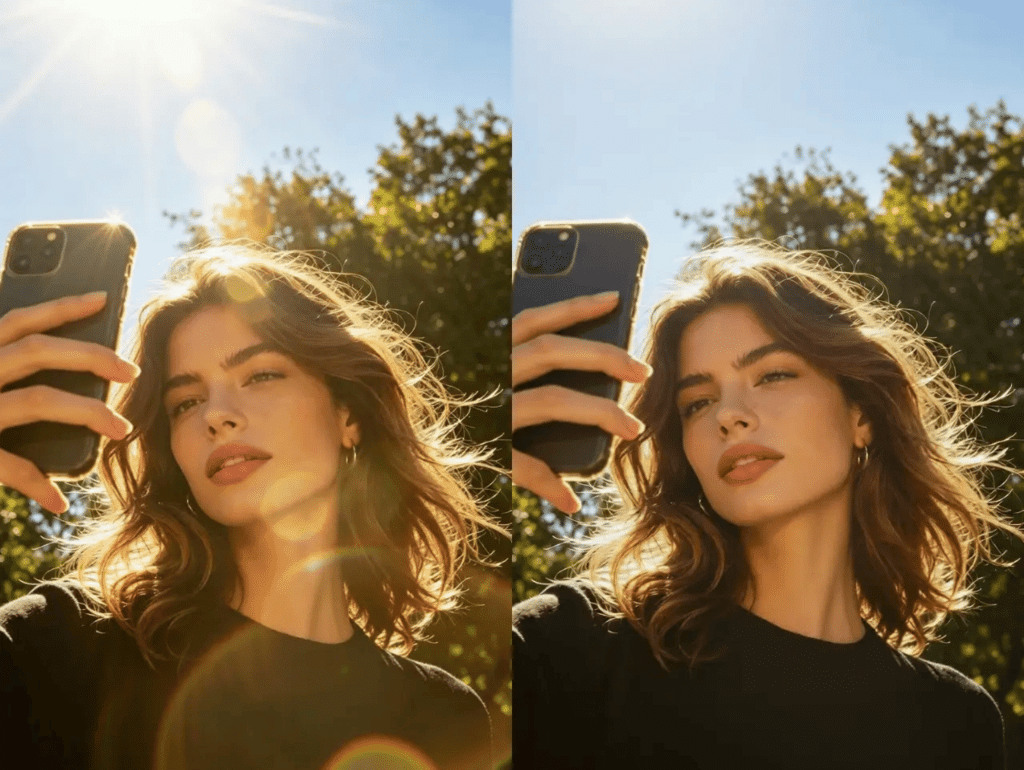
Social media managers face a constant battle for attention. You need to produce high-quality content every single day to keep your audience engaged. It is a lot of work for one person to handle. You have to be a photographer, a writer, and a data analyst all at once. Sometimes the photos you have are not perfect. They might have bad lighting or look outdated. AI tools are here to help you solve these problems quickly. These tools allow you to fix mistakes and create professional posts without needing a huge budget.
One of the most common problems is bad lighting in photos. You might have a great shot of a product, but a bright reflection is covering an important detail. This happens a lot when you take photos near windows or under bright office lights. You can now use AI to remove glare from any image with a single click. This technology analyzes the pixels and removes the distracting light without ruining the rest of the photo. It is much faster than trying to fix it manually in complex editing software. Using this tool helps you save photos that you might have otherwise deleted.
Sharing the history of your brand is another great way to build trust with your followers. However, old black and white photos can look out of place on a modern Instagram grid. You can use a photo colorizer to bring these old images into the modern era. This tool adds natural colors to old photos, making them look like they were taken recently. It helps you tell a better story while keeping your feed looking fresh and vibrant. This is a great way to repurpose old company archives for Throwback Thursday posts.
1. AI Glare Removal
Overview
Glare removal tools use machine learning to identify and eliminate unwanted reflections in your images. This is particularly useful for social media managers who often take photos on the go. If you are shooting a new product in a store or taking a team photo in an office, you cannot always control the lighting. This tool looks for hot spots where light has bounced off a surface and restores the natural colors and textures underneath.
Key Features
* Automatic detection of reflective surfaces
* Restoration of hidden details
* Batch processing for multiple photos
* Simple slider controls for intensity
Pros
* Saves time on reshooting products
* Makes amateur photos look professional
* Works well on glasses and windows
Cons
* Might struggle with extremely large reflections
* Can sometimes soften the image slightly
Best For
This tool is best for e-commerce managers and event photographers. It is perfect for anyone who needs to clean up images quickly before posting them to a live feed.
2. AI Photo Colorization
Overview
A photo colorizer is an AI tool that breathes life into old black-and-white images. It does not just slap random colors on a photo. It uses a deep database of images to understand what colors should naturally be there. It can recognize grass, sky, skin tones, and clothing materials. This allows it to apply colors that look realistic and historically accurate.
Key Features
* Realistic skin tone mapping
* Landscape and sky recognition
* High resolution output
* Instant processing
Pros
* Creates high engagement on nostalgia posts
* Makes historical brand content more relatable
* Easy to use with no training required
Cons
* Colors are an estimate by the AI
* May require some manual tweaks for specific brand colors
Best For
This is best for heritage brands and non-profit organizations. It is a powerful tool for storytelling and showing the long history of a company or a cause.
3. AI Caption Generators
Overview
Coming up with clever captions for every post is exhausting. AI caption tools can take a simple description of your photo and turn it into a catchy headline. These tools use large language models to understand the context of your image. They can even add relevant hashtags and emojis to match the platform you are using. This saves you hours of brainstorming and helps you maintain a consistent voice across all your accounts.
Key Features
* Tone selection for different brand voices
* Automatic hashtag suggestions
* Multi-language support for global brands
* Character count limits for specific platforms
Pros
* Saves mental energy for other tasks
* Provides fresh ideas when you are stuck
* Helps with SEO on platforms like Instagram
Cons
* Can sometimes sound a bit generic
* Requires a quick check for brand accuracy
Best For
This is best for managers handling multiple accounts at once. It is a great way to keep the content flowing without burning out on creative writing.
4. AI Background Removal
Overview
Professional product photography can be very expensive. Sometimes you just need a clean shot of a product without a messy background. AI background removers can cut out an object with perfect precision in seconds. You do not need to spend hours using a pen tool in a design program. Once the background is gone, you can place the object on any color or scene you want.
Key Features
* One-click background removal
* Edge smoothing for a natural look
* Transparent PNG exports
* Background replacement with AI-generated scenes
Pros
* Very fast compared to manual editing
* Works well even on complex shapes like hair
* Allows for easy creation of ad graphics
Cons
* Needs a clear subject to work best
* Can struggle if the subject is the same color as the background
Best For
This tool is essential for e-commerce social media managers. It allows you to create professional-looking product ads using just your phone and an AI tool.
5. AI Video Upscalers
Overview
User-generated content is great for engagement, but the quality is often low. If a fan sends you a grainy video, you might be hesitant to post it on your official page. AI video upscalers can increase the resolution and sharpness of low-quality clips. They use AI to fill in the missing pixels, making the content look professional on high-resolution screens. This is also great for old video clips from your company archives.
Key Features
* Resolution boosting from SD to 4K
* Noise reduction for grainy footage
* Frame interpolation for smoother motion
* Face enhancement for clearer subjects
Pros
* Makes old or low-res video usable again
* Improves the professional look of your feed
* Saves you from having to ask fans for better files
Cons
* Processing can take a long time for long videos
* Requires a decent computer or cloud credits
Best For
This is best for brands that rely heavily on video content and user submissions. It is a great way to maintain high standards across all video posts.
6. AI Content Schedulers
Overview
Posting at the right time is crucial for reaching your audience. AI scheduling tools analyze when your followers are most active based on past engagement. They automatically queue your posts for those peak times. This ensures your content gets the most views possible without you having to be online at odd hours. These tools take the guesswork out of planning your weekly calendar.
Key Features
* Optimal time suggestions for each platform
* Automatic posting to multiple networks
* Cross-platform syncing for campaigns
* Visual calendar view
Pros
* Increases reach and engagement
* Saves time by automating the posting process
* Helps you stay consistent with your schedule
Cons
* Requires access to your social media accounts
* Can be expensive for many accounts
Best For
This is best for global brands with followers in different time zones. It is also great for small teams who do not have someone working around the clock.
7. AI Sentiment Analysis
Overview
It is hard to read every single comment on a viral post. AI sentiment analysis tools scan your comments and tell you if the general mood is positive, negative, or neutral. This helps you spot a crisis before it grows. It also helps you find happy customers that you can highlight in future posts. You get a high level view of how people feel about your brand without reading thousands of messages.
Key Features
* Real-time monitoring of comments and mentions
* Keyword tracking for specific products
* Mood reports and trend charts
* Alerts for sudden spikes in negative sentiment
Pros
* Provides a quick overview of public opinion
* Helps you respond faster to customer issues
* Identifies brand advocates easily
Cons
* Can sometimes miss sarcasm or local slang
* Needs a high volume of comments to be useful
Best For
This is best for large brands with high engagement levels. It is a vital tool for community managers and PR teams.
8. AI Voiceover Generators
Overview
Creating videos for TikTok or Reels often requires a voiceover. If you are shy or do not have a good microphone, this can be a challenge. AI voiceover tools create natural sounding speech from your text. You can choose from many different voices, ages, and accents to match your brand personality. This allows you to create narrated videos in minutes without recording anything yourself.
Key Features
* Huge library of diverse voices
* Support for dozens of languages
* Adjustable speed and pitch
* Fast rendering for quick edits
Pros
* Professional sound without expensive gear
* Easy to update if the script changes
* Great for creating content in multiple languages
Cons
* Some voices can still sound a bit robotic
* Lacks the emotional range of a real human
Best For
This is best for video creators and educators. It is a great way to add narration to tutorials or product showcases.
9. AI Auto-Resizing Tools
Overview
Every social platform has different size requirements. A photo that looks good on Instagram might get cropped poorly on X or LinkedIn. AI resizing tools automatically adjust your images for every platform. They use smart cropping to keep the most important part of the image in the center. This prevents your text or subjects from being cut off when you share across different networks.
Key Features
* Preset sizes for all major social networks
* Smart cropping based on subject detection
* Batch resizing for whole campaigns
* Preview mode for each platform
Pros
* Prevents awkward cropping mistakes
* Saves a massive amount of time on manual edits
* Ensures a consistent look everywhere
Cons
* Might require manual adjustment for very wide shots
* Can sometimes crop too tightly on the subject
Best For
This is best for managers running multi-platform campaigns. it is a huge help when you need to turn one image into ten different formats.
10. AI Trend Forecasting
Overview
Social media moves fast. By the time you see a trend on your feed, it might already be over. AI forecasting tools look at search data and social conversations to predict what will be popular next week. This gives you a head start on creating relevant content. You can be the first brand to jump on a new topic instead of the last one.
Key Features
* Keyword alerts for rising topics
* Trend scores based on data growth
* Competitor tracking and analysis
* Content ideas based on upcoming trends
Pros
* Keeps your brand relevant and fresh
* Helps you plan content further in advance
* Increases the chance of going viral
Cons
* Predictions are not always 100 percent accurate
* Can be overwhelming with too much data
Best For
This is best for brands that focus on viral marketing and newsjacking. It is a great tool for staying ahead in competitive industries.
Comparison Summary
| Tool Type | Primary Benefit | Effort Level |
| Glare Removal | Fixes bad lighting | Low |
| Colorizer | Updates old assets | Low |
| Caption Generator | Saves writing time | Medium |
| Background Remover | Creates clean ads | Low |
| Video Upscaler | Improves quality | Medium |
| Content Scheduler | Optimizes reach | Low |
| Sentiment Analysis | Monitors brand health | Medium |
| Voiceover Generator | Adds professional audio | Medium |
| Auto-Resizer | Fits all platforms | Low |
| Trend Forecaster | Predicts viral topics | High |
Final Recommendation
If you are just starting with AI, you should focus on the visual tools first. Fixing photos and videos provides the most immediate value for your feed. Using a tool to remove glare or a photo colorizer can make your existing library of images much more useful. These tools require very little effort but produce a huge difference in quality. As you get comfortable with these, you can move into more complex tools like sentiment analysis and trend forecasting. Start small and let AI help you reclaim your time so you can focus on the big picture of your social media strategy.