

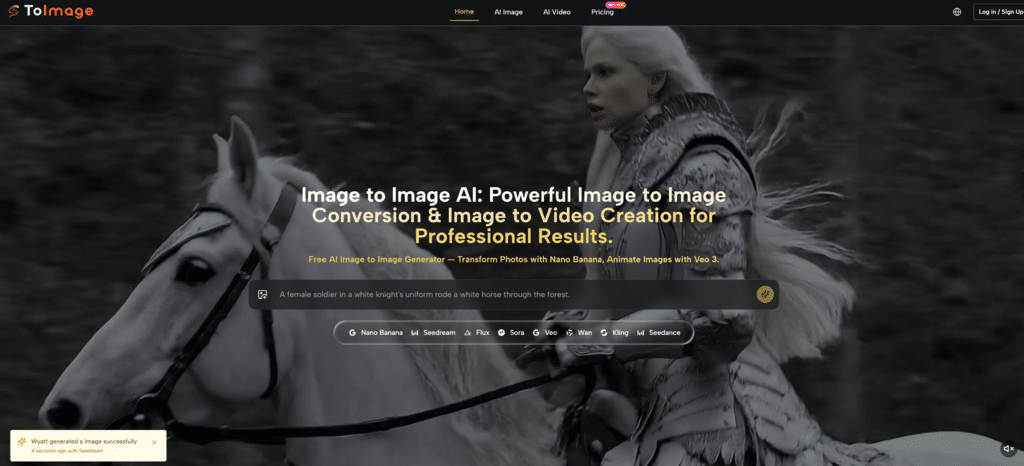
Product design and marketing teams have long lived with a stubborn friction point: the gap between a rough concept sketch and a visual that stakeholders can actually evaluate. Traditional paths through this gap usually involve 3D modeling software, rendering engines, and specialists who charge by the hour. Smaller teams and independent creators often settle for static mockups that convey only a fraction of the intended look and feel. What shifts the equation is not the existence of AI image generation in general, but specifically how well a tool can take an existing sketch or reference photo and transform it into a scene-specific, lighting-aware visual without rebuilding every surface from scratch. That is the exact problem space where Image to Image starts to feel less like a toy and more like a visual prototyping layer.
This is not about generating images from a blank text prompt. It is about starting with something already on the table—a product drawing, a packaging concept, a furniture sketch—and pushing it toward a near-final presentation state in minutes rather than days. In my testing, the platform handled this pipeline with enough structural fidelity to make it worth a serious look, though not without the limitations you would expect when geometry meets diffusion.
The Traditional Prototyping Workflow Creates a Bottleneck
Before any AI involvement, converting a concept sketch into a photorealistic product image typically follows a multi-step path. A designer creates the sketch. A 3D artist interprets it into a model. Materials, lighting, and camera angles get adjusted through iterative feedback loops. For a small team, this can take anywhere from a few days to over a week per variation. When a campaign needs a dozen scene variations, the time and cost multiply.
Speed and Iteration Are Not the Same Thing
Speed matters, but what really constrains creative exploration is the cost of iteration. When every round of changes requires reopening a 3D file and re-rendering, the natural tendency is to limit the number of versions explored. The final output is often the only version that gets made, not necessarily the best one.
Testing the Platform With a Real Product Sketch
To understand whether Toimage AI compresses this cycle meaningfully, I ran a practical test. The task was to take a simple hand-drawn sketch of a ceramic coffee cup with a textured surface and turn it into a photorealistic product shot placed on a modern kitchen counter with morning light.
The Source Image Was Deliberately Rough
The sketch was not a polished digital illustration. It was a pencil drawing scanned from a notebook—uneven lines, no color, basic proportions. This mattered because a tool that only works on clean, professional inputs would have limited usefulness in early-stage concept exploration. The goal was to see whether the platform could interpret the rough geometry and surface intent without getting confused by the noise.
Structural Fidelity Emerged as a Key Strength
Using the Nano Banana model, which the platform positions for hyper-realistic conversion, the output preserved the cup‘s proportions and the general shape of the handle surprisingly well. The texture intention—something granular and matte—translated into a convincing ceramic material with subtle speckling, even though the original sketch contained no explicit texture information beyond a few shading marks. The lighting direction inferred from the prompt applied consistently across the cup and the counter surface, which avoided the pasted-in look that plagues less coherent transformations.
Scene Context Was Added Without Manual Compositing
The prompt specified a white marble counter, soft window light, and a sprig of rosemary placed beside the cup. The platform inserted these elements into the scene without requiring a separate background plate or masking step. The rosemary stem looked organic, not procedurally generated. The marble veining followed a plausible pattern. From a prototyping perspective, this means a concept can be pitched with environmental context in one generation cycle, rather than waiting for a separate scene-building phase.
What the Output Did Not Solve
The generated image would not pass a pixel-level forensic inspection. Small inconsistencies in shadow direction appeared near the cup base, and the handle thickness varied slightly from the original sketch. For final production assets destined for high-resolution print, additional refinement in a dedicated editing tool would still be necessary. But for internal presentation, client concept approval, or social media teaser content, the output landed well within acceptable quality bounds.
Multiple Variations Came at Negligible Additional Cost
One of the practical advantages that emerged during testing was the ease of generating scene variations. Changing a single phrase in the prompt—replacing “morning light” with “warm evening glow” or swapping “marble counter” for “wooden table”—produced a new output in seconds using the faster Seedream model. This kind of variation throughput is simply not possible in a traditional rendering pipeline without exponentially more artist time.
The Speed Model Trade-Off Became Visible
Seedream generated results noticeably faster than Nano Banana, but the material precision dropped slightly. Wood grain appeared less detailed, and the ceramic surface lost some of its tactile quality. For mood boards and early ideation, the speed was worth the trade. For the final client-facing concept, switching to Nano Banana made more sense. Having both models accessible inside the same tool meant the workflow could shift priorities mid-session without exporting assets or changing platforms.
The On-Page Workflow Confirms Simplicity as a Design Principle
The official site describes the process in terms that map directly onto the test experience. The workflow breaks into three stages.
Step One: Upload the Foundation Image
The Source Image Defines Structure, Not Quality Requirements
The first step is uploading the image that serves as the structural anchor. The platform does not require high-resolution, clean-edge inputs, which is critical for early-stage concept work. The uploaded sketch defined the cup’s basic form, and the AI worked within that boundary rather than overwriting it.
Step Two: Describe the Desired Scene and Materials
Prompts Work Best When They Describe the Target, Not the Process
The second step asks for a description of the transformation goal. In practice, prompts that described the desired scene—materials, lighting, setting—yielded better results than prompts that attempted to instruct the AI on rendering technique. “A matte ceramic cup on a white marble counter, morning sunlight, rosemary sprig” worked more reliably than “add photorealistic textures and global illumination.”
Step Three: Select the Model That Matches the Output Priority
Model Choice Functions as a Quality-Speed Dial
The final step is picking an engine. For maximum realism, Nano Banana. For rapid iteration, Seedream. For creative or unconventional interpretations, Grok or GPT-4o. The model selector sits visibly in the interface, and switching between engines takes one click. This turns model selection into a creative decision rather than a technical configuration buried in a settings panel.
How This Approach Compares With Existing Options
The following table contrasts the sketch-to-visual workflow on Toimage AI with traditional 3D pipelines and single-model AI tools, based on observable characteristics rather than laboratory benchmarks.
| Dimension | Toimage AI | Traditional 3D Pipeline | Single-Model AI Tools |
|---|---|---|---|
| Time to First Visual | Minutes | Days to weeks | Minutes |
| Iteration Cost | Low per variation | High per re-render | Low |
| Structural Fidelity | Good for concept stage; may need refinement for final | Very high | Varies widely |
| Scene Context Addition | Prompt-driven, no manual compositing | Manual scene building required | Prompt-driven |
| Technical Skill Required | Minimal; prompt writing and model selection | High; modeling and rendering expertise | Low |
| Best Fit | Concept exploration, client pitches, social previews | Final production assets, print-ready renders | Single-style quick generations |
Real Constraints That Emerged During Testing
No tool bridges the concept-to-production gap entirely, and Toimage AI reveals its boundaries clearly enough.
Fine Geometry Can Drift
Subtle structural details—beveled edges, precise proportions, mechanical parts—may shift between the source sketch and the output. For products where exact dimensions define the brand identity, this drift means the output functions as a directional visual rather than a specification-accurate render.
Prompt Sensitivity Increases With Scene Complexity
When the scene description includes multiple objects or specific spatial relationships, the AI’s interpretation becomes less predictable. A prompt requesting “a cup on the left and a plate on the right” may place them acceptably in some generations and ignore the spatial instruction in others. This is consistent with how diffusion models handle composition and not unique to this platform, but it means that complex scenes may require several generations to land on a usable result.
The Output Is a Starting Point, Not a Deliverable
For teams with professional post-production capabilities, the generated image works as a high-quality base to refine. For users expecting a print-ready final asset without any manual touch-up, the result may fall short depending on the level of scrutiny applied. The platform’s commercial usage rights do mean that even unedited generations can legally appear in marketing materials, which removes one common barrier for small businesses.
The value of an image-to-image platform in a prototyping workflow ultimately hinges on whether it collapses the time between an idea and a discussion-worthy visual. In the test described here, the answer leaned toward yes—with the caveat that the final mile of polish still belongs to human judgment. For teams that currently wait days for a single concept render, having a tool that delivers ten contextualized variations before lunch changes not just the timeline but the creative range the team can afford to explore. That is a different promise than raw image quality, and it is the one worth measuring.
A Single Product Shot Turned Into Ten Brand Scenes
Brand content teams face a quiet but persistent problem: the product is finalized, the hero shot exists, but now social media, email campaigns, and marketplace listings all demand different visual contexts. The bottle needs to sit on a beach towel for the summer campaign, next to a holiday wreath for December, and on a minimalist desk for the productivity angle. Traditional photography shoots all of these scenes separately, with set design, lighting, and reshoot costs compounding fast. AI image generation offers an alternative, but the real test is whether the product itself stays recognizably the same across every output. If the label warps or the color shifts by even a few degrees, brand trust erodes. That consistency requirement is what makes Image to Image worth examining—specifically how its multi-reference system handles brand asset transformation without visual drift.
In my testing, I pushed the platform through exactly this scenario: taking a single clean product shot and generating multiple lifestyle scenes while tracking whether the product’s defining features survived the trip. The results were instructive, not perfect, but they revealed a workflow logic that makes sense for the speed-versus-consistency trade-off that brand teams navigate daily.
Brand Consistency Across Scenes Is a Non-Negotiable Requirement
When a consumer sees a product across different channels, even subtle inconsistencies can trigger subconscious mistrust. A logo that appears slightly thinner, a color that shifts from teal to aqua, a material that looks matte in one image and glossy in another—these micro-mismatches signal carelessness. Achieving consistency across multiple AI generations has historically been difficult because most models process each prompt independently, with no memory of the product’s exact appearance from one render to the next.
Reference Images Change the Equation
Toimage AI addresses this with Nano Banana’s support for up to four reference images. The concept is straightforward: instead of describing the product through text alone, you give the model visual anchors to lock onto. In theory, this constrains the generation around a stable product identity, allowing the surrounding scene to change freely while the subject remains intact.
Testing With a Skincare Product Across Five Scenes
The test subject was a skincare serum bottle with specific visual markers: a white and gold label, a dropper cap with ribbed texture, and a specific shade of amber glass. The hero shot was a clean product-on-white image. The task was to place this exact bottle into five distinct settings: a bathroom shelf, a tropical outdoor scene, a winter holiday flat lay, a bedroom nightstand, and a professional spa treatment room.
Setup Used the Maximum Reference Support
I uploaded the hero shot as the primary source image and added three additional reference angles—a close-up of the label, a side profile, and a shot showing the dropper mechanism. This mirrored a realistic brand workflow where multiple product views exist from the initial photography session. The prompt for each scene described the environment and lighting but did not redescribe the product, relying on the references to maintain identity.
Label Integrity Remained Remarkably Stable
Across all five generated scenes, the white and gold label retained its proportions and readable text. In the tropical outdoor scene, the label’s gold foil reflected warm sunlight naturally. In the holiday flat lay, it sat realistically among pine needles and cinnamon sticks without looking composited. The visual weight and branding cues felt consistent enough that a casual viewer scrolling a social feed would recognize the product as the same item across posts.
Material Properties Showed Intelligent Consistency
The amber glass bottle maintained its translucent quality across scenes, with light passing through and refracting in ways that matched the ambient lighting described in each prompt. The dropper cap’s ribbed texture remained visible in close-crop outputs and softened appropriately in wider shots. This level of material awareness suggests the reference system does more than pattern-match; it appears to encode physical properties to some degree, though the platform makes no explicit claim about physics simulation.
One Scene Revealed a Slight Color Temperature Shift
In the spa treatment room scene, the amber glass shifted slightly cooler—more honey than amber—possibly due to the prompt describing soft blue-tinted lighting. This is a minor drift that would be visible to a brand manager comparing images side by side but unlikely to register in isolation. For absolute color accuracy, post-generation color grading would still be advisable for campaigns with strict brand guidelines.
The Workflow Structure Reduces the Consistency Burden
Generating these five scenes followed the same three-step workflow the platform uses across all image-to-image tasks, but the presence of reference images made the process feel more like art direction than prompt engineering.
Step One: Upload the Product Hero Shot and Supporting References
Multiple Angles Give the Model More to Anchor On
The platform accepts the main source image and additional reference uploads in the same interface. In this test, providing side and detail shots improved edge-case performance, particularly for the dropper cap geometry. A single reference image would likely work for simpler products, but the option to add more feels purpose-built for brand work where labeling and packaging details carry legal or recognition requirements.
Step Two: Write Scene Descriptions Without Redescribing the Product
The Prompt Focuses on Environment, Not Product Specs
Each scene prompt described only the setting, lighting mood, and supporting objects. The product itself was intentionally omitted from the text. This is a meaningful shift from standard AI image workflows where the prompt must carry the entire descriptive weight. When the model already knows what the bottle looks like from the references, the prompt becomes a pure scene direction tool, reducing the chance of contradictory description.
Step Three: Use Nano Banana and Compare Side by Side
Model Consistency Allows a Production-Minded Quality Check
All five scenes were generated using Nano Banana. The platform’s ability to display results side by side made consistency checking straightforward. At a glance, it was clear which scenes maintained label sharpness and which needed regeneration. This comparison feature turned consistency from an abstract hope into a verifiable output step.
Where This Workflow Sits Relative to Alternatives
The following table compares the brand scene generation approach on Toimage AI with traditional photoshoots and standard single-image AI tools, based on practical workflow characteristics.
| Dimension | Toimage AI with Reference Images | Traditional Photoshoot | Standard AI Image Generator |
|---|---|---|---|
| Scene Variation Speed | Minutes per scene | Hours to days per setup | Minutes per scene |
| Product Consistency | High with multiple references; minor color drift possible | Very high, controlled by physical product | Low to moderate; product may warp or change |
| Cost per New Scene | Platform subscription cost | Set design, photography, reshoot fees | Tool subscription cost |
| Creative Flexibility | High; any describable scene | Limited by physical set availability | High, but consistency suffers |
| Technical Skill Floor | Low; scene description and reference selection | High; photography and lighting expertise | Low; prompt writing only |
| Best Fit | Brands needing high-volume, fast-turnaround lifestyle content | Hero campaigns requiring absolute color fidelity | Casual experimentation; not brand-critical work |
Limitations That Define the Platform’s Current Boundaries
Consistency is not the same as perfection, and the platform’s limitations become clear when expectations exceed the current technical ceiling.
The Reference System Helps, but It Does Not Guarantee Pixel-Perfect Reproduction
Subtle shifts in label positioning, cap angle, or bottle curvature can still occur between generations. For e-commerce listings where every pixel must match the physical product exactly, traditional product photography on white backgrounds remains the safer baseline. The AI-generated lifestyle scenes work best as supplementary content that builds brand world around a verified hero image.
Video Generation Extends the Brand Asset Possibility, Not the Consistency Guarantee
Veo 3 enables turning static brand scenes into short animated clips with synchronized audio, which opens a fast path to video content. However, the consistency testing described here applied to still images. Video generation adds temporal dimensions where object persistence across frames becomes a new variable. Early experimentation suggests the video output quality is promising for social media, but brands should verify frame-by-frame product stability before deploying at scale.
Prompt Sensitivity Means Some Scenes Need Multiple Attempts
Certain scene prompts—particularly those with unusual lighting conditions or complex prop arrangements—required two or three generations to hit the desired composition. The product itself remained stable, but the placement of background elements sometimes drifted. This is not a failure of the tool; it is a realistic workflow expectation for any diffusion-based generation system.
The core value that emerged from this test is not that AI Image to Image replaces brand photography. It is that the platform provides a practical middle layer between a single hero shot and the dozens of contextual scenes that modern content calendars demand. For brands currently limiting their visual output because each new scene represents a production hurdle, the ability to generate ten on-brand lifestyle images from one afternoon’s photo session changes the creative math. The bottle on the beach towel and the bottle on the holiday flat lay do not need to come from separate photoshoots. They need to come from a process that respects the product’s identity while freeing the scenes to multiply. That is a specific but significant advance, and it is the one that makes this particular image-to-image implementation relevant to people whose job is protecting a brand’s visual truth.