

A year ago, most teams building with large language models picked one provider, wired up its SDK, and moved on. That era is ending. There are now strong models from OpenAI, Anthropic, Google, xAI, DeepSeek, Qwen, Mistral, and a dozen smaller labs—each leading on a different axis of cost, latency, reasoning, or context length. The model that’s best for summarizing a support ticket is rarely the best for refactoring a codebase, and the gap in price between them can be 20x or more.
That creates a practical problem most engineering teams now recognize: how do you use the right model for each request without drowning in API keys, billing dashboards, and provider-specific code? The answer a growing number of teams have landed on is an LLM router.
What an LLM router actually does
An LLM router sits between your application and the various model providers. Instead of calling api.openai.com for one feature and api.anthropic.com for another—each with its own key, SDK quirks, and rate limits—you call the router once. It exposes a single, usually OpenAI-compatible endpoint, and it forwards each request to whichever upstream model you (or it) selected.
The immediate win is operational. One key, one bill, one integration, one place to set fallbacks when a provider has an outage. But the more interesting win is what the router can do with the choice of model. Broadly, there are two philosophies here, and understanding the difference is the key to using routing well.
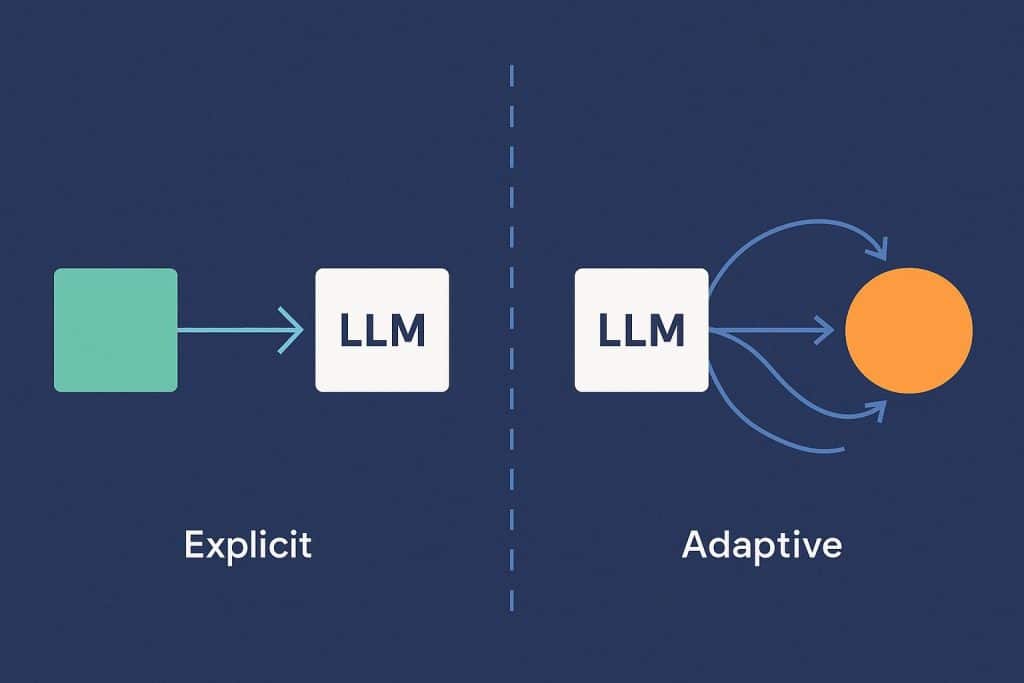
Explicit routing: you stay in control
In explicit routing, you name the exact model for each call. openai/gpt-4o for this endpoint, anthropic/claude-opus for that one, a cheap open-weights model for high-volume background jobs. The router’s job is purely plumbing: take your choice, attach the right credentials, and pass it through.
This is the safest default when you have strong opinions about which model handles which task. If you’ve benchmarked a specific model for your tool-calling agent and you don’t want any surprises in production, explicit routing gives you determinism. The trade-off is that you’re now responsible for the decision on every code path—and as new models ship every few weeks, keeping those choices optimal becomes its own maintenance burden.
Adaptive routing: the router decides
Adaptive (or “smart”) routing flips the responsibility. Instead of naming a model, you send the request to an automatic endpoint and let the router classify the task and pick a model for you. Simple requests—short rewrites, classification, extraction—get sent to small, fast, inexpensive models. Hard requests—multi-step reasoning, long-context analysis, complex code—get escalated to a frontier model.
The appeal is cost. In most real workloads, the majority of requests are easy, and paying frontier-model prices for all of them is pure waste. By matching task difficulty to model capability, adaptive routing can meaningfully cut token spend while keeping quality high on the requests that actually need it. It also future-proofs your stack: when a better or cheaper model appears, the router can start using it without you touching application code.
The honest caveat is that you’re trusting the router’s classifier. For workloads where every response must come from a known model—regulated industries, strict reproducibility requirements—explicit routing is still the right call. The good news is that these aren’t mutually exclusive: a well-designed router lets you use adaptive mode for the long tail of generic requests and pin specific models for the paths that demand it.
Practical things to check before you adopt one
A few details separate a router you’ll be happy with from one you’ll fight:
OpenAI-compatible API. If the router speaks the OpenAI chat-completions format, you can usually point your existing code at it by changing the base URL and key—no rewrite. This is the single biggest factor in how painful adoption will be.
Tool-calling support. Agentic workflows depend on function/tool calling. Not every upstream model supports it, and not every router passes the schema through cleanly. If you’re building agents, verify this end to end before committing.
Fallbacks and reliability. Providers go down. A router that automatically retries on a sibling model turns a provider outage into a non-event instead of a pager alert.
Transparent pricing. You want per-model input/output rates you can actually see, so the router’s convenience doesn’t quietly inflate your bill.
A handful of managed services are built around exactly these properties. OrcaRouter, for instance, is an OpenAI-compatible router that fronts OpenAI, Anthropic, Google, xAI, DeepSeek, and 200+ other models behind a single API key, supports both explicit model selection and an adaptive auto mode, and publishes transparent per-model pricing for every upstream model—covering the tool-calling, fallback, and cost-visibility checks above in a single integration. It’s one example of the category rather than the only option, but it illustrates what a mature router looks like in practice.
Where this is heading
Routing is quickly becoming infrastructure rather than a nice-to-have. Open-source agent frameworks are beginning to bake provider routing in directly, and managed services have emerged to handle the multi-provider problem so teams don’t have to. The broader point isn’t any single product, though—it’s that “which model?” is no longer a one-time architectural decision. It’s a per-request question, and the tooling to answer it automatically is finally good enough to lean on.
For teams shipping LLM features today, the practical takeaway is simple. Start by mapping your requests onto a difficulty spectrum. Pin the high-stakes paths to models you trust, route the high-volume, low-complexity tail through an adaptive layer, and measure the cost difference. Most teams are surprised by how much they were overpaying to send easy work to expensive models—and how little quality they give up by stopping.