
Close Menu
    Facebook X (Twitter) Instagram
    • Contact Us
    • About Us
    • Write For Us
    • Guest Post
    • Privacy Policy
    • Terms of Service
    Metapress
    • News
    • Technology
    • Business
    • Entertainment
    • Science / Health
    • Travel
    Metapress

    Pixlr is a Robust Online Photoshop Assisted by AI

    Lakisha DavisBy Lakisha DavisApril 5, 2023Updated:April 6, 2023
    Facebook Twitter Pinterest LinkedIn Tumblr Email
    Pixlr is a Robust Online Photoshop Assisted by AI
    Share
    Facebook Twitter LinkedIn Pinterest Email

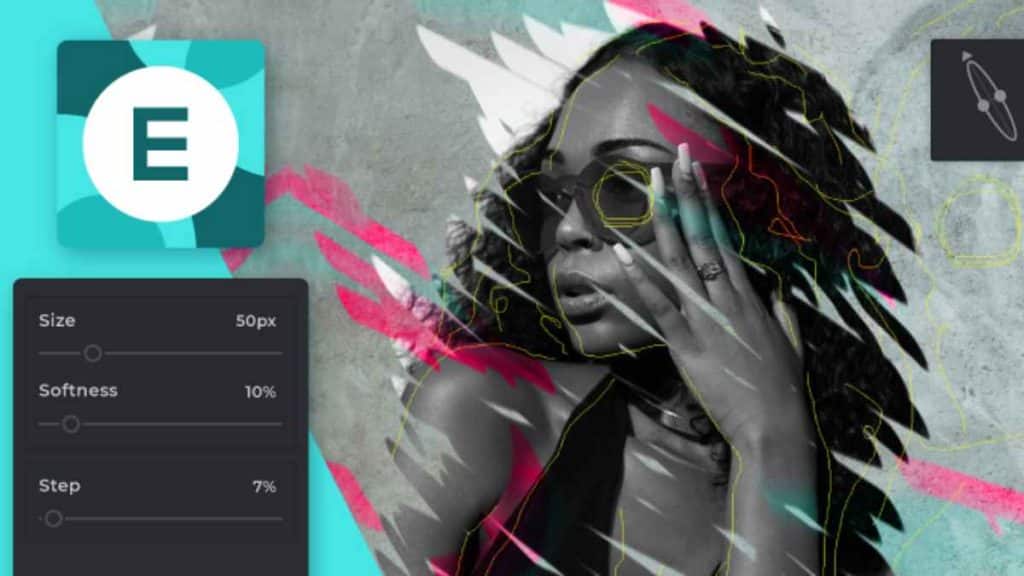
    Pixlr is a good example of an online photo editor done right. AI artwork is a cinch when you have this app by your side.

    Explore More Creative Content with Pixlr

    AI-assisted apps and online tools have become more popular in the last decade, and it’s no wonder that photo editing software is the next to receive this treatment.

    Pixlr is an online photoshop that can be accessed on the web. With a comprehensive AI creation suite and easy-to-use features, you can spruce up any picture and get creative without having to learn the curve.

    Fill Missing Details with AI Infill

    Pixlr is more than just an AI artwork tool- it can help fill in specific areas with textures, patterns, and more using prompts. This gives the end photo greater detail and brings old or blurry photos to life.

    Smart Resize for the Format and Resolution You Want

    Pixlr has a resize tool that can fix graphics and images into any resolution. Artificial intelligence does the rest in filling up pixels and areas.

    Colorize and Color Channel

    What’s a photoshop tool without color adjustments? Pixlr gives you a wide range of shades and color so you can come up with a truly unique creation.

    Text Warp for Appealing Design

    Text can be integrated into the graphics to create the look you want.

    AI Image Generation on Prompt

    If you don’t have any stock image, then Pixlr allows you to make one for your own. Just enter your preferences and input, and the AI engine will generate a unique image for you.

    Edit Photos Online with a Professional Art Studio

    Having an AI-powered online photo editor can give you the edge in creating graphical masterpieces, all without the need to download and install complicated software.

    Share. Facebook Twitter Pinterest LinkedIn Tumblr Email
    Lakisha Davis

      Lakisha Davis is a tech enthusiast with a passion for innovation and digital transformation. With her extensive knowledge in software development and a keen interest in emerging tech trends, Lakisha strives to make technology accessible and understandable to everyone.

      Follow Metapress on Google News
      How to Train for Everest Base Camp Trek: Everest Base Camp Trek Training: Get Hands-on with a 12 Week Fitness Standpoint
      January 23, 2026
      Damien Joyce, Clifden Businessman: Lowry’s Music & Whiskey Bar
      January 23, 2026
      Bitcoin (BTC) Deep Dive 2026: Post-2025 Volatility Outlook, ETF Impact, and Cycle Break – Buy, Hold or Sell?
      January 23, 2026
      Inverted Index: How Modern Systems Enable Fast Search at Scale
      January 23, 2026
      Best SaaS SEO Agencies Helping Companies Win in AI Search
      January 23, 2026
      Best Practices for Designing High-Impact Direct Mail Campaigns
      January 23, 2026
      Girafarig Weaknesses: Best Counters and Strategies
      January 23, 2026
      MIDA Mini Tool God Roll: Destiny 2’s MIDA Mini-Tool
      January 23, 2026
      Dumbah Pumpkin: Dumb Ahh Pumpkin Trend Today!
      January 23, 2026
      7 Tech Upgrades That Can Improve Your Daily Oral Care Routine
      January 23, 2026
      From Product to People: A Humanitarian Framework for Workplace Safety in Hardware Manufacturing
      January 23, 2026
      How Custom Die Cutting Improves Product Precision and Performance
      January 23, 2026
      Metapress
      • Contact Us
      • About Us
      • Write For Us
      • Guest Post
      • Privacy Policy
      • Terms of Service
      © 2026 Metapress.

      Type above and press Enter to search. Press Esc to cancel.