

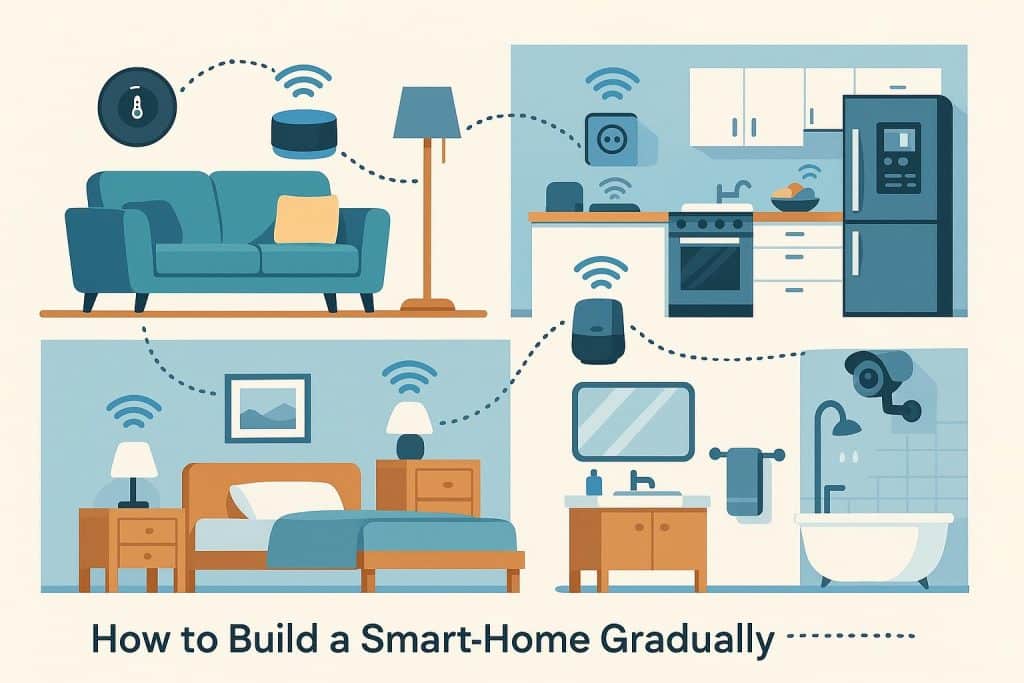
Building a smart home doesn’t have to be an all-or-nothing project. In fact, the most effective and affordable way to do it is room by room, adding technology where it genuinely improves comfort, efficiency, and security. This gradual approach allows you to learn what works for your lifestyle, spread out costs, and avoid investing in systems you don’t truly need.
Whether you’re a homeowner, renter, or renovator, this guide will walk you through how to create a smart home step by step—without overwhelm.
Start with a Solid Smart Home Foundation
Before tackling individual rooms, it’s worth setting up a reliable foundation. This typically includes:
- A strong Wi-Fi network that reaches every room
- A smart home hub or ecosystem (such as Google Home, Apple Home, or Amazon Alexa)
- A few core devices that can scale as your system grows
Early on, many people introduce simple automation tools like motion, temperature, or door sensors. For example, devices like Aqara sensors can quietly enhance automation in the background—triggering lights, alerts, or routines without changing how you live day to day. Once your foundation is in place, you’re ready to build room by room.
The Living Room: Comfort and Control
The living room is often the best place to start because it’s where technology delivers immediate, noticeable benefits.
Smart upgrades to consider:
- Smart lighting for dimming, schedules, and voice control
- Smart plugs to automate lamps or entertainment systems
- A smart TV or media hub integrated with voice assistants
- Motorised blinds or curtains for light and temperature control
Automation here is all about comfort—lights that dim for movie night, blinds that close automatically on hot afternoons, or entertainment systems that turn off when you leave the house.
The Kitchen: Practical and Timesaving
The kitchen benefits most from practical automation rather than novelty features.
Smart kitchen ideas include:
- Smart lighting with motion activation for hands-free use
- Smart plugs for appliances like kettles or coffee machines
- Voice assistants for timers, recipes, and shopping lists
- Smart sensors to monitor temperature or detect water leaks
These additions help streamline busy mornings, reduce energy waste, and add peace of mind—especially when it comes to leak detection.
Bedrooms: Personalised Comfort and Better Sleep
Bedrooms are ideal for personalised smart features that support rest and relaxation.
Consider adding:
- Smart lights with warm tones and gradual dimming
- Smart thermostats or temperature sensors
- Automated blinds for natural wake-ups
- Smart alarm clocks or sleep routines
You can create routines that gently wake you with light and warmth or wind the room down automatically at night—no manual switches required.
Bathroom: Subtle but Powerful Automation
Bathrooms may seem like an unlikely place for smart tech, but small additions go a long way.
Useful smart bathroom upgrades:
- Motion-sensor lighting for night-time use
- Smart exhaust fans triggered by humidity
- Underfloor heating on smart timers
- Smart mirrors with lighting and weather displays
These features improve comfort while helping manage moisture, mould, and energy use.
Home Office: Productivity and Focus
With more Australians working from home, the home office is a prime candidate for smart upgrades.
Popular options include:
- Smart desk lighting that adjusts throughout the day
- Smart power boards to shut down equipment after hours
- Voice-controlled reminders and scheduling
- Temperature and air quality monitoring
Automation here supports productivity while reducing power consumption when the workday ends.
Entryways and Outdoors: Security and Peace of Mind
Once your indoor spaces are sorted, it’s time to look outward.
Smart security additions may include:
- Video doorbells and smart locks
- Motion-activated outdoor lighting
- Door and window sensors
- Automated alerts when you’re away from home
These upgrades significantly improve security and awareness without requiring a full alarm system upfront.
Build Slowly, Automate Smartly
The key to a successful smart home isn’t how much technology you install—it’s how well it fits your lifestyle. By building gradually, room by room, you can:
- Spread costs over time
- Avoid unnecessary devices
- Learn which automations you actually use
- Create a system that grows with your needs
Start small, automate thoughtfully, and let your smart home evolve naturally. Over time, you’ll end up with a connected home that feels intuitive, efficient, and genuinely helpful—rather than complicated or over-engineered.