

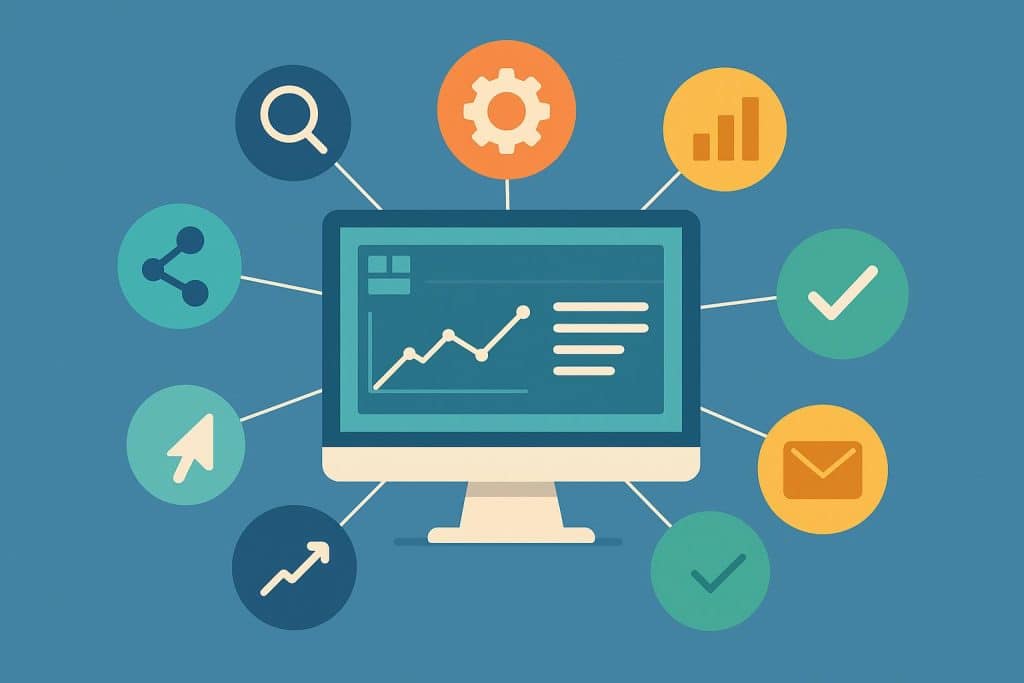
CRM software acts as a unified digital hub that tracks customer interactions, manages sales pipelines, and automates marketing efforts. By centralizing contact information and fostering team collaboration, it empowers businesses to drive revenue growth. The ideal CRM choice should be tailored to your company’s specific scale, budget, and objectives.
Because operational needs vary, top-tier CRM solutions are designed to consolidate client data and deliver personalized customer experiences through automation. This centralized approach boosts overall productivity, accelerates sales cycles, and provides teams with the actionable insights necessary for sustainable growth.
What Is CRM Software?
Customer Relationship Management (CRM) software is a specialized application that aggregates all customer-related data into a single, accessible location. Rather than relying on fragmented spreadsheets or disparate lists, a CRM provides a consolidated platform for managing all client information.
CRM systems are engineered to store contact details, email logs, sales activities, and interaction histories. This allows businesses to effectively monitor leads, coordinate follow-ups, and maintain organization as they scale, while enabling sales and marketing departments to work together seamlessly.
Top 8 Best CRMs for Small Businesses:
1. Nutshell
Nutshell is an easy-to-use CRM geared toward SMBs. It offers popular lead management features and plenty of automation capabilities to save busy sales and marketing teams time.
Key Features: Contact management, pipeline management, sales automation, email marketing, web forms, proposals, and invoices
Strengths: Nutshell is known for its ease of use and its powerful automation, which streamlines sales and marketing processes. It offers an array of tools across sales, marketing, and customer engagement as well as helpful customer support.
Weaknesses: Lacks the customization flexibility and some of the advanced features that larger enterprise tools offer
Pricing: Free trial available, paid plans start at $13 per user per month
2. HubSpot
HubSpot is an ideal choice for coordinating sales and marketing efforts. Its intuitive toolset is particularly well-regarded for facilitating content development.
Key Features: Contact management, email marketing, sales pipeline tracking, lead capture forms, automation tools, and content tools
Strengths: HubSpot is very easy to use and beginner-friendly. It offers a free plan and strong tools for marketing and sales alignment.
Weaknesses: Advanced features can become expensive. Some useful tools are only available in higher plans.
Pricing:. Paid plans start around $50 per user per month.
3. Zoho
Zoho is a top choice for scaling businesses, offering great value and efficient workflow automation. Its vast ecosystem of integrated apps effectively supports growth.
Key Features: Workflow automation, sales automation, AI assistant (Zia), multi-channel communication, reporting tools
Strengths: Zoho CRM offers great value for money. It is highly customizable and suitable for businesses that want to scale.
Weaknesses: The interface can feel complex for new users. Some features require setup and learning time.
Pricing: Starts around $20 per user per month.
4. Pipedrive
Designed for beginners and optimized for startups, this software stands out for its remarkable efficiency. It is an ideal choice for smaller teams seeking a powerful yet streamlined solution.
Key Features: Visual sales pipeline, deal tracking, email integration, activity reminders, sales automation
Strengths: Very easy to use and quick to set up. It is ideal for small teams that want a simple sales-focused CRM.
Weaknesses: Limited marketing features. Not suitable for large enterprise needs.
Pricing: Starts around $19 per user per month.
5. Monday CRM
This platform is well-suited for startups and emerging teams. It boasts a user-friendly interface alongside a diverse selection of templates and customization possibilities.
Key Features: Custom workflows, visual dashboards, task tracking, automation tools, templates
Strengths: Highly flexible and easy to customize. Strong collaboration tools for teams.
Weaknesses: CRM features are still developing compared to dedicated CRM tools. Costs can increase with add-ons.
Pricing: Starts around $12–$30 per user per month.
6. Freshsales
Freshsales is designed for agile sales units, featuring integrated telephony and email capabilities alongside robust automation.
Key Features: Built-in phone and email, AI lead scoring, contact management, sales automation, activity tracking
Strengths: Strong all-in-one communication tools. Good automation for sales teams.
Weaknesses: Limited customization compared to enterprise CRMs. Some features are locked in higher plans.
Pricing: Starts around $11 per user per month.
7. Bitrix24:
This platform enhances team collaboration and data analysis through an extensive suite of tools, ideal for budget-conscious organizations.
Key Features: CRM tools, task management, team collaboration, sales automation, chat and calls, project tracking
Strengths: Very feature-rich and offers a free plan. Good for teams that want CRM + collaboration in one place.
Weaknesses: The interface can feel complicated due to too many features. Not very beginner-friendly.
Pricing: Free plan available. Paid plans start around $69 per month for teams.
Why Small Businesses Need a CRM
Customer relationship management (CRM) technology is essential for small businesses to ensure all customer information is kept in one place and organized. The use of a CRM allows a business to store customer contacts, monitor their sales leads, and complete daily sales tasks without creating confusion. A CRM for small businesses also enhances follow-up so that no customers are forgotten or overlooked. All team members have access to real-time updates and can collaborate without delays.
A CRM provides the necessary tools for improved communication with customers and establishes long-lasting relationships. By using a CRM system, small business owners can analyze what is working and what is not working in regard to sales, therefore enabling them to make better decisions and grow their business at a quicker pace while also giving them more authority over their customers’ data. For a small business, a CRM ultimately supports long-term and sustainable success for the business.
Benefits of Using CRM Software for Small Businesses
Centralizing all client data into one accessible hub, small business customer relationship management (CRM) software streamlines the management of contacts and deals. By tracking every lead and daily task, it minimizes errors and ensures follow-ups occur consistently, allowing you to nurture relationships without missing critical opportunities.
CRM platforms also facilitate collaboration among team members involved in direct sales. They provide a shared space for updates, ensuring everyone remains synchronized regarding the progress of customer interactions and the status of developing sales relationships.
Adopting a CRM provides access to comprehensive reports on customer behaviors and sales performance, which are vital for strategic planning and making business decisions. Ultimately, utilizing a small business CRM system enhances efficiency and productivity, saves time, and fosters better internal communication to support sustainable business growth and strong client bonds.
Common CRM Mistakes Small Businesses Make
Although many small businesses utilize CRM systems, it appears that they do not always yield successful outcomes. A common issue related to the ineffectiveness of this type of software is failing to keep customer information up to date, which results in losing valuable information.
Another factor that leads to poor performance of small business CRM systems occurs when there are multiple applications involved, resulting in unnecessary complexity. Additionally, many companies fail to provide adequate training to their employees, the employees are not utilizing the system properly. Lack of follow-up is another issue that negatively impacts sales.
Many individuals also overlook the automation aspects of a CRM system, which can save considerable amounts of time. The overall effectiveness of a small business CRM system is achieved when data is entered accurately, all users have received sufficient instruction on how to use the CRM system, and all users are utilizing the system consistently.
Conclusion
CRM software is an excellent tool for small business owners to help keep their customer records all in one location, making it easy for them to find what they are looking for at any given time without causing confusion to the user searching for that information. Pulling together the sales efforts of your sales team with the marketing efforts of your marketing team and the customer data from your customer service team, it allows these three teams to operate much faster than they typically would, while at the same time reducing the possibility of making mistakes or duplicating efforts.
Using a small business CRM also assists you with performing many of the day-to-day obligations in your business, such as tracking leads, following up with your leads, and closing any leads that you may have. The ability to automate these tasks saves considerable amounts of time, as well as minimizes the amount of manual work, which frequently results in errors.
Small businesses that use CRM frequently experience an improved level of growth due to the ability to automate tasks, rather than performing them manually.
It is imperative that companies that wish to achieve the maximum benefit from their CRM use it consistently with current and accurate data. Simple and easy-to-use systems produce superior results to complicated systems, and support the long-term development of a company’s business.