

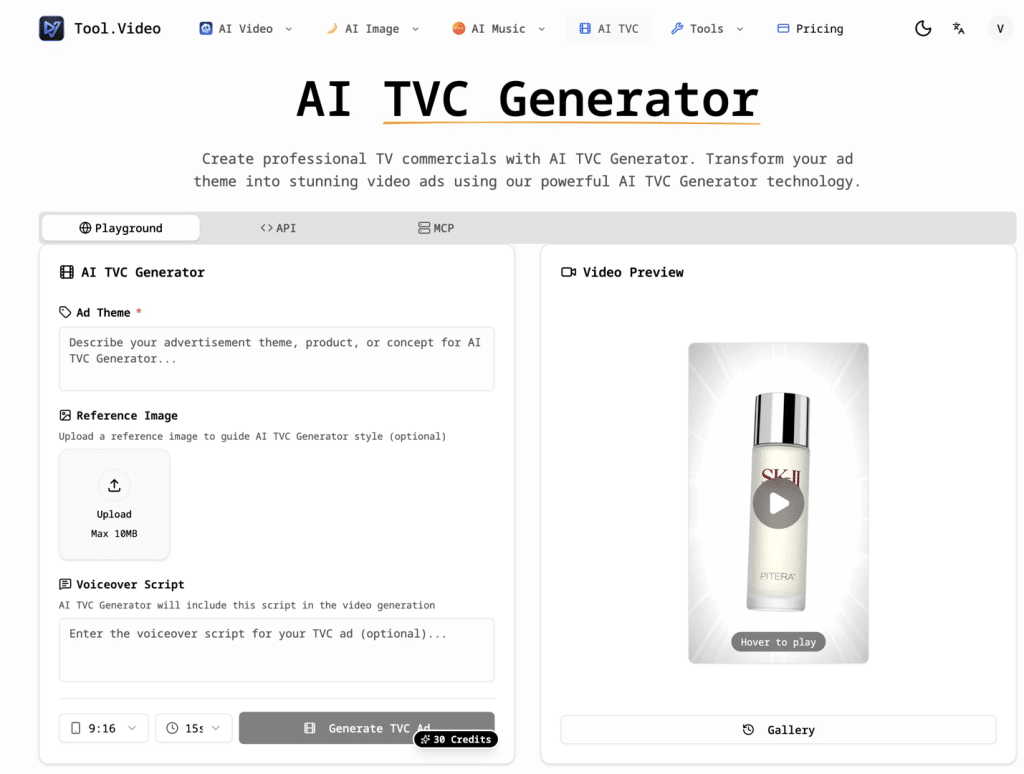
I’ve made plenty of short promo videos before, but “TVC-level” commercials usually mean a long workflow: script, storyboard, visuals, edits, revisions, and then more revisions. So when I saw Tool.Video’s AI TVC Generator claiming you can “make a TVC in 10 minutes,” I decided to test it with a real product idea and share what actually happens.
What AI TVC Generator is (in plain terms)
From what I saw on the page, AI TVC Generator is designed to turn a simple ad theme + optional reference image + voiceover script into a polished commercial-style video. It’s not trying to be a full timeline editor; it’s more like: you provide the concept and messaging, and it handles the heavy lifting.
The input UI is straightforward:
- Ad Theme (example shown: “SK-II”)
- Reference Image (optional, to guide style)
- Voiceover Script (the tool says it will include this script in the video generation)
- Then you click Generate TVC Ad
- It shows a cost of 30 Credits per generation
That’s basically all the user-side work.
My quick workflow (what I actually did)
I followed the exact structure the product suggests:
- I entered a clear ad theme (product + audience + vibe).
- I optionally added a reference image to “anchor” the style direction (the page explicitly says this is optional).
- I pasted a short voiceover script—just a few lines that match the commercial pacing.
- Hit Generate TVC Ad and watched the preview area update.
What I liked here is the page emphasizes speed and a tight loop: “Make a TVC in 10 Minutes” and “Rapidly generate professional TV commercials.”
How the tool says it works behind the scenes
Tool.Video also explains the generation flow in 4 steps, which matches what you’d expect from an “ad generator” rather than a generic text-to-video toy:
- Describe your ad (theme, product details, concept)
- AI creates a storyboard (it says it generates an optimized prompt and a storyboard image)
- Generate video content (based on the storyboard)
- Download your TVC (trim + polish into a “broadcast-ready” output)
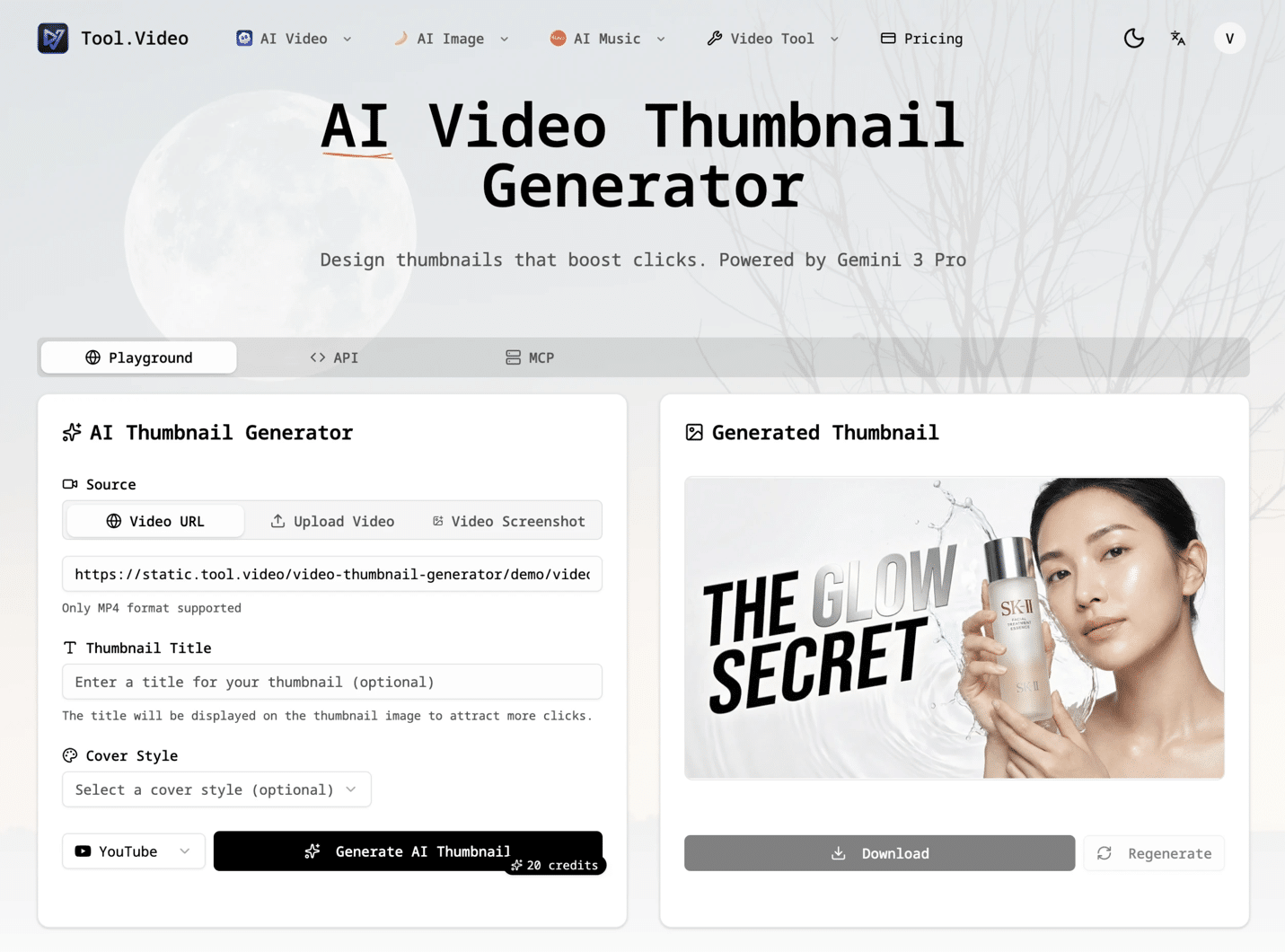
That storyboard step is important: it implies the model isn’t just hallucinating scenes randomly; it’s aligning scenes to a storyboard first, then rendering.
What stood out vs. other “AI video” tools
Most AI video tools I’ve tried focus on “pretty clips.” AI TVC Generator is framed differently: it’s about conversion and persuasive ads. The page literally positions it as “Improve Product Conversion” and calls the ads “AI-optimized” and “more persuasive.”
Also, the product messaging is clearly aimed at people who want results without production overhead:
- “AI-Powered Quality”
- “Cost-Effective Production”
- “No expensive production teams needed”
That’s exactly the pain point for small teams or solo marketers.
Who I think this is best for
Based on the way the page is written (and the simple inputs), I’d recommend it to:
- founders doing landing-page promos and quick product ads
- e-commerce sellers needing frequent campaign creatives
- performance marketers testing multiple angles rapidly
- creators who want “TVC style” without filming anything
Practical tips I’d use if you’re trying it
What helped me get a more “commercial” output wasn’t writing a long prompt—it was structuring the voiceover script like a real ad:
- Hook (first 1–2 lines)
- Problem → promise
- 2–3 key benefits
- CTA
Since the tool explicitly says the voiceover script is included in generation, this is where you can control the narrative even if visuals are AI-generated.
Where to try it
If you want to see the exact interface I used (ad theme, optional reference image, voiceover script, preview + gallery), it’s here: Tool Video