

In today’s digital world, we all deal with files every day. Handling zip files is common, whether you’re a student, a worker, or just using your computer at home. Let’s suppose you are getting zip files in emails, downloading folders, or sorting old files. Each step takes time. Do it often enough, and it becomes tiring and frustrating.
Now, imagine a tool that makes it simple, just one click to unzip files. That’s what WMaster ZipKing does. You can do everything in just one click or a few seconds.
The Traditional Unzip Dance: More Steps Than You Realize
Deconstructing the Standard Process
The traditional method to unzip the file has some standard steps that are given below,
- Find the File
- Right-Click and Choose “Extract All…”
- Pick a Location
- Click “Extract.”
- Open the New Folder
Inefficiencies & Minor Annoyances
- You have to click several times for each file.
- Jumping between windows can break your focus.
- Files may unzip to places you don’t want, so you have to move them again.
- Some users might unzip files to the wrong spot or get confused.
- Unzipping many files one by one takes a lot of time.
The Underlying Question
Is there a quicker and easier way to unzip files? Yes, by using smart design and automation, you can save time and effort with tools like WMaster ZipKing.
WMaster ZipKing: Reclaiming Your Clicks with Free, Automated Unzipping
WMaster ZipKing is a smart tool that lets you open ZIP files with just one click.
You don’t need to follow many steps or deal with confusing options. ZipKing makes unzipping files quick and easy for everyone.
The main goal of WMaster ZipKing is to save your time and maintain the quality of files. It cut down all the extra steps and made the process smoother for anyone.
The Magic Unveiled: How WMaster ZipKing Delivers “Automatic, One-Click” Unzipping
The “One-Click” Experience
WMaster ZipKing simplifies the extraction process by:
- Automatic Unpacking: Upon initiation, WMaster ZipKing automatically extracts files.
- Smart Folder Creation: It creates a neatly named folder, mirroring the ZIP file’s name, ensuring organized storage.
- User-Defined Preferences: Users can set preferred default extraction locations, tailoring the process to their workflow.
This intelligent design prevents file scattering and maintains directory organization
Visual Demonstration
Password Encryption
WMaster ZipKing helps keep your files safe. You can add a password to your zip files so no one else can open them without your permission. It uses strong encryption (256-bit AES) to lock your files during both zipping and unzipping. This means your private or important documents stay secure and protected from unwanted access.
Beyond the Click: Additional Conveniences of WMaster ZipKing as Your Go-To Zip Opener
Speed and Efficiency
WMaster ZipKing is fast. It uses smart technology to zip and unzip files quickly. It also works quickly, even if you’re working with big files or many at once. This saves you time, especially if you handle a lot of files every day. WMaster ZipKing helps you get things done faster without any delay, whether it’s for work or personal use.
Lightweight Design
WMaster ZipKing doesn’t take up much space on your computer. It only takes up 23 MB. It runs smoothly without slowing down your system. Even an older computer works smoothly. You won’t even notice it’s running in the background. It’s a small, powerful tool that gives you great performance.
Clean and Unobtrusive Integration
WMaster ZipKing fits right into your computer. You can right-click on a file to zip or unzip it quickly. You can also drag and drop files into the app very easily. It doesn’t get in the way or clutter your screen. WMaster ZipKing stays simple and helpful, making file work fast and easy.
Support for Other Archive Formats
WMaster ZipKing is a ZIP file opener software. It also supports over 61 types of compressed files like RAR, 7z, ARJ, ACE, XZ, and more. Therefore, you don’t need to download other apps. WMaster ZipKing can handle almost any compressed file you find. It’s an all-in-one tool for all your file extractions.
Error Resilience
Sometimes zip files have strange or broken file names. WMaster ZipKing can spot and fix those problems on its own. It repairs file names during unzipping. So, you don’t lose important files or get errors. This keeps your data safe and saves you the hassle of fixing issues yourself.
Who Stands to Gain the Most from WMaster ZipKing’s Simplicity?
WMaster ZipKing is a tool that everyone can use easily. There are no such difficult steps to follow; even a non-tech person can use it easily.
The Everyday User
Whether you are dealing with single files, or need to compress multiple files. WMaster ZipKing makes the job quick and simple if you often download or open zip files. It helps you unzip or zip files in seconds. This approach also saves your time every day. WMaster ZipKing makes the whole process smooth and stress-free, whether you’re organizing documents or sharing files.
Non-Technical Individuals & Seniors
WMaster ZipKing is great for people who aren’t comfortable with complicated tools. Its easy design and one-click button mean anyone can use it. No confusing steps, just simple file zipping and unzipping that work for everyone.
High-Volume Downloaders
WMaster ZipKing can save you a lot of time if you work with lots of zip files, like IT professionals or content creators. It quickly handles many files at once, so you don’t have to do each one manually. It’s fast, reliable, and built for heavy use.
Support Staff/Educators
Teachers and school staff often need to manage many files at once. ZipKing helps them keep everything organized by quickly zipping or unzipping documents. It makes it easy to store and find materials. It saves time and makes work less stressful.
Getting Started with Effortless Unzipping: Installation Process Of WMaster ZipKing
Download the Software
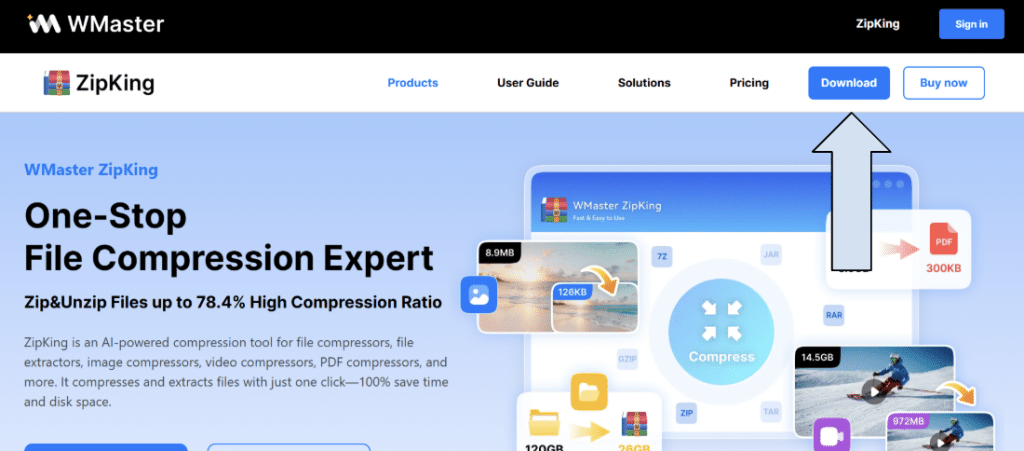
Type “WMaster ZipKing” in the Google search bar and go to the software. At the right corner, you will find the download option; select it.
Open the downloaded file of ZipKing
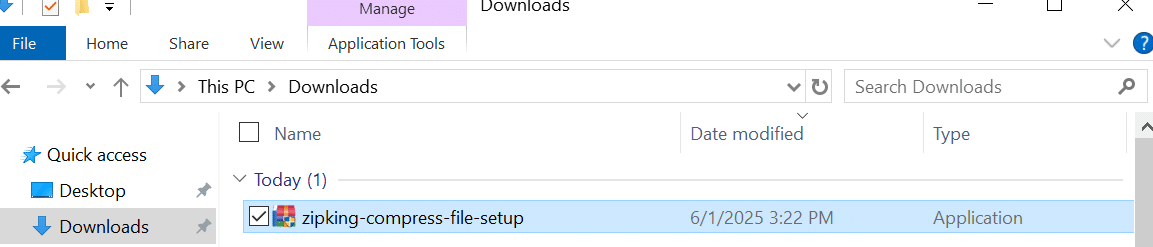
Go to the Downloads folder of your system. There you will find the file of WMaster ZipKing. Open it.
Click on Install Now
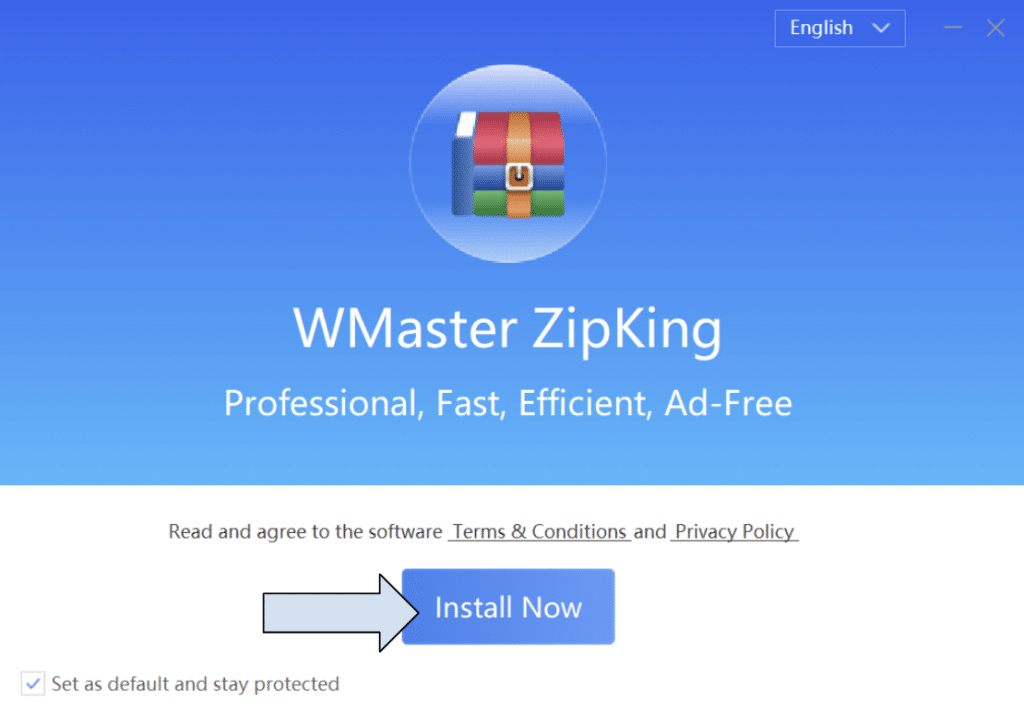
When you open the file, you will find the option to install now. Click on it.
Get Started with WMaster ZipKing
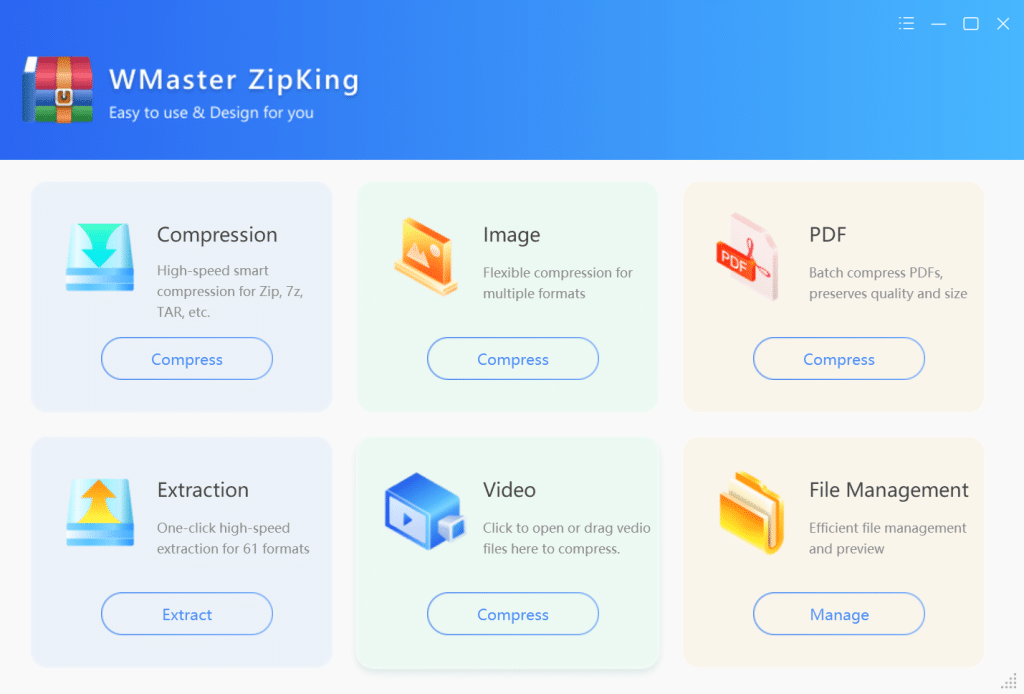
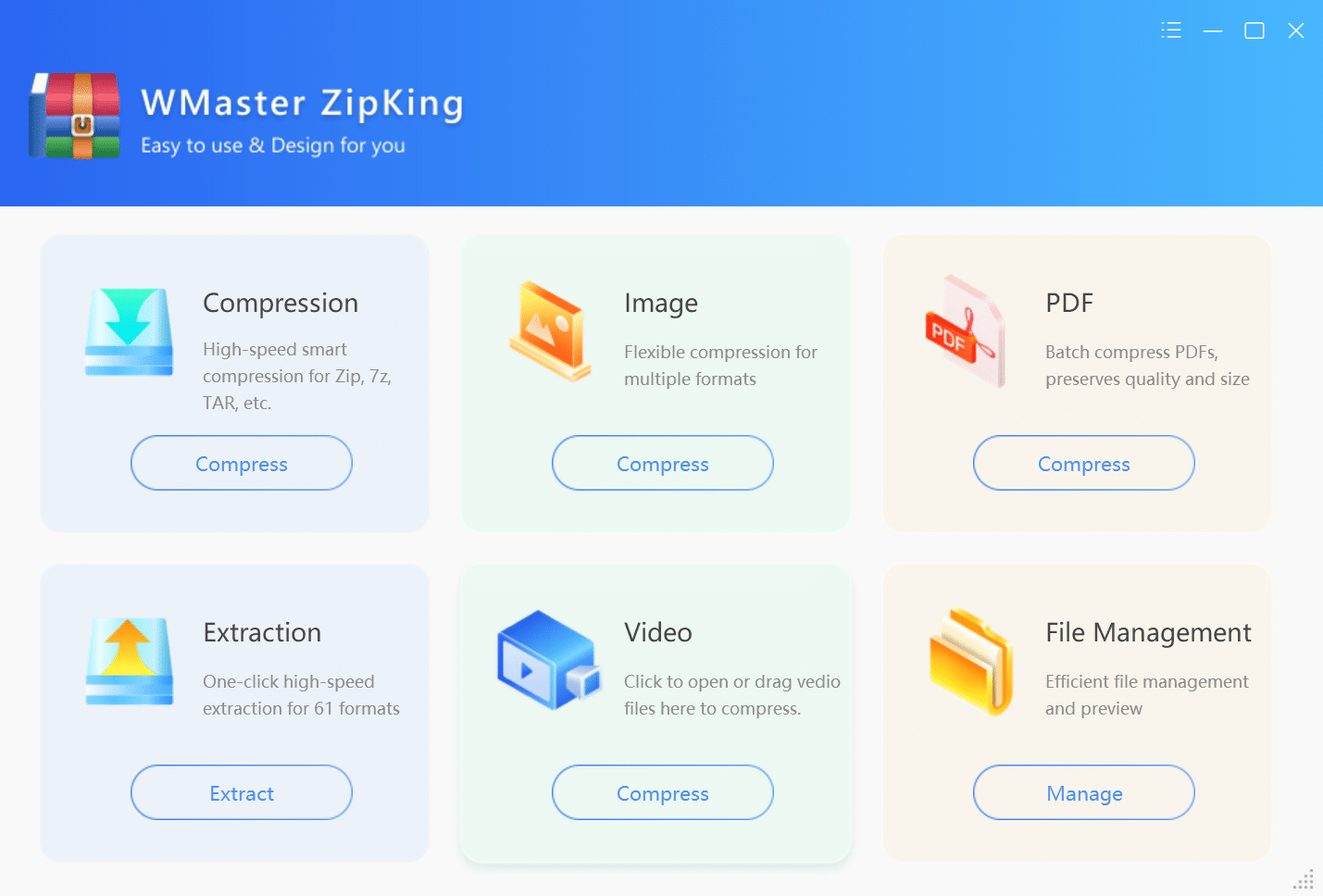
You will be redirected to the main interface of the software. There you can find multiple functions.
Conclusion
In today’s world, everyone is super busy, and no one wants to waste time doing the same steps over and over. Especially when it comes to opening ZIP files. WMaster ZipKing makes this job easy. With just one click, you can unzip files without going through confusing steps.
There are many other software are available for the same purpose, but none of them offer multiple benefits on one platform. The most amazing news is that WMaster ZipKing is free to use for a limited time. You can enjoy all the features without paying any amount.
Install WMaster ZipKing right now and enjoy its seamless features.