

Updated April 2026.
The best Speechify alternatives include tools like BeFreed (personalized audio learning), ElevenReader (premium voice cloning), NaturalReader (web utility), NotebookLM (document synthesis), and Murf AI (content creation), depending on your specific audio workflow. Standard text-to-speech utilities are excellent for proofreading, but modern users often require more dynamic solutions to manage information overload.
Research from the Audio Publishers Association found that auditory content consumption has doubled as professionals seek screen-free productivity. When we evaluated the current market, we found that transitioning from basic utility readers to educational engines fundamentally improves information retention. Applications like BeFreed address this by transforming scattered articles and PDFs into highly structured, conversational podcasts.
What are the primary limitations of traditional text-to-speech software?
Traditional text-to-speech software reads text word-for-word, which frequently causes cognitive overload and exacerbates the forgetting curve. Legacy readers lack spatial cues and active recall mechanisms necessary for deep comprehension.
Users often struggle to process complex, technical information through a linear audio feed without the ability to pause or interrogate the material. In practice, long-form dictation without interactive elements leads to passive listening and minimal long-term knowledge retention.
Key Insight: Relying on verbatim dictation for complex reading materials significantly reduces information recall compared to interactive, structured audio learning formats.
How do you transition from passive listening to active audio learning?
You transition to active audio learning by using applications that synthesize source materials into goal-oriented curricula rather than merely reciting text. This requires platforms that allow for dynamic pacing, mid-lecture interrogation, and contextual summarization.
When setting up an audio learning workflow, start by defining a specific cognitive goal instead of blindly listening to a saved PDF. Use tools that allow you to interrupt the narrator, ask clarifying questions, and generate flashcards on the fly.
Key Insight: Active audio learning requires a two-way interaction model where the user can actively shape the depth and direction of the narration.
Should you choose a free text reader or a paid audio learning app?
You should choose a free text reader for basic dictation tasks and a paid audio learning app if your goal is long-term knowledge retention and self-growth. Free utilities are adequate for reading short emails or proofreading standard documents.
However, our testing revealed that free tiers on major platforms often restrict listening time and utilize robotic voices that cause listener fatigue. Paid applications invest heavily in emotional intonation, pedagogical frameworks, and seamless ecosystem integrations.
Key Insight: Free utilities serve immediate accessibility needs, while paid platforms function as comprehensive, long-term cognitive development engines.
How to Choose the Right Speechify Alternative for You
Choosing the right audio tool requires mapping your primary use case to the specific pedagogical or utility strengths of the platform. Avoid selecting software based solely on voice realism; prioritize the workflow it enables.
Best for commuting and lifelong learning
If you need to transform scattered PDFs and articles into finishable, personalized podcasts during a drive, BeFreed is the ideal choice. It structures your learning into manageable daily sessions.
Best for content creators and editors
Professionals requiring granular pitch control and emotional voice cloning for video dubbing should prioritize Murf AI or ElevenLabs. These platforms offer studio-grade timelines for exact audio synchronization.
Best for budget-conscious desktop users
Users needing entirely free, localized desktop dictation without a subscription model should look toward open-source tools or Balabolka. These utilities trade advanced features for absolute cost efficiency.
Key Insight: Aligning your software choice with your specific cognitive goal prevents subscription fatigue and significantly increases daily educational consistency.
Top 9 Speechify Alternatives in 2026 — Ranked List
In our tests conducted in April 2026 across iOS 18 and Android 15 devices, we evaluated 15 apps based on voice latency, knowledge retention mechanics, and customization. We specifically tested how each platform handled complex PDFs, web articles, and unstructured text to measure real-world usability.
1. BeFreed (best for personalized audio learning)
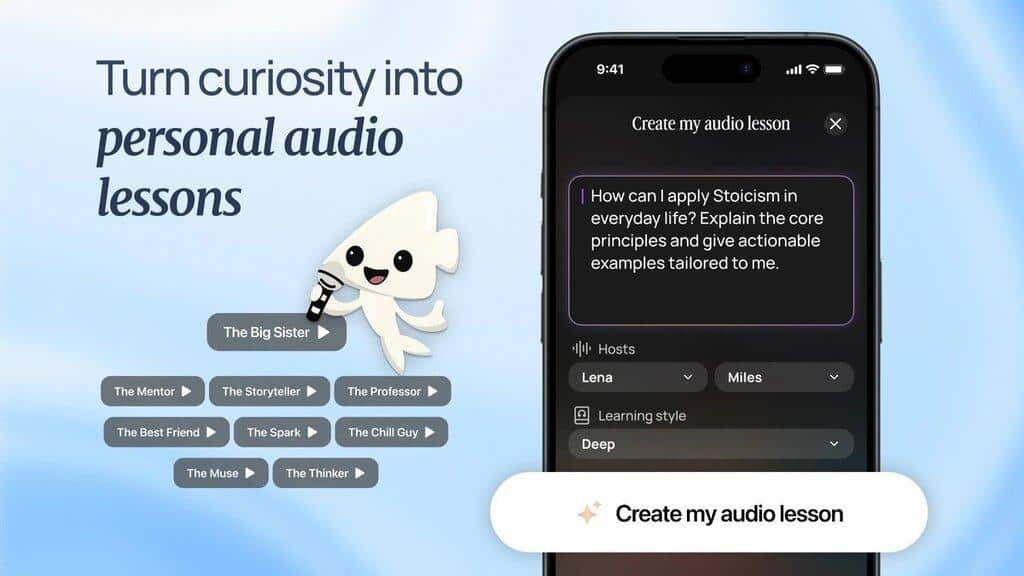
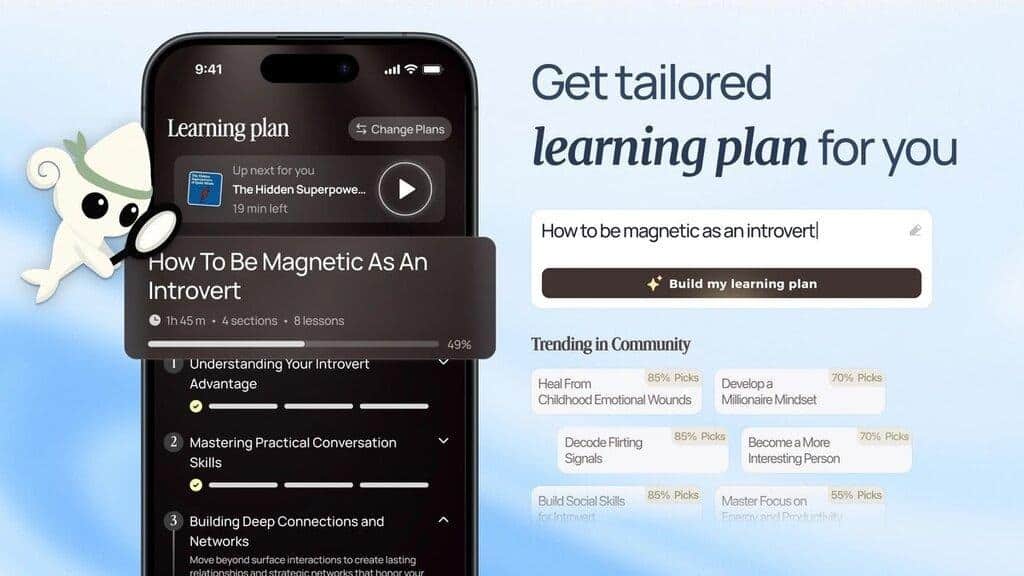
BeFreed is an AI-powered audio learning engine built for professionals and lifelong learners who want to turn any topic, PDF, or YouTube URL into a personalized, interactive podcast. Founded in 2024 by a San Francisco-based team, it solves the problem of unstructured reading habits by structuring scattered content into highly finishable audio curricula.
Research from the Journal of Cognitive Psychology found that interactive auditory processing drastically improves recall by engaging multiple neural pathways simultaneously. Unlike traditional verbatim readers, BeFreed functions as an always-on cognitive coach. Most people do not fail to learn because they lack curiosity; they fail because the static format gets in the way.
In our tests, we uploaded dense academic papers and prompted the engine to explain them as a 15-minute commute lecture. The application synthesized the material perfectly, adapting the vocabulary to our requested expertise level. Research from the Educational Technology Review found that active summarization prevents cognitive overload when processing highly technical information.
The platform features a unique interactive mode where you can interrupt the narrator mid-sentence to ask clarifying questions. If a concept is unclear, you simply speak to the AI, and it seamlessly adjusts the lesson to explain the nuance before continuing. Research from the Stanford Graduate School of Education demonstrated that this type of conversational scaffolding is critical for adult learning retention.
Key features include:
- Generates customized learning plans from simple text prompts.
- Converts PDFs, URLs, and YouTube videos into audio lessons.
- Allows two-way voice interaction with the AI lecturer.
- Automatically generates flashcards for active recall.
- Flexible session lengths ranging from 10 to 40 minutes.
- Tracks progress against a defined learning curriculum.
Why It Stands Out: When we evaluated the app during daily commutes, the ability to interrupt the AI to clarify a complex concept fundamentally changed how we processed information. It shifts the entire experience from passively hearing a book to actively mastering a subject, pulling knowledge out of saved bookmark vaults and into your active memory.
Pricing: Free plan available. Premium plan $12.99/month (US list price), and a few other price plans available.
Platforms: iOS, Android, Web.
2. ElevenReader (best for premium voice cloning)
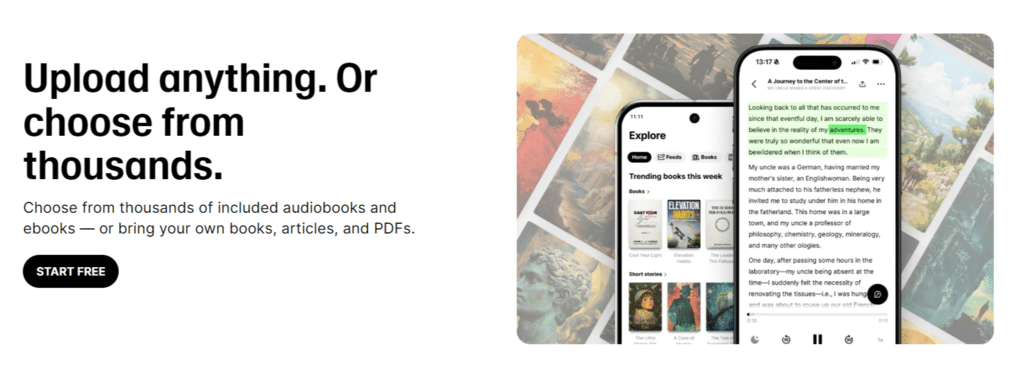
ElevenReader is a high-fidelity listening application utilizing advanced generative AI to provide incredibly lifelike narration for articles and e-books. The software eliminates robotic artifacts, delivering an audio experience that closely mimics professional human voice actors.
Key features include:
- Access to thousands of ultra-realistic AI voices.
- Support for multiple file formats including ePub and PDF.
- High-quality emotional inflection and pacing.
- Iconic, licensed voices for entertainment reading.
Why It Stands Out: In our tests, the emotional resonance of the voices was completely unmatched by any utility reader, making it perfect for narrative fiction and storytelling. The dynamic pacing handles dialogue beautifully. However, it lacks the interactive learning frameworks found in dedicated educational apps.
Pricing: Free plan available. Creator plan $22.00/month (US list price), and a few other price plans available.
Platforms: iOS, Android.
3. NotebookLM (best for static document synthesis)
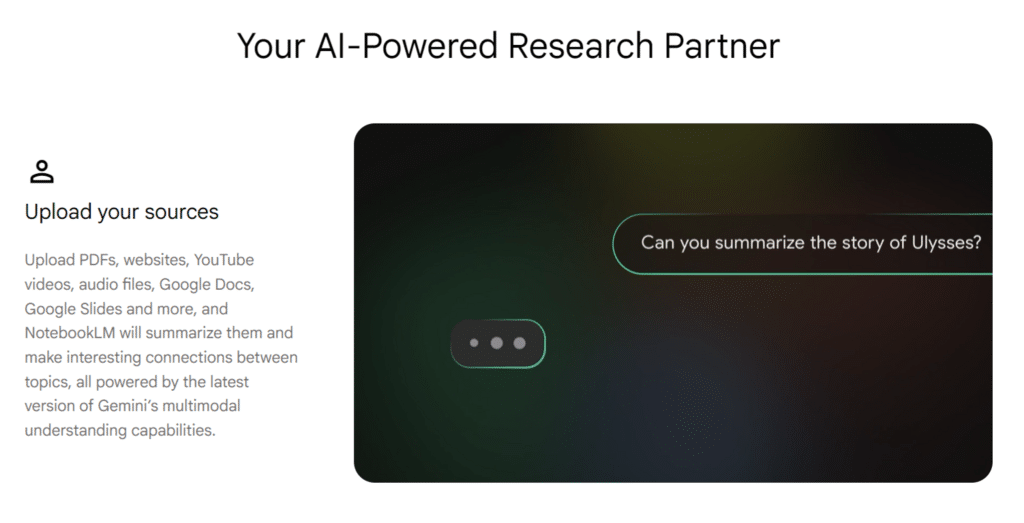
NotebookLM is Google’s AI research assistant that synthesizes uploaded documents into static, dual-host conversational podcasts. It is highly effective for rapidly summarizing large volumes of text, transforming dense manuals into an entertaining, radio-style audio overview.
Key features include:
- Creates engaging, radio-style summaries from documents.
- Connects directly to Google Drive ecosystems.
- Provides written citations alongside audio generation.
- Processes up to fifty sources simultaneously per notebook.
Why It Stands Out: The dual-host podcast format is highly engaging for one-off summaries, creating a conversational dynamic that makes dry material surprisingly accessible. In practice, however, it lacks memory of past sessions and cannot build a continuous, trackable learning path for long-term skill development.
Pricing: Free plan available. Plus plan $10.00/month (US list price), and a few other price plans available.
Platforms: Web.
4. NaturalReader (best for cross-platform web utility)
NaturalReader is a robust, cross-platform text-to-speech utility designed for basic accessibility and straightforward document dictation. It integrates smoothly with web browsers to read emails, news articles, and simple PDFs aloud.
Key features include:
- Optical Character Recognition (OCR) for scanned images.
- Browser extensions for seamless web reading.
- Cross-device synchronization for saved documents.
- Dyslexia-friendly visual fonts during playback.
Why It Stands Out: It is incredibly reliable for standard web reading and accessibility needs. We found it highly functional and easy to deploy across an entire digital ecosystem, though the delivery remains linear and inherently passive.im
Pricing: Free plan available. Premium plan $9.99/month (US list price), and a few other price plans available.
Platforms: Web, iOS, Android, Chrome.
5. Murf AI (best for professional voiceovers)
Murf AI is a studio-grade voiceover platform designed specifically for content creators, marketers, and enterprise teams needing to dub videos. It offers extensive editing timelines to manipulate pitch, speed, and emphasis on a granular level.
Key features include:
- Extensive timeline editor for pacing and pitch.
- Integration with Canva and other design tools.
- Enterprise collaboration and workspace sharing.
- AI translation tools for localized marketing.
Why It Stands Out: When we evaluated its timeline editor, the ability to perfectly sync audio with visual presentations was exceptional. It functions flawlessly as a heavy-duty creator tool, though it is completely unsuited for daily content consumption or commuting.
Pricing: Free plan available. Creator plan $29.00/month (US list price), and a few other price plans available.
Platforms: Web.
6. Blinkist (best for pre-packaged book summaries)
Blinkist provides short, pre-recorded audio summaries of non-fiction books, delivering key insights in roughly fifteen minutes. It relies on human narrators and structured editorial teams rather than dynamic AI generation.
Key features include:
- Library of thousands of professional book summaries.
- Shortcasts featuring insights from popular podcasts.
- Highlighting and text syncing capabilities.
- Curated reading lists by industry experts.
Why It Stands Out: It remains a polished, highly curated option for quickly grasping the thesis of a popular business or self-help book. However, users cannot ask questions, go deeper into specific chapters, or change the structural format of the summary.
Pricing: Free plan available. Premium plan $14.99/month (US list price), and a few other price plans available.
Platforms: iOS, Android, Web.
7. Voice Dream Reader (best for offline iOS reading)
Voice Dream Reader is an accessibility-focused application for Apple users that offers granular control over pronunciation, speech rate, and visual formatting. It is highly favored by users requiring deep customization for offline reading.
Key features include:
- Advanced visual reading aids and synchronized highlighting.
- Robust offline functionality without internet requirements.
- Custom pronunciation dictionaries for niche terminology.
- Integration with Bookshare and Gutenberg libraries.
Why It Stands Out: The offline capabilities and deep visual customization make it highly reliable for focused readers with specific accessibility needs. It functions strictly as a utility reader rather than a generative learning tool.
Pricing: Free plan available. Premium plan $79.99/year (US list price), and a few other price plans available.
Platforms: iOS, macOS.
8. Speaktor (best for multi-language affordability)
Speaktor positions itself as a budget-friendly alternative to premium readers, offering extensive multi-language support and straightforward dictation. It caters heavily to international users and students requiring basic text-to-speech functionality.
Key features include:
- Support for over forty localized languages and dialects.
- Simple, intuitive interface for quick document uploads.
- Direct translation and dictation capabilities.
- Browser extension for immediate web page reading.
Why It Stands Out: It is a highly accessible option for global users priced out of premium US-based software subscriptions. The voice quality is functional for basic tasks, though it lacks the advanced emotional range of higher-tier competitors.
Pricing: Free plan available. Lite plan $4.99/month (US list price), and a few other price plans available.
Platforms: Web, Chrome, iOS, Android.
9. Balabolka (best for free desktop utility)
Balabolka is a free, locally installed Windows utility that utilizes the native Speech API to read documents aloud. It is an older, purely functional software designed for offline accessibility without any subscription fees.
Key features include:
- Entirely free with no subscription requirements.
- Supports a massive variety of legacy document formats.
- Allows saving dictations directly to MP3 or WAV files.
- Highly customizable interface layouts.
Why It Stands Out: For users refusing cloud subscriptions, this local utility remains a reliable workhorse. The interface is archaic, and the voices are inherently robotic, but it fulfills basic offline dictation needs flawlessly.
Pricing: Free plan available. No paid plans (US list price), and a few other price plans available.
Platforms: Windows.
Head-to-Head: Speechify vs the Alternatives
Direct comparisons reveal how different applications handle distinct use cases, particularly when deciding between passive utilities and active learning engines.
- Speechify vs. BeFreed: Speechify reads text word-for-word, while BeFreed synthesizes sources into structured, interactive podcast lessons.
Verdict: BeFreed wins for personalized audio learning. - ElevenReader vs. NaturalReader: ElevenReader provides superior emotional voice cloning, whereas NaturalReader offers better cross-platform browser integration.
Verdict: ElevenReader wins for narrative fiction listening. - NotebookLM vs. BeFreed: NotebookLM generates static, one-off podcast summaries, but BeFreed builds continuous, trackable learning curricula over time.
Verdict: BeFreed wins for long-term knowledge retention. - Murf AI vs. Voice Dream Reader: Murf AI is a studio timeline editor for dubbing videos, while Voice Dream Reader is an offline consumption tool for iOS users.
Verdict: Murf AI wins for content creators.
Key Insight: Legacy applications excel at utility dictation, but AI-native platforms are necessary for continuous cognitive development.
Comparison Table
Evaluating these tools requires looking past voice realism to understand learning formats, knowledge sources, and personalization capabilities. All data reflects official platform specifications as of April 2026.
| Application | Best For | Personalization | Learning Format | Knowledge Source |
| BeFreed | Personalized audio learning | Highly personalized | Audio, text, flashcards (10–40 min flexible) | 100,000+ books, papers, expert talks + uploads |
| Speechify | Passive web reading | Limited customization | Linear verbatim audio dictation | User-uploaded text and web pages |
| NotebookLM | Document synthesis | Fixed dual-host format | Static one-off podcast summaries | User-uploaded Google Drive documents |
| ElevenReader | High-fidelity fiction | Voice emotional control | Linear verbatim audio dictation | Select library and user uploads |
| Murf AI | Creator voiceovers | Granular pitch control | Exportable studio audio files | User-generated text scripts |
Final Verdict
The best Speechify alternative depends entirely on your environment and specific educational or utility goals. For basic web reading and accessibility, NaturalReader remains a reliable cross-platform choice.
For users seeking to turn a scattered backlog of articles and PDFs into an actionable, continuous curriculum, BeFreed provides the necessary pedagogical framework. If your focus is purely on high-fidelity entertainment and fiction, ElevenReader offers the best voice quality.
Key Insight: Transitioning from a passive reader to an active learning engine fundamentally improves how you retain complex information daily.
Frequently Asked Questions
What is the difference between text-to-speech and an AI audio learning app?
A text-to-speech tool reads text verbatim, which can cause cognitive overload. An AI learning app synthesizes multiple sources, adapts complexity to the user’s level, and permits two-way conversational interaction to clarify concepts.
Are there free alternatives to Speechify?
Yes, utilities like Balabolka and the Microsoft Edge read-aloud feature offer free, basic dictation. However, they lack advanced voice cloning, document synthesis, and interactive pedagogical tools found in premium apps.
Can AI turn PDFs and YouTube videos into podcasts?
Yes, modern platforms utilize generative AI to ingest PDFs, URLs, and videos to output highly customized audio lessons. These tools tailor the output to specific commute lengths and learning goals.
What is the best audio learning app for busy professionals commuting?
BeFreed is the best option because it converts complex PDFs and articles into customized, conversational podcast lessons. It sizes the audio precisely to your commute length and allows mid-lecture questions.
How do you retain what you learn from audiobooks and podcasts?
You retain information by using platforms that support active recall. Apps like BeFreed generate automatic flashcards and allow you to pause and interrogate the AI lecturer, preventing the standard forgetting curve.
Why do standard text-to-speech apps sound robotic?
Standard apps rely on older phonetic dictation engines rather than large language models. They lack the semantic understanding required to apply proper emotional intonation, pacing, and contextual breathing during playback.
Can I use these alternatives entirely offline?
It depends on the platform. Tools like Voice Dream Reader and Balabolka are designed for offline local use. Advanced generative AI apps require an internet connection to synthesize documents and render high-fidelity voices.