

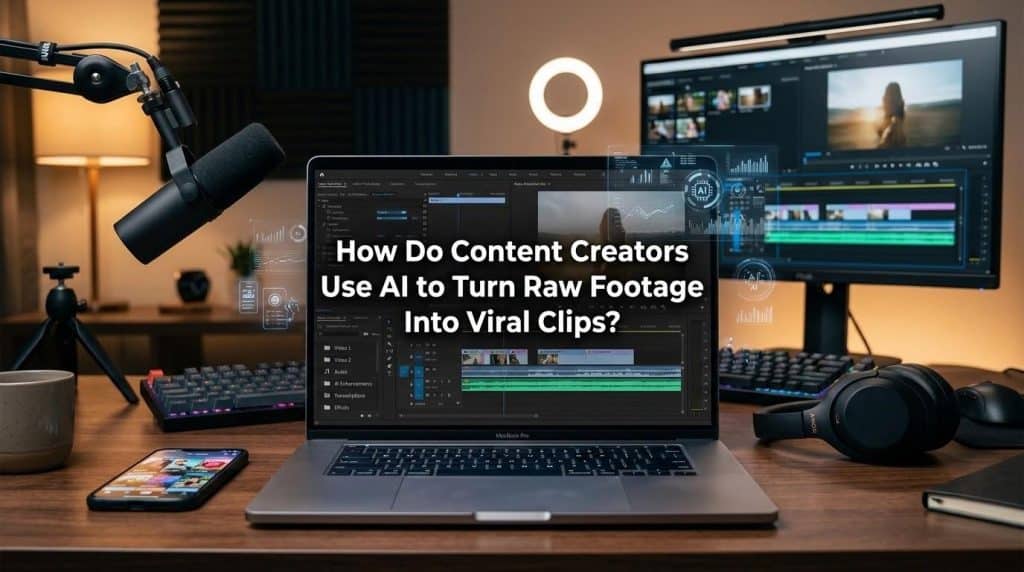
Raw footage usually isn’t the problem. The problem is volume. Creators are sitting on hours of interviews, product demos, podcast recordings, livestream replays, behind the scenes clips, and screen captures, then wondering why turning all of that into short-form content still eats half the week.
That’s where AI has become useful in a very unglamorous, very practical way. It helps sort, trim, label, reframe, caption, and package footage fast enough that creators can spend more time judging what’s actually worth posting. Viral clips still need a strong hook, clean pacing, and a reason to exist. AI just makes it easier to find those moments before your editing backlog turns into a small administrative crisis.
AI Starts with Sorting, not Magic
Most creators don’t need AI to “make” a great clip from scratch. They need help finding the 20 seconds inside a 40-minute recording where the speaker finally says the thing that matters. That first step is where the time usually disappears.
In real production workflows, AI is often best used as a sorting layer. It scans footage, identifies topic shifts, detects speech, flags pauses and filler, separates scenes, and gives the editor a starting point that isn’t just a blank timeline. If you handle a lot of talking-head content, webinars, tutorials, reviews, or podcast video, that speed difference matters more than flashy automation.
Streamlining with Scene Detection
An AI scene finder is especially useful when the footage has structure but no clean markers. Think interview shoots, product walk-throughs, educational content, or commentary. Instead of scrubbing manually through every take, creators can jump to moments where the tone changes, the subject shifts, or the pacing tightens up. That doesn’t replace editorial judgment. It gets you to the judgment phase faster.
The Clip Selection Process is Getting Narrower
The old editing habit was simple: take a long video, cut it down, post the “best bits,” and hope something lands. That still happens, but short-form platforms reward sharper decision-making now. A clip has to earn attention almost immediately.
That’s why creators are using AI to score or suggest likely highlights based on speech patterns, emotional emphasis, captions, pacing, and visual changes. Adobe Express says its AI Clip maker highlights key segments from uploaded video and works especially well with dialogue-heavy content such as podcasts, lessons, commentary, and product reviews. That lines up with what most editors already know from experience: when the spoken line is strong, the edit gets easier.
Adapting to the Platform
The second practical shift is format adaptation. A decent clip isn’t automatically a good short. Creators now use AI to:
- Resize for vertical framing
- Add captions
- Trim dead air
- Clean up pacing
- Generate multiple versions of the same moment for different channels
One version may need hard captions and a blunt first line. Another may need faster cuts and tighter silence removal. Same source footage, different packaging.
Visual Experimentation has become Cheaper

Once the core clip is chosen, AI gets pulled into the visual layer. Not because every creator wants synthetic content everywhere, but because testing visual concepts is suddenly fast enough to be worth doing. An AI anime generator can be useful in very specific situations. It works when a creator wants stylized cutaways, animated explainers, branded interludes, thumbnail concepts, or alternate visual treatments for social posts that support the main clip without requiring a full custom illustration pipeline. Used well, it adds range. Used badly, it looks like filler and people scroll right past it.
This matters most for creators who repurpose one idea across several formats. A straightforward talking-head short might be fine for YouTube Shorts, while an animated visual treatment of the same idea could perform better on Instagram or in a teaser post. The goal isn’t to turn every clip into an effects demo. It’s to match the visual style to the audience and the platform without adding hours of manual design work.
Old Assets are Getting Recycled in Smarter Ways
A lot of content teams already have folders full of forgotten assets: reaction GIFs, micro-animations, logo loops, old social snippets, meme references, and partial edits that never made it into a final cut. AI makes that archive more useful.
A GIF to video converter tool helps when creators want to pull older visual assets into a current edit without rebuilding them frame by frame. That can be handy for social intros, looping backgrounds, lightweight motion graphics, or callback visuals that tie new clips to an existing brand style. It’s not part of production, but it saves time, and saved time is usually more valuable than cleverness.
This is also where repurposing gets more disciplined. Smart teams aren’t just making more clips. They’re building modular asset libraries they can reuse. A reaction loop from six months ago, a clean subtitle style, a recurring hook template, and a short branded animation can all feed new content when the turnaround window is tight. AI helps locate, convert, and standardize those pieces so editors aren’t reinventing the same assets every week.
The Best Creators Still Edit with Intent
Here’s the part that gets skipped in a lot of AI conversations: automation doesn’t fix weak source material. If the raw footage rambles, starts late, hides the payoff, or never lands a clear point, AI will usually produce a cleaner version of something still mediocre.
The creators getting the best results tend to do three things well:
- First, they record with clipping in mind, meaning stronger hooks, cleaner takes, shorter answers, and better pauses.
- Second, they treat AI output as a first draft, not a publish button.
- Third, they review clips based on retention logic, not personal attachment. The line you enjoyed saying isn’t always the line people will watch.
Navigating Publishing Guidelines
Platforms are also paying closer attention to transparency around AI use. YouTube says creators must disclose when AI is used to edit or generate realistic content, and those labels may appear on Shorts, long-form videos, or in descriptions depending on the type of alteration. For professionals, that means AI use is no longer just a production decision. It’s a publishing decision too.
What usually works in practice is pretty plain. Use AI to cut search time. Use it to generate options. Use it to speed repetitive production tasks. Then step in where taste, context, and platform judgment actually matter. That’s still the job. The software just helps you get to the useful part before your coffee goes cold.