

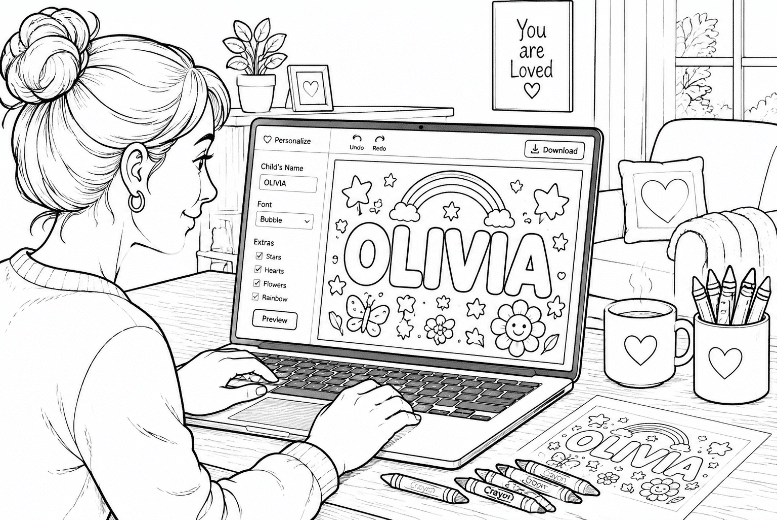
Personalized coloring pages do two jobs at once.
They give kids something fun to color, and they also help children notice, trace, and remember their own names. That makes them useful at home, in preschool classrooms, at birthday parties, and even in simple quiet-time activity packs.
If you are looking for a name coloring page generator, the easiest path is usually not a complicated design app. It is a simple AI tool that lets you describe the page you want, choose a style, and download it in a printable format.
MyColoring.ai fits that workflow well because its public pages clearly show text-to-coloring and photo-to-coloring modes, no sign up needed messaging, daily free credits, no-watermark downloads, and PDF or PNG export.
Personalized name coloring page illustration
Why personalized name coloring pages are so useful
A custom coloring page feels more special than a generic worksheet.
For parents, it can turn a normal coloring session into something a child actually wants to finish. For teachers, it can make name recognition practice feel lighter and less repetitive. For party planners, it can become an easy personalized table activity.
Here is what matters most in a good name coloring page generator:
- it should be easy to type a prompt
- it should give clean black-and-white line art
- it should offer styles for different age groups
- it should download in a printable format
- it should not force a heavy design workflow before you can get one usable page
That is where My Coloring ai has a clear advantage. It is built around quick custom page generation instead of a full design suite.
MyColoring.ai homepage
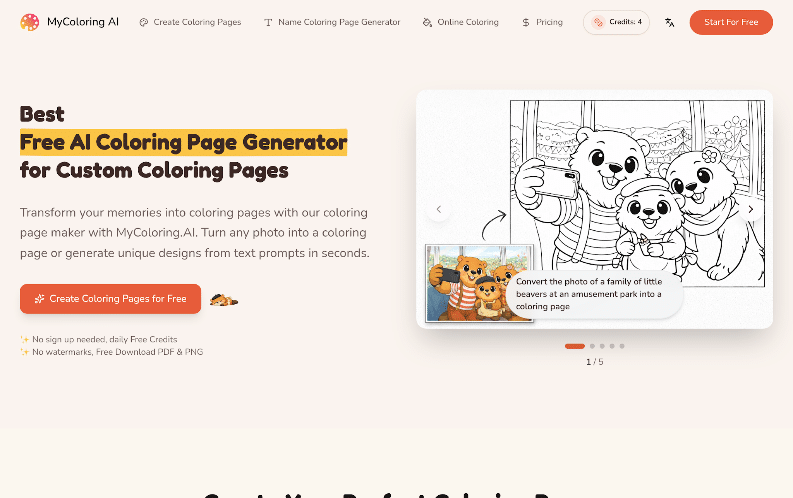
Quick feature summary
| What to check | What MyColoring.ai publicly shows |
| Input options | Text to coloring page and photo to coloring page |
| Free entry | Public pages say no sign up needed and daily free credits |
| Download formats | PDF and PNG |
| Watermarks | Public pages say no watermarks |
| Style options | Cute & Simple, Cartoon, Realistic, Mandala |
| Difficulty options | Easy, Medium, Hard |
| Print use | Download and print instantly, including standard paper-friendly output |
How to make a personalized name coloring page with MyColoring.ai
You do not need advanced prompts for this. A short, clear instruction is usually enough.
Step 1: Open the text-to-coloring tool
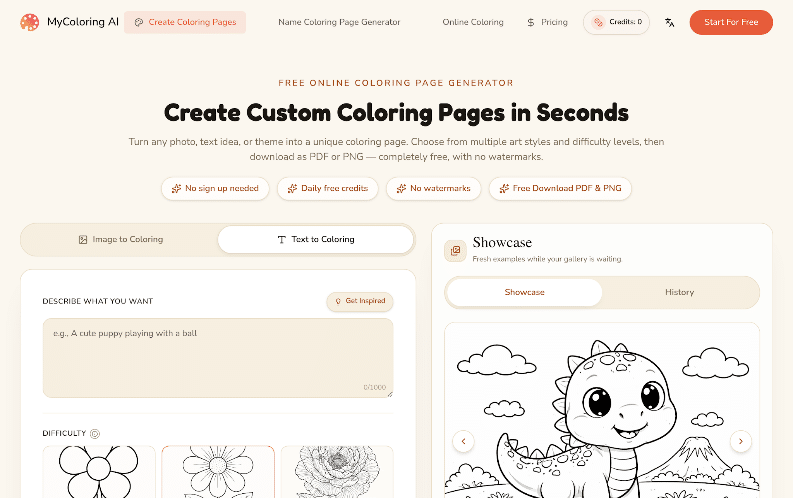
On MyColoring.ai, the public create page says you can turn any text idea or theme into a custom coloring page. That is the best starting point for a name-based page, because you can describe the name, the mood, and the objects you want around it.
A simple prompt can look like this:
- “A kids coloring page with the name Emma in large bubble letters, stars, hearts, and simple flowers”
- “A preschool coloring page with the name Liam, dinosaurs, thick outlines, easy style”
- “A classroom name coloring page for Sofia with butterflies, simple background, black and white line art”
The clearer the prompt, the easier it is to get something printable on the first try.
Step 2: Pick the right style for the child
The public page shows several styles, including Cute & Simple, Cartoon, Realistic, and Mandala.
For younger children, Cute & Simple or Cartoon usually makes the most sense because the outlines are easier to color. For older kids, a more detailed style may feel more interesting.
If the goal is name practice, keep the letters large and easy to read. Big bubble letters are often better than highly decorative lettering.
Step 3: Choose an easy difficulty level first
The create page also shows Easy, Medium, and Hard difficulty levels.
If you are making pages for toddlers, preschoolers, or beginner colorers, start with Easy. That helps keep the page clean and reduces small shapes that can frustrate little hands.
If you want a page for older children, you can move up to Medium for a bit more detail.
MyColoring.ai create page
Step 4: Generate, review, and adjust the prompt
One good thing about an AI coloring page workflow is that you do not need the first try to be perfect.
If the name looks too small, rewrite the prompt and say:
- “put the name Ava in very large bubble letters”
- “make the letters bold and easy for preschool kids to color”
- “use a simple background with only a few cute animals”
If the page feels too busy, reduce the number of objects. If it feels too plain, add one simple theme, like space, jungle animals, princess items, trucks, or classroom objects.
Short prompt changes usually work better than long complicated instructions.
Step 5: Download the final page as PDF or PNG
MyColoring.ai’s public pages say downloads are available as PDF and PNG with no watermarks.
That is useful because PDF is usually the easiest choice for home printing or classroom handouts, while PNG is useful if you want to place the page into a worksheet, slideshow, or digital activity pack later.
Prompt ideas that work well for name pages
If you just want quick starting ideas, these patterns work well:
For preschool name practice
- “The name Noah in big bubble letters with simple cars and stars, black and white coloring page”
- “The name Mia with easy flowers and hearts, thick lines, preschool coloring page”
For classroom handouts
- “A clean printable coloring page with the name Ethan, apples, pencils, and a school theme”
- “A simple classroom coloring sheet with the name Chloe and friendly animals, easy outline style”
For birthday tables or party bags
- “A birthday coloring page with the name Lucas, balloons, cake, and confetti, simple black and white line art”
- “A unicorn coloring page with the name Emma in large letters, cute stars, easy printable style”
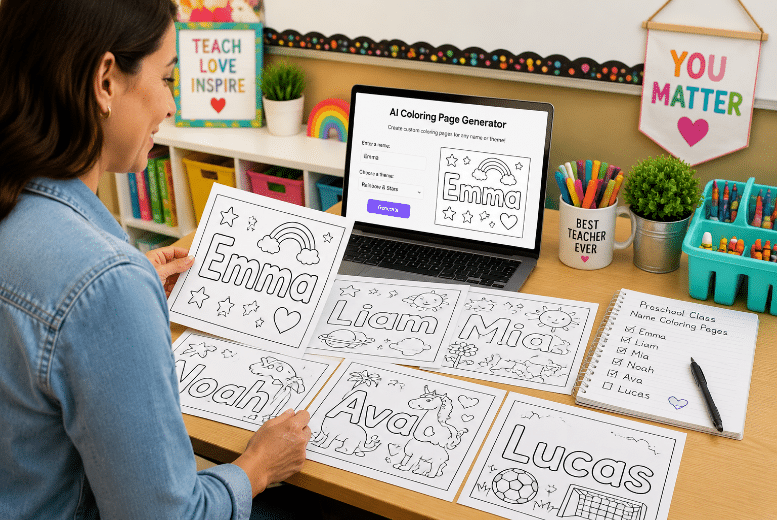
Classroom name coloring sheets illustration
What the free plan looks like right now
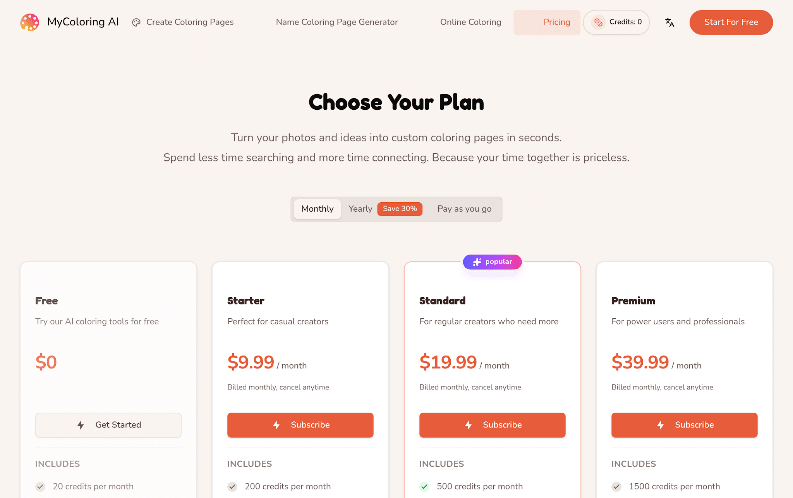
MyColoring.ai clearly presents a free starting point, but it is smart to read the live pricing page before planning heavy use.
The pricing page currently shows a free plan with:
- 20 credits per month
- 10 text to coloring page generations
- 10 image to coloring page generations
- 10 downloads
- 1 concurrent task
At the same time, the homepage and create page also use the wording “daily free credits.” That means the site clearly offers free entry, but the exact allowance language may change over time. If you are making a large batch for a class, it is worth checking the pricing page again before you start.
MyColoring.ai pricing
Tips for getting better printable results
A few small habits can make a big difference:
- ask for large bubble letters if the page is meant for name recognition
- say thick outlines for younger kids
- keep the background simple if the child is very young
- use one main theme instead of five unrelated objects
- choose PDF when you want the easiest print workflow
- test one page first before making a full set for a classroom
For teachers, it also helps to keep a repeatable prompt pattern. You can swap only the child’s name and one theme word, then make a matching set faster.
Who this works best for
MyColoring.ai works especially well for:
- parents who want quick custom pages without using design software
- preschool teachers who need simple printable name activities
- homeschool families making themed worksheets
- party planners who want personalized coloring pages for tables or take-home packs
It may be less ideal for people who want deep page layout editing inside the same tool. But if the main goal is to go from idea to printable page quickly, the workflow looks very practical.
Final conclusion
If you want an easy name coloring page generator workflow, MyColoring.ai is a strong option.
Its public pages show the things that matter most for this job: text-to-coloring support, no sign up needed messaging, daily free credits, style choices, difficulty controls, PDF and PNG downloads, and no-watermark output. That is enough to make personalized name coloring pages for home, classroom, or party use without turning the project into a design task.
If you just want a simple starting point, go to MyColoring.ai, type a short name-based prompt, keep the letters large, and start with an easy style. For most parents and teachers, that is the fastest way to get a printable page that feels personal.